




- The UI of the web version of “Gemini Notebook” was suddenly revamped around Tuesday, September 22, 2026.
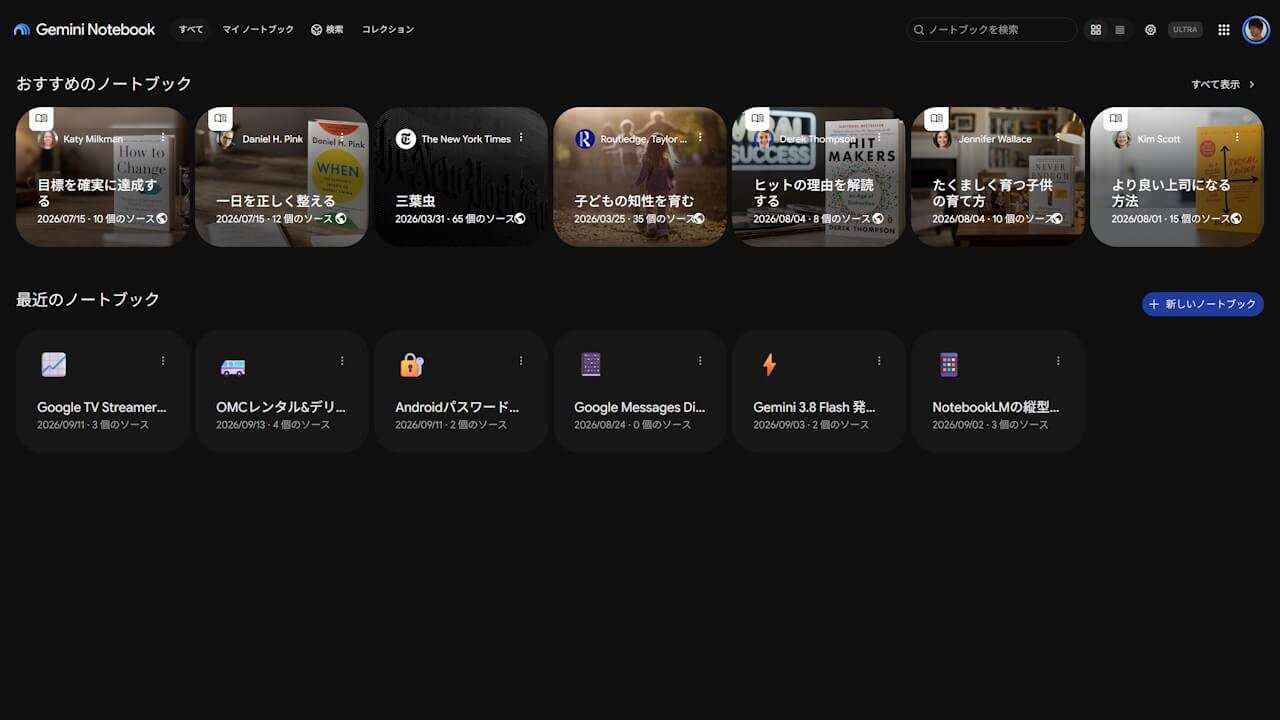
- The “Notebook” list view on the home screen has been expanded, allowing more “Notebooks” to be displayed per row than before.
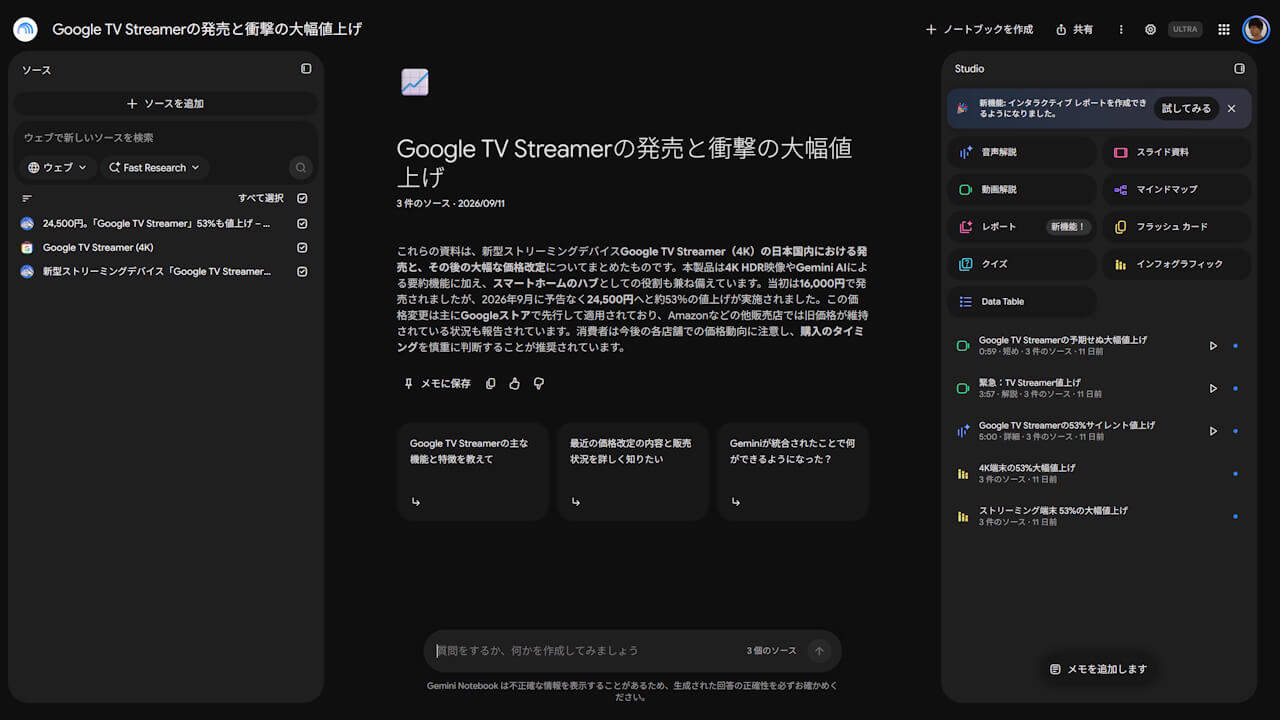
- On the “Notebook” screen, the icons for “Studio” content creation tools—such as “Audio Explanations,” “Video Explanations,” and “Infographics”—have become more colorful and easier to understand.
The web version of Google’s AI research tool, “Gemini Notebook,” suddenly received a UI refresh around Tuesday, September 22, 2026.
Following the UI refresh of the web version of “Gemini Notebook,” the “Notebook” list view on the home screen has been expanded, increasing the number of “Notebooks” displayed per row compared to before.
On the “Notebook” screen, while the three-column layout consisting of “Source,” “Chat,” and “Studio” remains unchanged, the icons for content generation tools in “Studio”—such as “Audio Overview,” “Video Overview,” and “Infographic”—have been made more colorful and easier to understand.
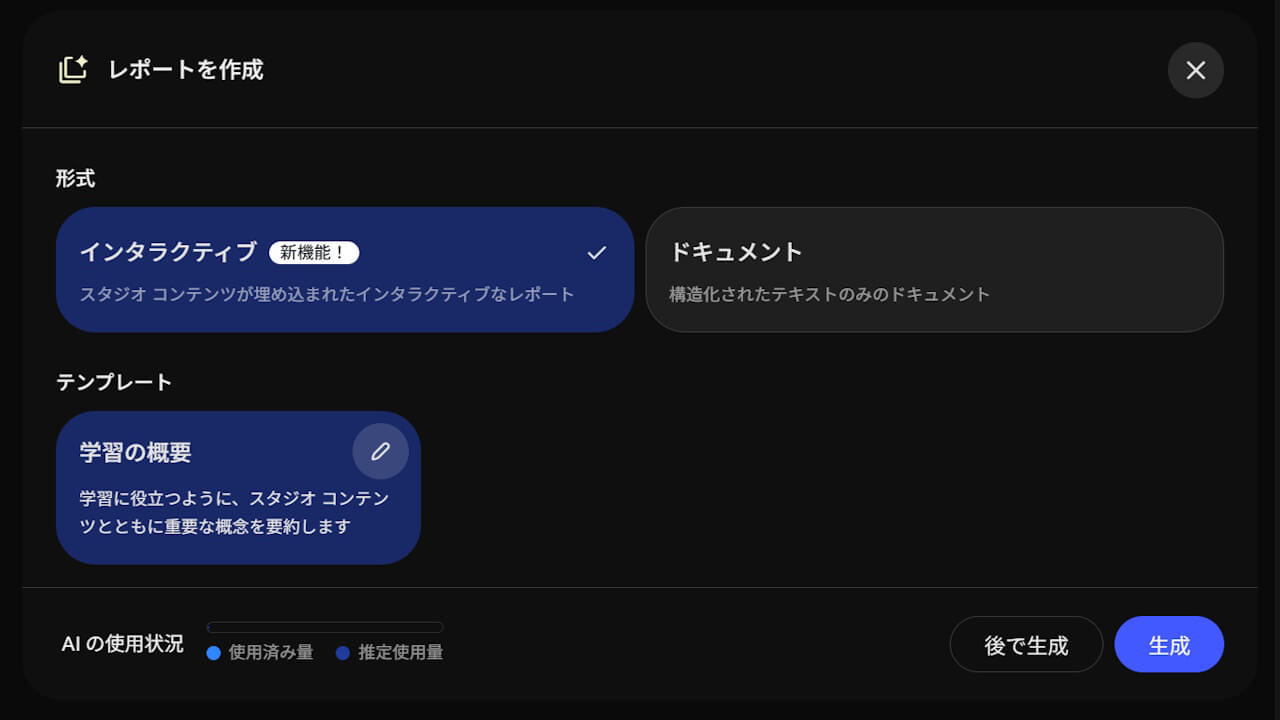
In conjunction with the UI refresh of the web version of “Gemini Notebook,” the new feature “Interactive Report,” which was announced in mid-September 2026, has also begun rolling out. The new “Interactive Report” feature allows users to create interactive “Reports” embedded with summaries and “Studio” content such as “Infographics,” “Quizzes,” and “Flashcards.”
At present, only “Study Guide” is available as a template.


Meanwhile, the UI of the Android and iOS versions of the “Gemini Notebook” app has not received any particular updates for now and remains unchanged.
Source:Gemini Notebook