




- The “Take a Message” feature (formerly known as “Message Leaving”) in the Phone by Google app appears to be rolling out more broadly in Japan and for Japanese language environments.
- “Take a Message” acts as a voicemail service that prompts callers to leave an audio message via a greeting when a call is missed or declined.
- A wider rollout of “Take a Message” in Japan was observed following the Phone by Google version v223 update, which was released around Thursday, May 21, 2026.
The voicemail feature “Take a Message” (previously known as “Message Leaving”) in the default Google Pixel phone app, “Phone by Google,” appears to be rolling out more broadly for users in Japan and those using Japanese language settings.
“Take a Message” in the Phone by Google app is a voicemail feature that encourages callers to leave an audio message via an automated greeting when you miss or decline a call. Messages recorded using “Take a Message” are stored on your Google Pixel device and also transcribed, allowing you to review the content of the audio messages as text.
Additionally, the “Take a Message” feature includes spam call detection based on audio messages recorded from missed or declined calls from numbers not in your contacts. It is also available on paired Google Pixel Watch 2 and later models connected via Bluetooth.
“Take a Message” was originally launched on October 2, 2025, for the Google Pixel 6 series and later in four countries: the US, UK, Australia, and Ireland. It was subsequently launched in Canada, bringing the total to five countries with official support.
Then, in mid-May 2026, a rollout of “Take a Message” for the Japanese environment was confirmed. Initially, however, it seemed to be a limited test rollout, likely aimed at specific Google Pixel devices registered for the beta tester program.


However, with the Phone by Google version v223 update released around Thursday, May 21, 2026, a wider rollout of the feature in Japan was confirmed. I have personally verified that “Take a Message” became available on my own Google Pixel devices (Pixel 10 Pro XL / Pixel 10 Pro Fold / Pixel 9a / Pixel 10a) following the version v223 update.
That said, the official “Phone app Help” page titled “Use ‘Take a Message’ to handle missed or declined calls” still lists only the original five countries (US, UK, Canada, Australia, and Ireland). Therefore, it is likely that even now, the rollout in Japan is still intended for Google Pixel devices registered as beta testers. Nevertheless, it is certain that it has become more widely available compared to mid-May 2026.
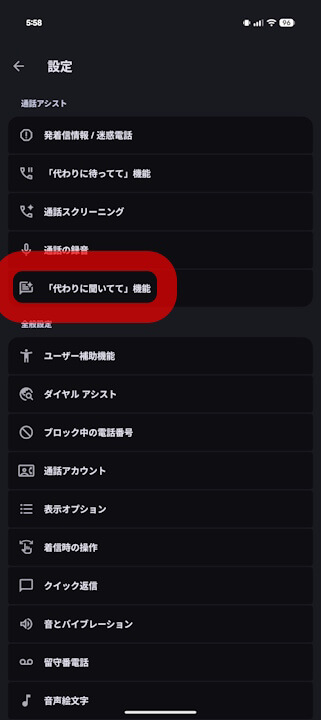
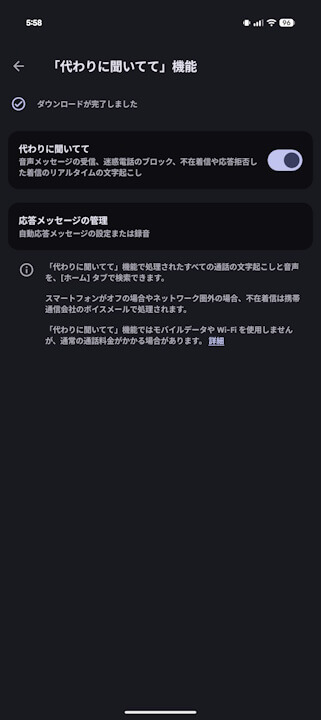

“Take a Message”
“Take a Message” in the Phone by Google app is a voicemail feature that uses a greeting to prompt callers to leave a message when you miss or decline a call.
In the “Take a Message” settings, you can toggle the feature on/off and manage your “Greeting.” The default “Standard Greeting” plays: “The person you are trying to reach is unavailable. Please leave a message after the tone.” However, users can also record their own custom greeting.
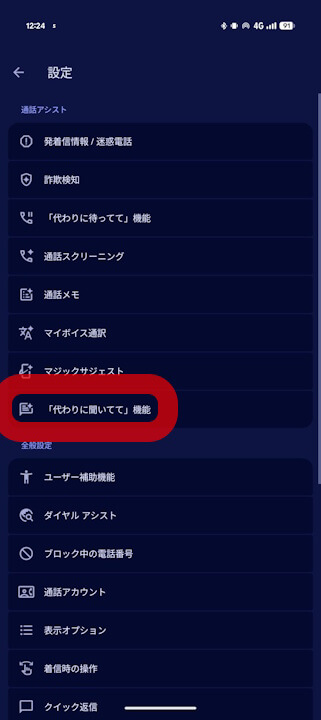
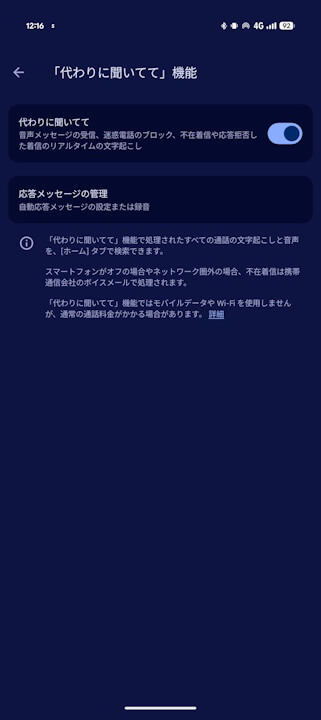
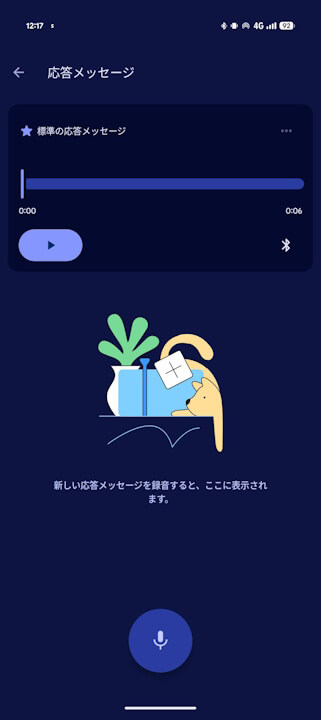
When “Take a Message” is enabled and you do not answer after 7 rings, the feature triggers. The caller will hear the “Greeting,” and the system will be ready to accept an audio message. This works just like a conventional voicemail service. Note that, as of now, there is no way to customize the timing (number of rings) for when “Take a Message” triggers.
Once a message is recorded, you will receive a missed call notification along with a transcription of the message. Tapping the missed call notification allows you to read the full text of the transcribed audio message.
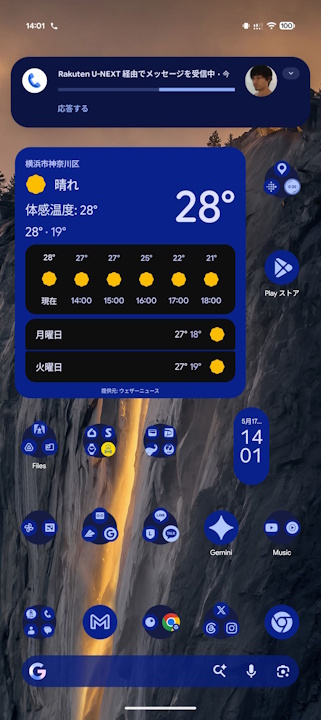
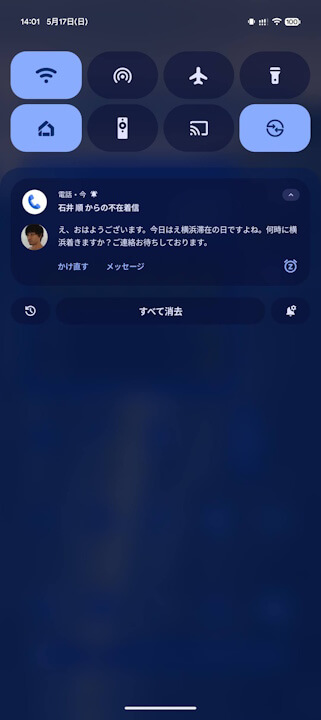
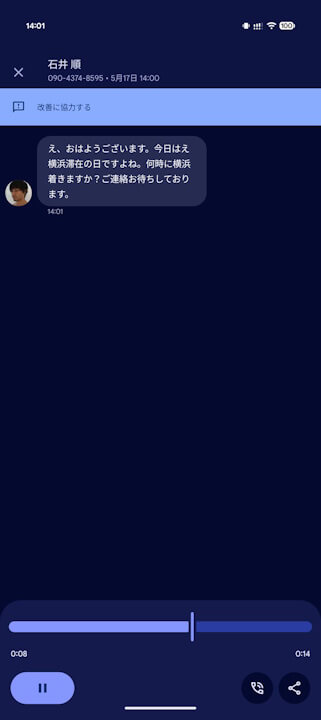
In the Phone by Google call history, you will see both the missed call log and the transcription of any message received via “Take a Message.” You can, of course, play back the recorded audio message and even share it as an .m4a file.
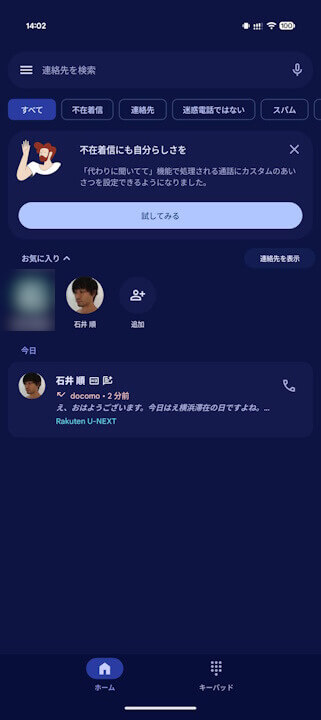
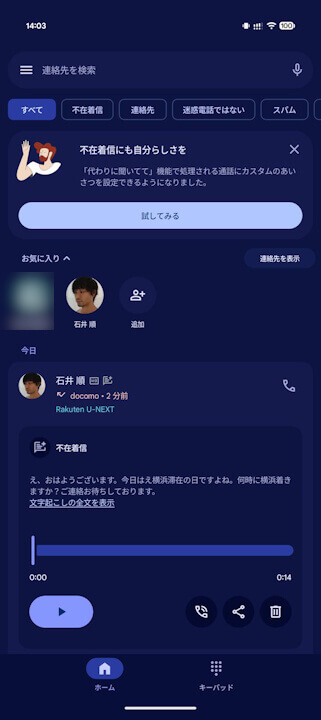
That is a quick look at “Take a Message” in the Phone by Google app. It is not a overly complicated feature; it is a very basic voicemail service, but the addition of transcription makes it quite convenient.
“Phone by Google” App Link

Source: Google