



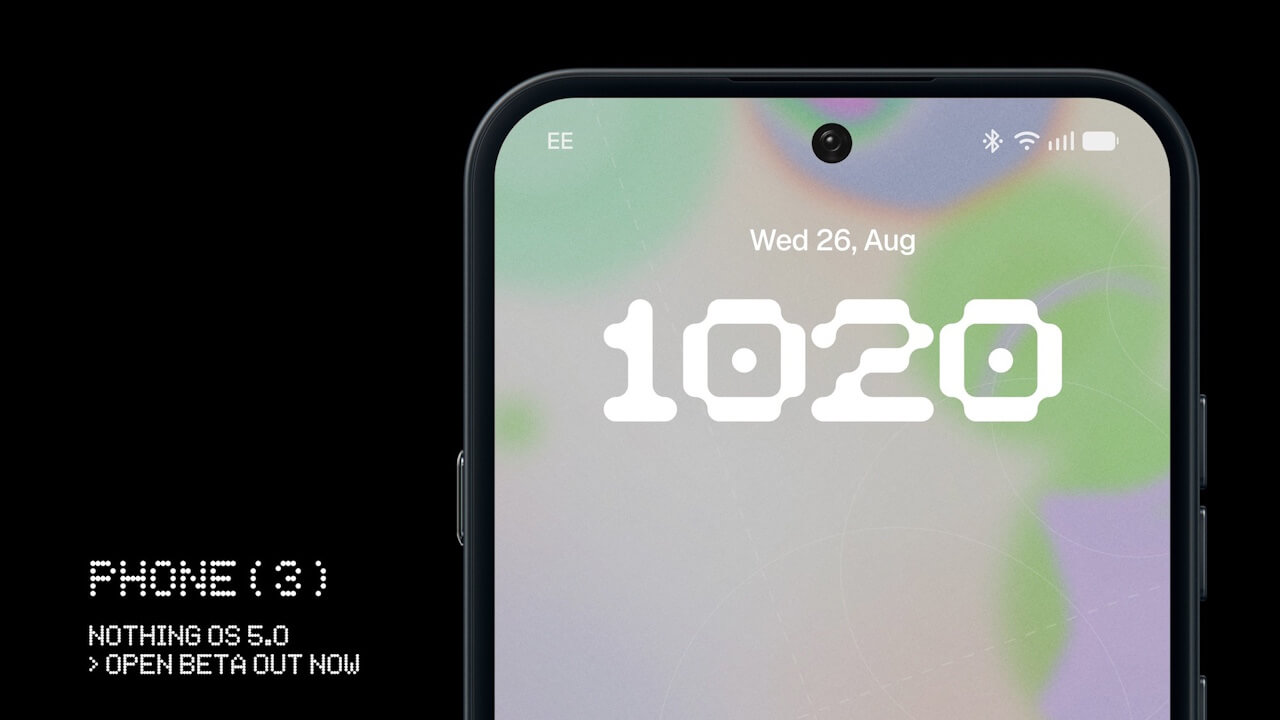

- As previously announced, Nothing has released the open beta version of its next-generation custom OS, “Nothing OS 5.0,” for the “Phone (3).”
- Users can easily install the update by downloading the “Nothing Beta Hub” app v2.0, available as an APK file, onto their target device.
- Please note that as this is a beta OS, bugs and issues may occur.
On Wednesday, August 26, 2026 (local time), British venture company Nothing Technology (“Nothing”) released the open beta version of its next-generation custom OS, “Nothing OS 5.0,” for the “Phone (3),” as previously announced.
The open beta version of “Nothing OS 5.0” is an optional beta operating system. It can be easily installed by downloading the “Nothing Beta Hub” app v2.0, which is distributed as an APK file, onto a compatible device.
However, because this is a beta OS, bugs and unexpected issues may occur. For this reason, installation is completely optional and performed at your own risk.

| ■ Important Notes on the “Nothing OS 5.0” Open Beta |
|
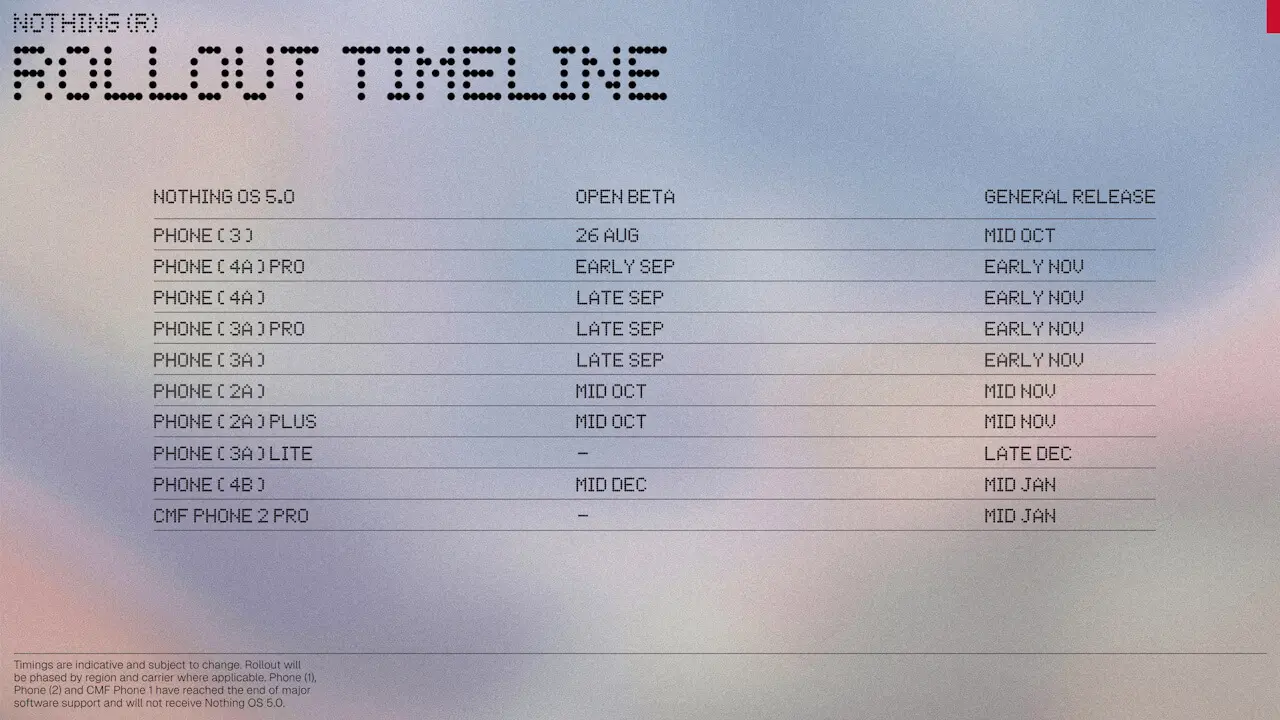
“Nothing OS 5.0” is based on the new-generation Android OS “Android 17” and introduces multiple new features. Starting with the release for the “Phone (3),” compatible devices for the “Nothing OS 5.0” open beta will be expanded over the coming months, followed by the sequential rollout of the official version of “Nothing OS 5.0” starting in mid-October 2026.
However, “Nothing OS 5.0” will not be available for the second-generation Nothing Android device “Phone (2),” which has reached the end of its 3-year major OS update support lifecycle after its release, nor will it be available for the 2024 “CMF Phone 1.”
Timings are indicative and subject to change. Rollout will be phased by region and carrier where applicable, Phone (1), Phone (2) and CMF Phone 1 have reached the end of major software support and will not receive Nothing OS 5.0.
“Nothing OS 5.0” Rollout Schedule
| ■ “Nothing OS 5.0” Open Beta |
|
| ■ “Nothing OS 5.0” Official Version |
|
Revamped Design
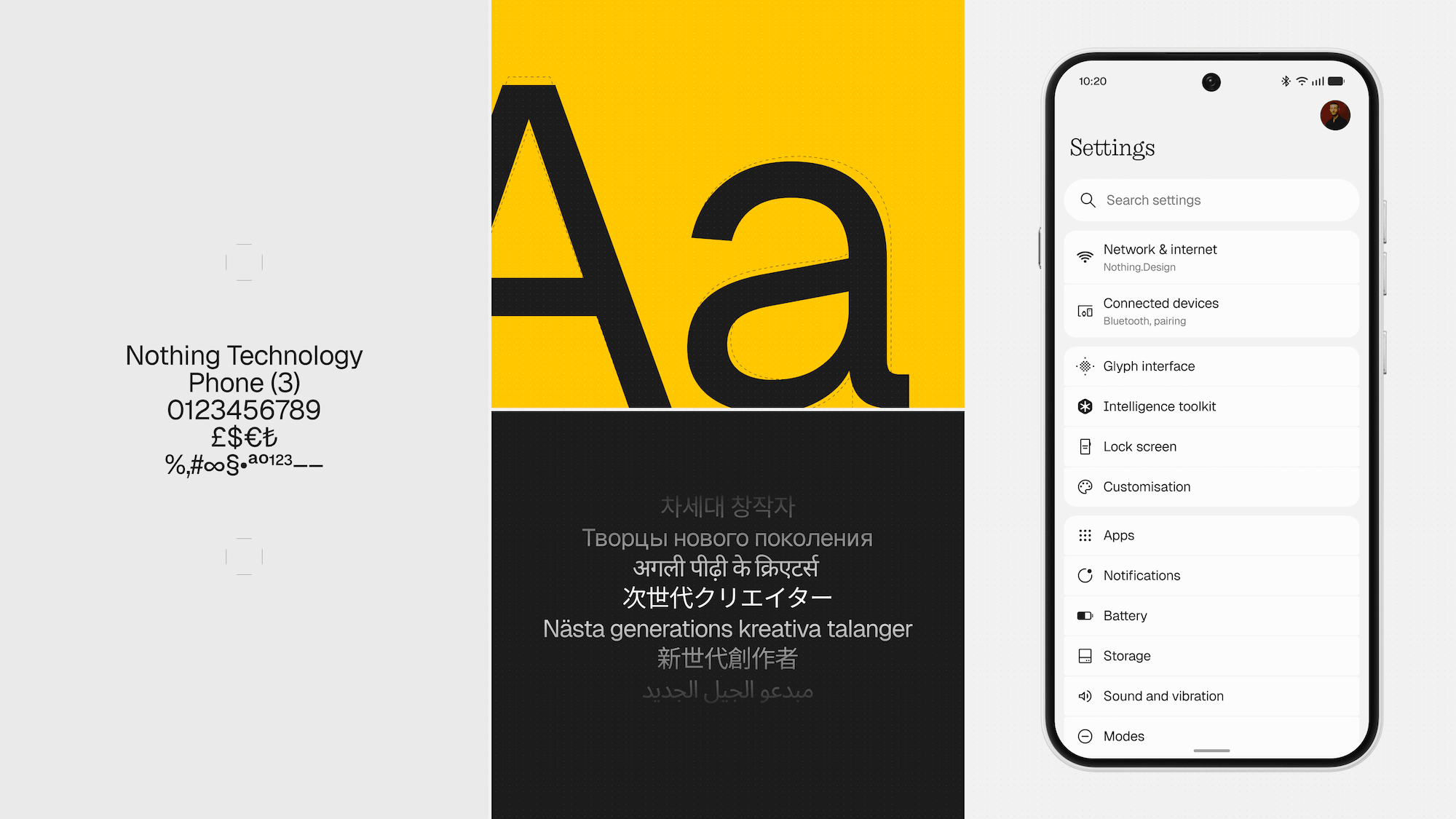
“Nothing OS 5.0” brings a comprehensive design overhaul, refreshing system-wide typography, icons, whitespace, textures, and motions.
One of the most significant changes is the adoption of the new system typeface, “Geist.” Selected by the design team to enhance legibility while maintaining the distinct personality unique to “Nothing OS,” it plays a key role in improving visual consistency across settings screens, widgets, menus, and the entire system.
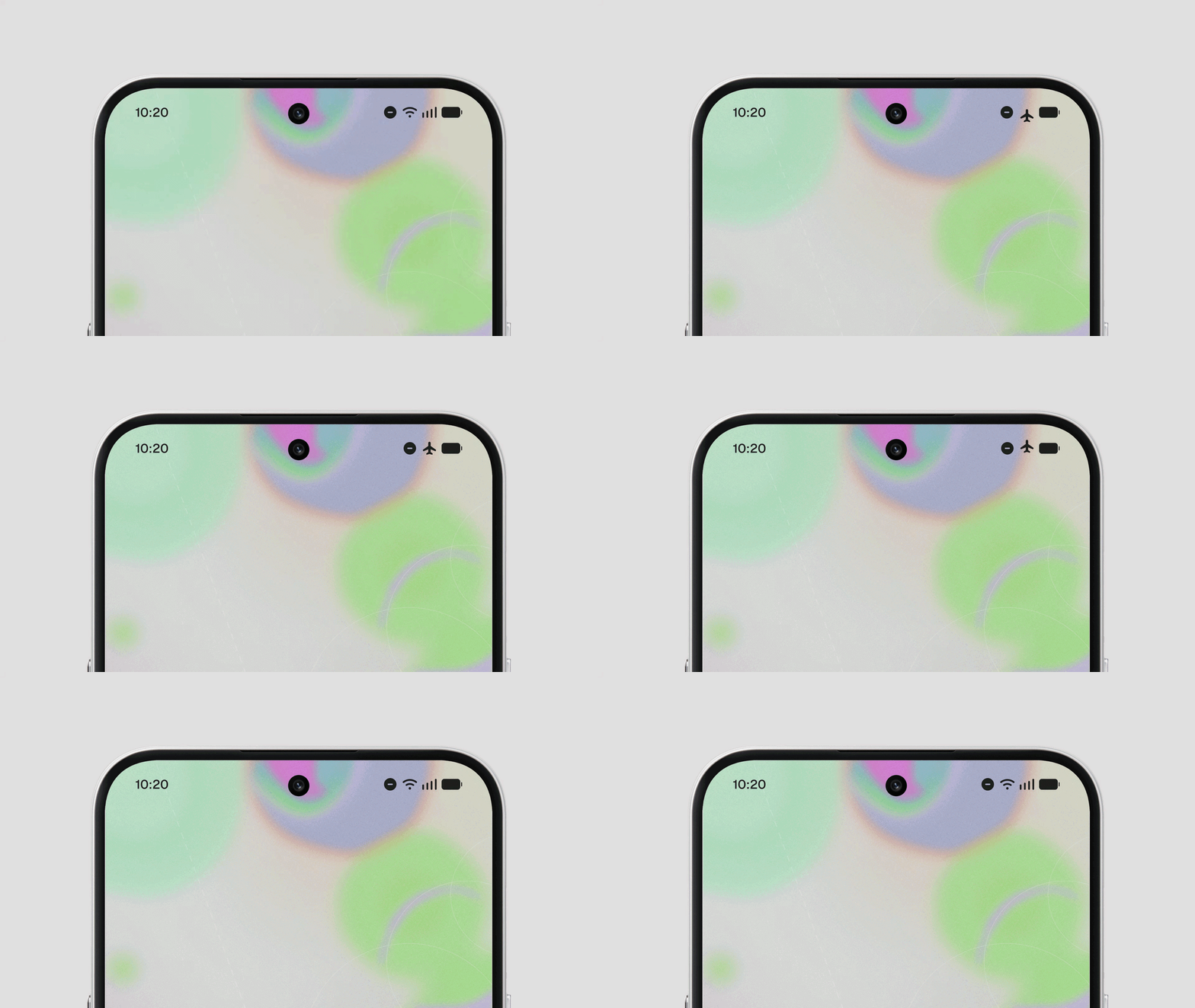
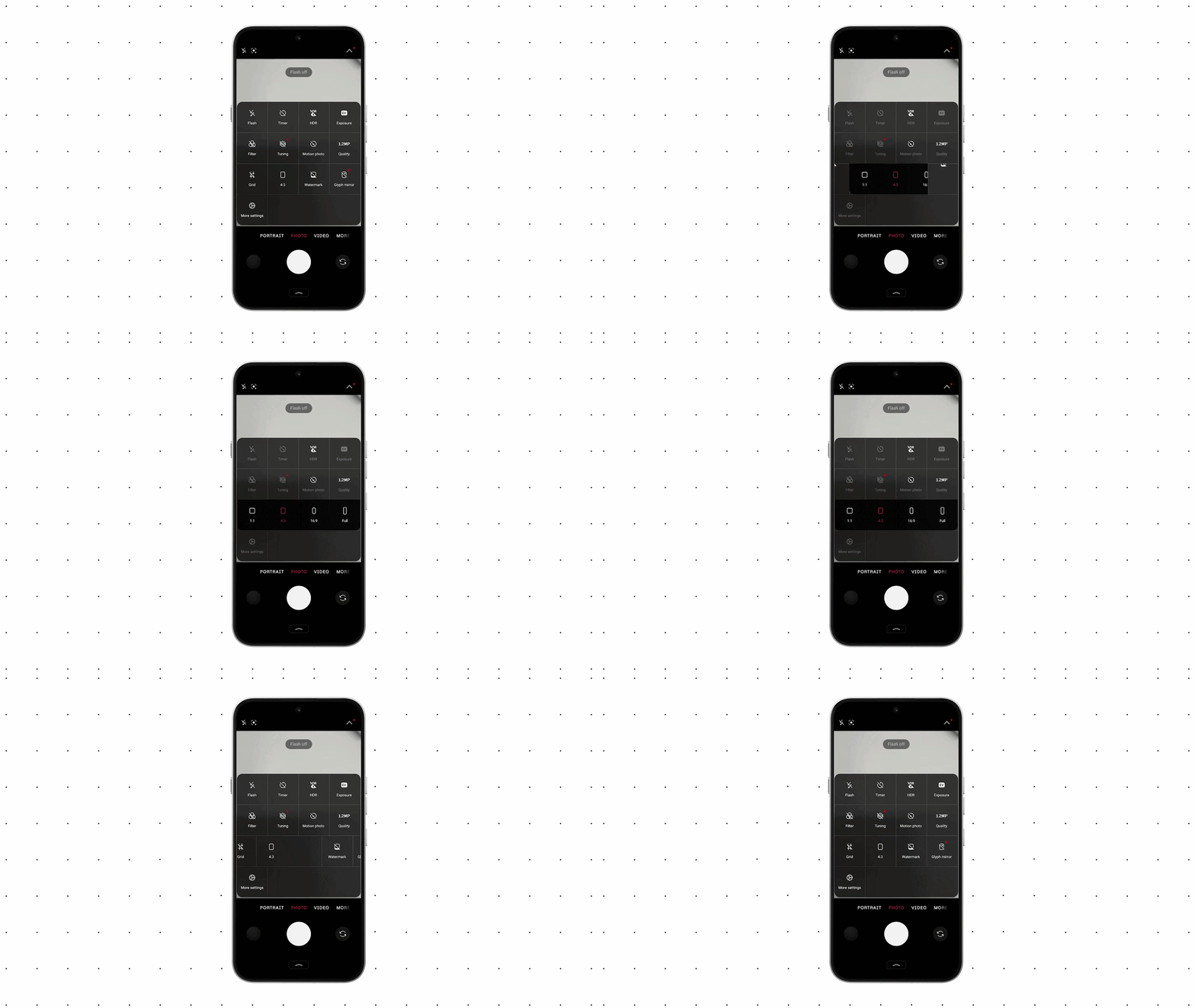
Additionally, the settings screens have been refined with updated icons, whitespace, and corner shapes, grouping frequently used items together to improve visibility and ease of use. Status bar icons feature a brand-new design, displaying state changes like signal strength and battery levels with clearer animations. The camera app’s icon and control system have also been redesigned, improving minor usability aspects such as pinning QR code scan results directly on the screen.
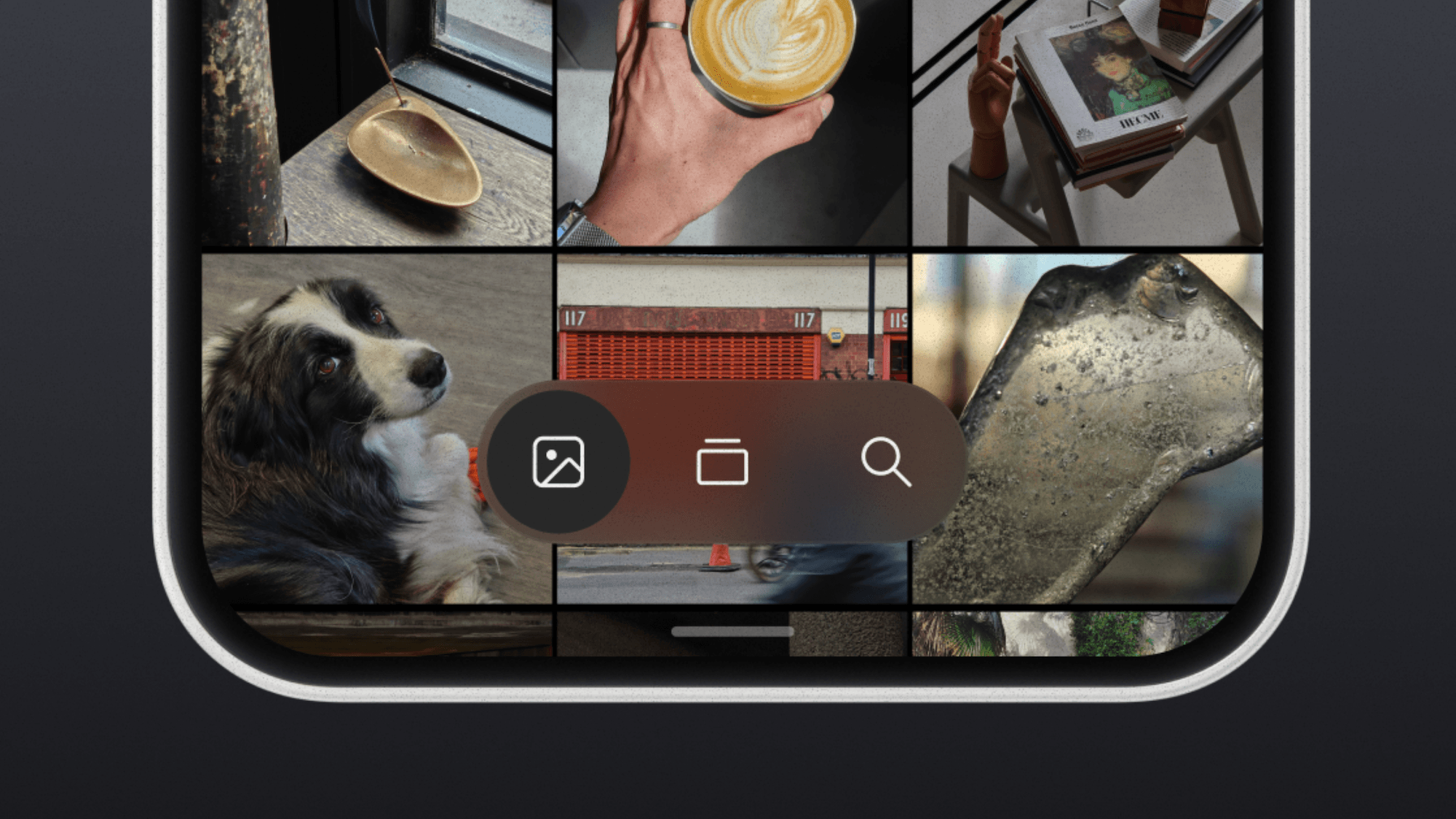
In the “Nothing Gallery” app, photo sorting/filtering features and the album layout have been redesigned, reflecting a new design language utilizing translucent materials throughout.
Wallpaper-Synced Personalization Features
“Nothing OS 5.0” introduces a new personalization feature where the color scheme of app icons and widgets automatically adapts based on the tones of your wallpaper.
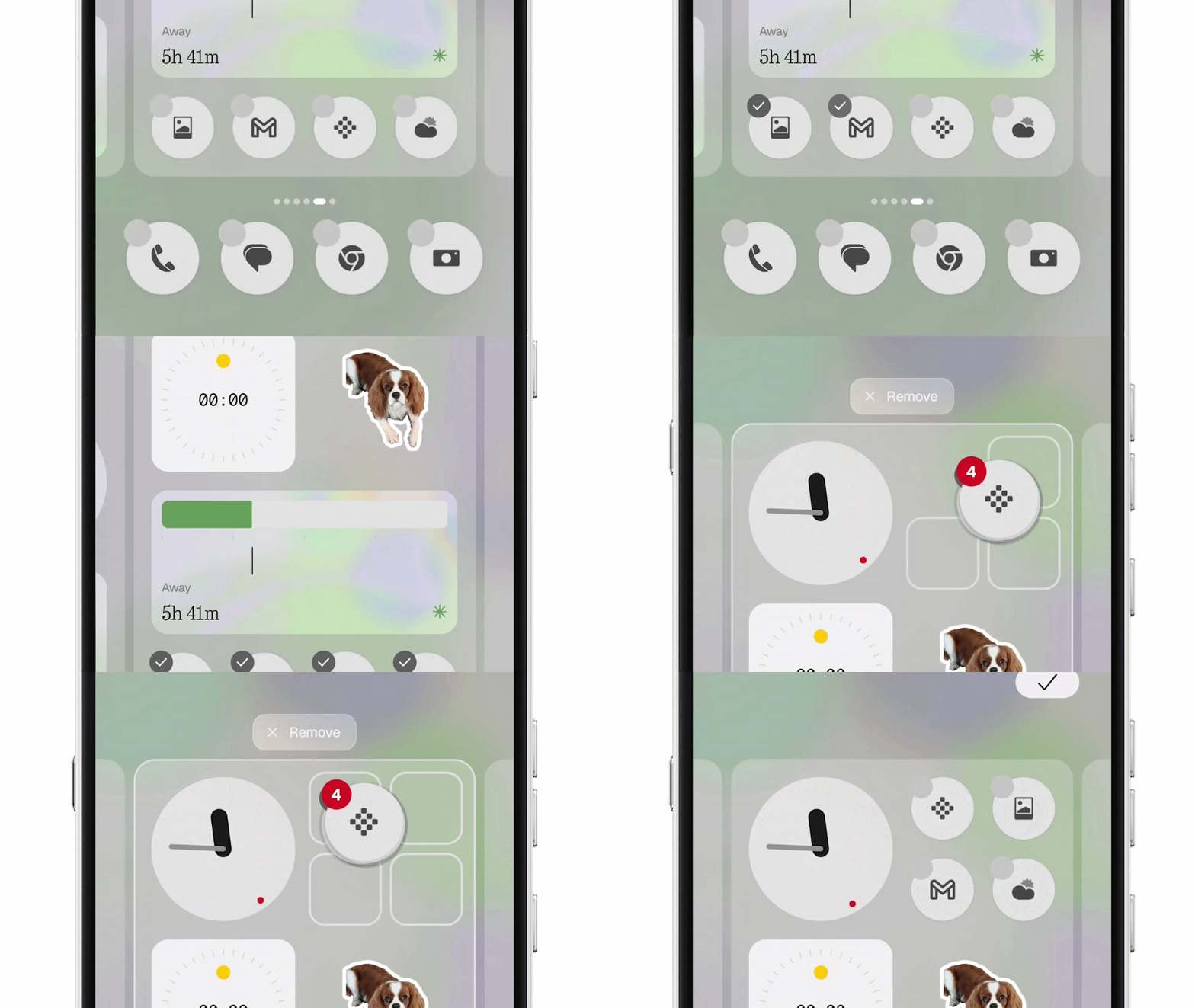
On the lock screen, two new options are added: “Gooey,” a clock face featuring fluid, organic shapes, and “Micrographics,” which consolidates date, weather, and schedule info. Both support color settings reflecting the wallpaper. On the home screen, a batch-editing feature has been added, allowing users to select multiple icons and widgets and move them across pages all at once, reducing the hassle of layout adjustments.
Several new widgets and apps have also been added, including “Away Time,” a new widget that visualizes the time you spent away from interacting with your smartphone; “Collector,” which displays collections of photos gathered from the camera or “Nothing Gallery” app on your home or lock screen; “Glyph,” a dedicated app to centrally manage Glyph Interface-related features, sounds, and schedules; and the “Glyph Timer” widget, which lets you launch a timer directly from the home screen.
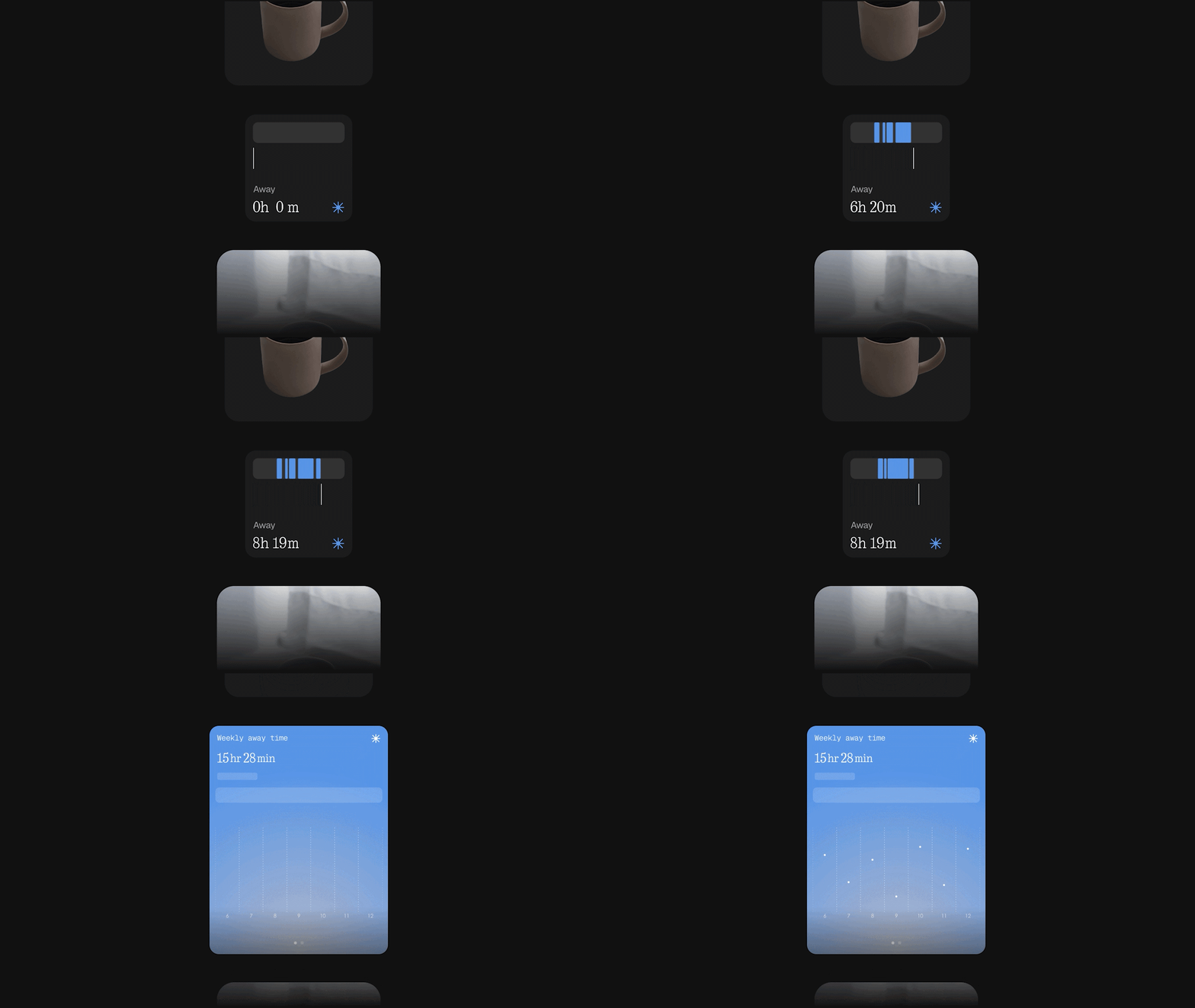
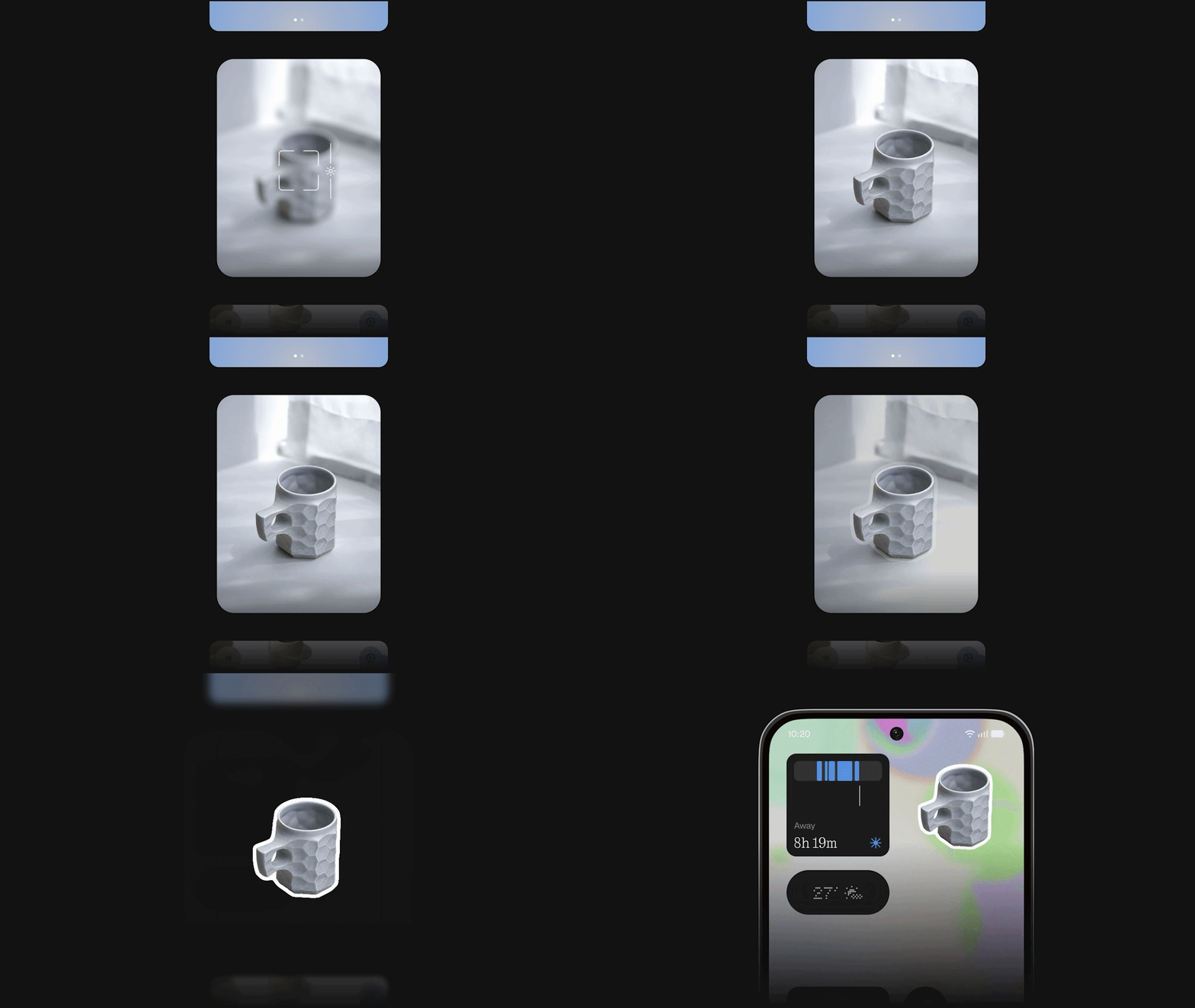
Please note that the translucent material-themed home screen and the “Micrographics” clock face are still under development and are therefore not included in the “Nothing OS 5.0” open beta. They are scheduled to arrive with the official release of “Nothing OS 5.0.”
UI Acceleration
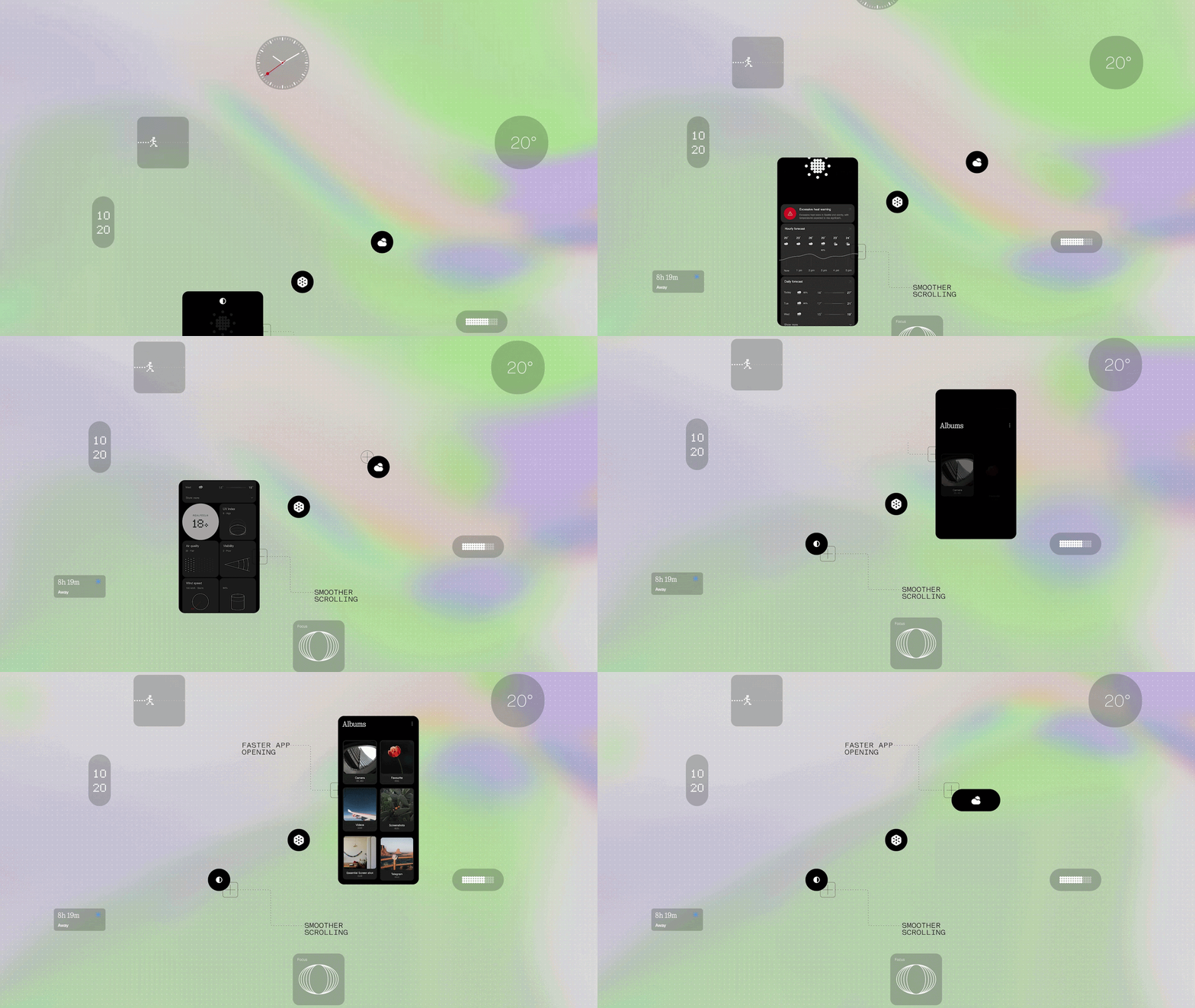
“Nothing OS 5.0” accelerates the UI by improving responsiveness in daily operations such as app launching, scrolling, touch tracking, and multitasking.
By optimizing background management, more resources are allocated to active apps, while frequently used apps remain on standby in the background, reducing reload frequency. Furthermore, reversing gestures mid-action causes animations to smoothly play in reverse, delivering more natural motion across apps, folders, widgets, and the multitasking screen.
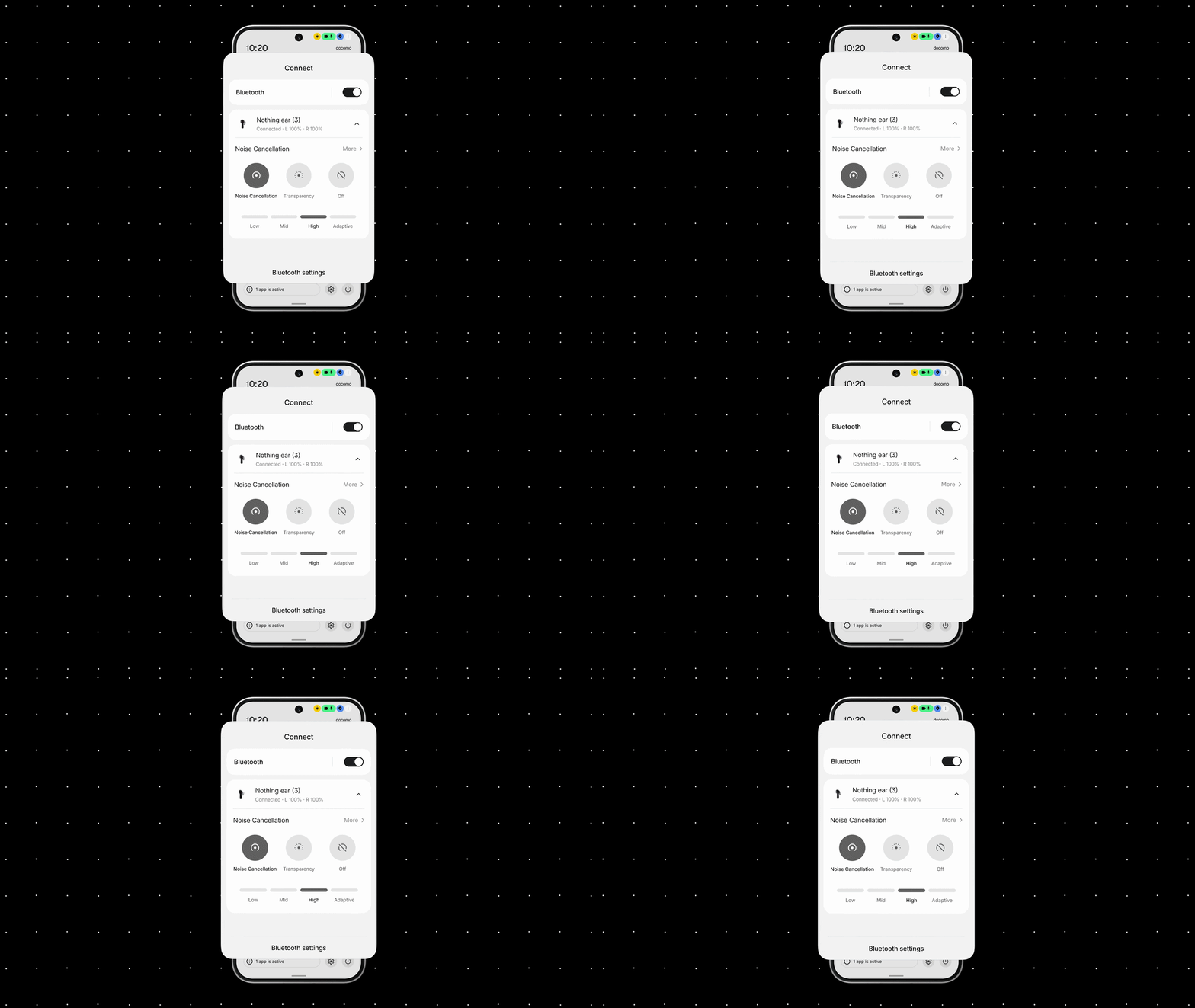
The Bluetooth Quick Settings tile has also been redesigned, allowing you to search for nearby devices or connect/disconnect with a single tap.
“Essential AI” Feature Updates
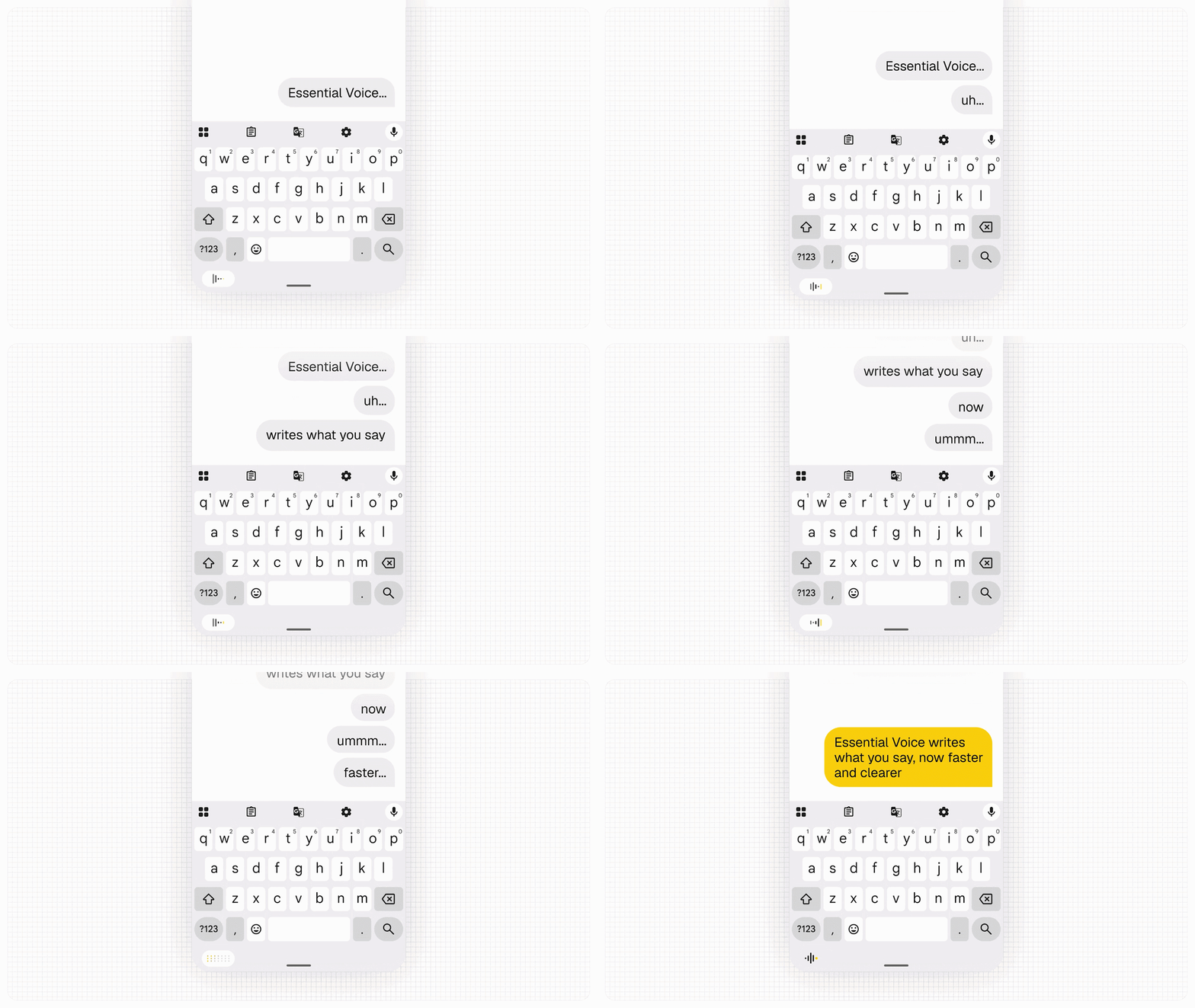
As part of the “Essential AI” updates, processing speed in the voice memo feature “Essential Voice” has been improved, resulting in cleaner, better-organized transcriptions.
It automatically distinguishes between content that should remain as paragraphs and tasks or requirements that should be formatted as bullet points, while displaying spoken words in real time. Additionally, a multi-language “real-time translation” feature is planned for release later this year.
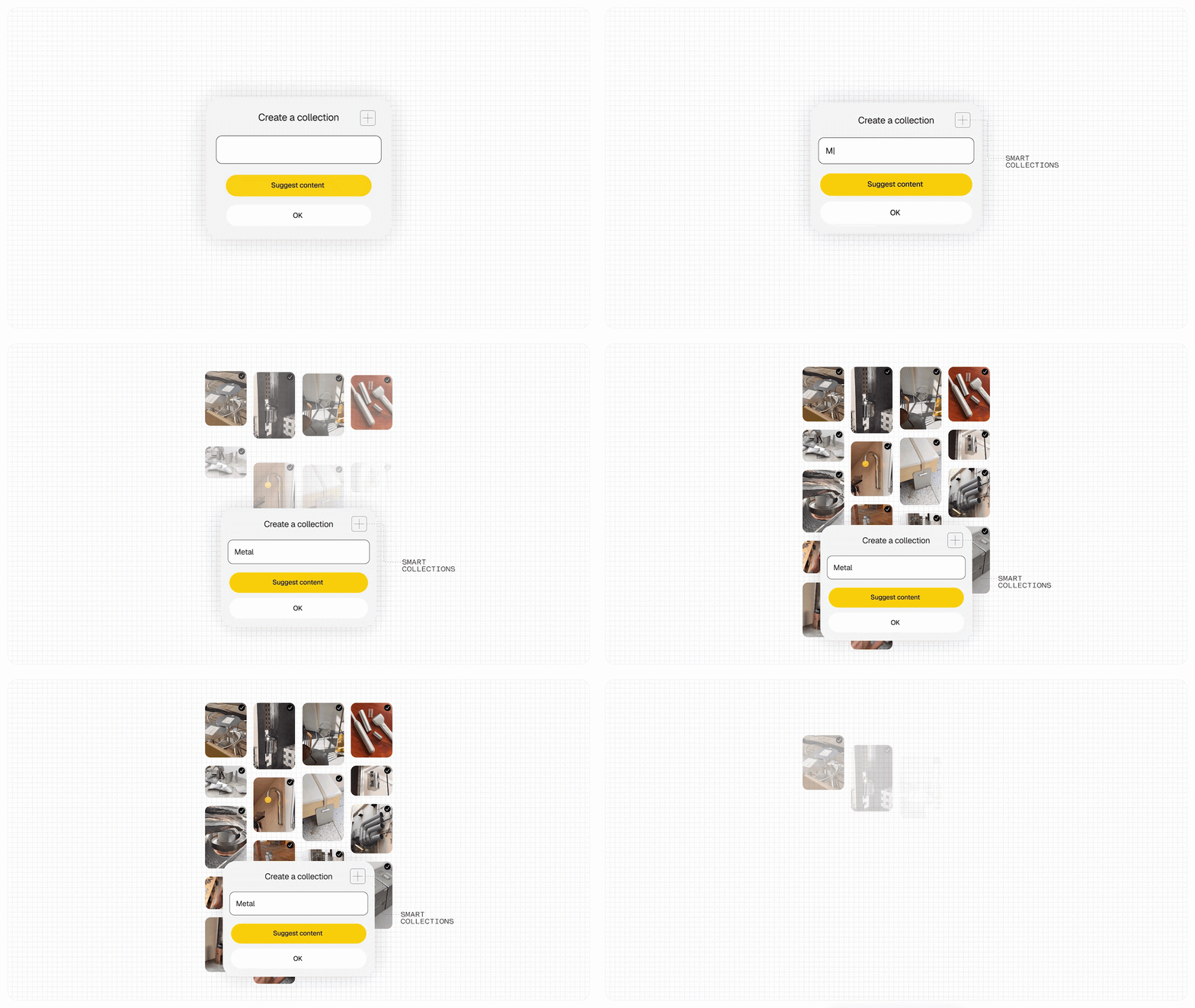
“Essential Space” introduces “Smart Collections,” which automatically suggests relevant items from existing saves when creating a new collection, as well as a feature that prompts the creation of a new collection if common topics are detected across multiple saved items.
Furthermore, Model Context Protocol (MCP) support is introduced, allowing compatible external AI platforms to search and reference saved content within “Essential Space.” MCP is read-only upon initial release, with broader MCP support rolling out via Google Play planned for October 2026.
In addition, the new “Essential Apps Builder” app has been added, allowing users to create “Essential Apps” directly on their smartphone, which was previously only possible on the web. With the “Essential Apps Builder” app, simply describing the tool you want to build in natural language lets you create widgets and tools to place on your home screen without writing any code.
“Android 17” New Features
“Nothing OS 5.0” also incorporates numerous new features implemented in the underlying new-generation Android OS, “Android 17.”
These wide-ranging improvements include a “Split Mode” that lets you separate the notification panel and Quick Settings tiles by swiping left or right; enhanced “Quick Share” for sending and receiving files via QR codes and browsers regardless of whether it’s iPhone or Android; a floating control panel for easier operation during screen recording; privacy indicators displayed in three colors (green, blue, yellow) on the status bar for location sharing or AI data processing; “Live Info” displaying app progress in a capsule format on the status bar; “Noto 3D” emojis with added stereoscopic depth; an “Extended Dark Theme” to set dark mode applicability per app; “Assistant Volume,” which can be adjusted separately from media volume; “HDR Brightness Correction,” which brightens only the highlight areas of HDR photos/videos without increasing overall screen brightness; and a revamped “Recent Apps” screen featuring a pill-shaped menu grouping actions like “Split Screen” and “App Info.”
Source: Nothing (https://nothing.community/d/61730-nothing-os-50-new-features-explained)
As part of the “Essential AI” updates, processing speed in the voice memo feature “Essential Voice” has been improved, resulting in cleaner, better-organized transcriptions.
It automatically distinguishes between content that should remain as paragraphs and tasks or requirements that should be formatted as bullet points, while displaying spoken words in real time. Additionally, a multi-language “real-time translation” feature is planned for release later this year.
“Essential Space” introduces “Smart Collections,” which automatically suggests relevant items from existing saves when creating a new collection, as well as a feature that prompts the creation of a new collection if common topics are detected across multiple saved items.
Furthermore, Model Context Protocol (MCP) support is introduced, allowing compatible external AI platforms to search and reference saved content within “Essential Space.” MCP is read-only upon initial release, with broader MCP support rolling out via Google Play planned for October 2026.
In addition, the new “Essential Apps Builder” app has been added, allowing users to create “Essential Apps” directly on their smartphone, which was previously only possible on the web. With the “Essential Apps Builder” app, simply describing the tool you want to build in natural language lets you create widgets and tools to place on your home screen without writing any code.
“Android 17” New Features
“Nothing OS 5.0” also incorporates numerous new features implemented in the underlying new-generation Android OS, “Android 17.”
These wide-ranging improvements include a “Split Mode” that lets you separate the notification panel and Quick Settings tiles by swiping left or right; enhanced “Quick Share” for sending and receiving files via QR codes and browsers regardless of whether it’s iPhone or Android; a floating control panel for easier operation during screen recording; privacy indicators displayed in three colors (green, blue, yellow) on the status bar for location sharing or AI data processing; “Live Info” displaying app progress in a capsule format on the status bar; “Noto 3D” emojis with added stereoscopic depth; an “Extended Dark Theme” to set dark mode applicability per app; “Assistant Volume,” which can be adjusted separately from media volume; “HDR Brightness Correction,” which brightens only the highlight areas of HDR photos/videos without increasing overall screen brightness; and a revamped “Recent Apps” screen featuring a pill-shaped menu grouping actions like “Split Screen” and “App Info.”
Source: Nothing (https://nothing.community/d/61730-nothing-os-50-new-features-explained)