






- Google、現地時間 2026 年 11 月 11 日(水)に、「Google Home」関連サービスに対して展開している新機能や改善をまとめた最新情報「What’s new in Google Home」を公開。
- 「Gemini for Home(早期アクセス)」におけるスマートホーム操作の信頼性向上やスマートディスプレイでの画像付き回答表示、「Google ウォレット」アプリへの「ホームキー(Home keys)」追加(パブリックプレビュー)、「Google Home MCP(早期アクセス)」でのオートメーション作成 / 管理対応。
- 多数の機能強化や不具合修正が発表。
Google は現地時間 2026 年 11 月 11 日(水)、スマートホームサービス「Google Home」関連サービスに対して展開している新機能や改善をまとめた最新情報「What’s new in Google Home」を公開しました。
今回の「What’s new in Google Home」では、「Gemini for Home(早期アクセス)」におけるスマートホーム操作の信頼性向上やスマートディスプレイでの画像付き回答表示、「Google ウォレット」アプリへの「ホームキー(Home keys)」追加(パブリックプレビュー)、「Google Home MCP(早期アクセス)」でのオートメーション作成 / 管理対応など、多数の機能強化や不具合修正が発表されています。
Release notes for 2026
November 11, 2026
Gemini for Home (Early Access)
Voice Assistant
- More reliable smart home controls: Gemini is better at handling complex smart home requests, so it is less likely to say it can’t help and will ask a quick clarifying question (like “which bedroom?”) instead of guessing when multiple devices match.
- Visual answers with images on smart displays: On-screen answers on smart displays now will include relevant images when helpful so you can take in information at a glance.
- Faster timers, alarms, and media sleep timers: Gemini now responds faster when you set, check, or cancel timers, alarms, and media sleep timers. Fixed some rare cases where Gemini would fail to actually set the sleep timer.
- More conversational voice feedback: When you share feedback by voice, Gemini now makes it easier to add more detail or change your message before sending it.
- Faster Broadcasts across your home: Broadcast messages now start playing more quickly across your home’s speakers and displays.
Google Home App
Google Home Premium
- Easier access to your subscription: It’s now easier to access and manage your Home Premium subscription. Just tap on the Google Home App’s profile menu, then tap ‘Google Home Premium’ to manage your subscription and premium features.
Energy
- Eco Mode Everywhere: If you have multiple Nest thermostats, you can now enable Eco mode across every device in your home with a single press, helping you maximize energy savings instantly.
Safety & Security
- Add home keys to Google Wallet (Public Preview): Rolling out to Public Preview, users can now tap to unlock or unlock hands-free on approach by adding a digital home key to Google Wallet on supported Android devices for Aliro-compliant smart locks. Learn more.
Camera
- More reliable camera history player controls (Android): Fixed issues in camera event history where the previous and next event buttons or player controls could be missing or unresponsive on still-image events, timeline gaps, or playback error screens, or get stuck loading when rotating your phone.
- Fewer unnecessary Nest account linking prompts (Android): Fixed an issue where already-linked users could be prompted with “Do you have a Nest account?” during brief network interruptions.
- Clearer account relinking for partner cameras (Android): Fixed an issue where third-party cameras with an expired partner account link appeared offline instead of showing the option to relink your account.
- Offline legacy Nest Doorbell removal (Android): Restored the option in device settings to remove an offline unmigrated Nest Doorbell (wired, 1st gen).
- Software updates for Nest Cam Indoor (1st gen), Nest Cam Outdoor (1st gen), Nest Doorbell (wired, 1st gen / Nest Hello), Nest Cam IQ Indoor, and Nest Cam IQ Outdoor migrated to the Google Home app:
- Fixed live streaming connection issues on certain network connections: Resolved an issue where live streaming could fail to connect over certain internet connections (such as PPPoE, fiber, or mobile hotspots) while event history continued recording normally, and improved live stream responsiveness and smoothness.
- Restored event thumbnails on Nest Cam IQ: Fixed an issue on Nest Cam IQ Indoor and Nest Cam IQ Outdoor where event previews in the Google Home app could appear blank.
- Improved playback timestamps and camera reliability: Improved camera clock accuracy for reliable event history timestamps, updated security certificates, and fixed stability issues to reduce unexpected camera restarts.
Home MCP
Google Home MCP (early access)
What’s new in Google Home – Google Nest Help
- Create and manage household Automations: Your personal agent can now view, create, and update automations for your home, on top of checking device status, browsing history, and controlling devices. Agents can work with automations created in the Google Home app or through Google Home MCP, while sensitive security actions stay blocked for safety. Agents can’t permanently delete routines yet, so you can ask your agent to turn off an automation instead or delete it directly in the Google Home app.
- Expanded smart device support: We now support additional device capabilities including status checks and control across thermostats, fans, air purifiers, robot vacuums, lighting effects, kitchen appliances, EV chargers, and smoke and carbon monoxide alarms.
「Gemini for Home(早期アクセス)」
音声アシスタント
「Google Home」スマートスピーカーおよびスマートディスプレイ向けの Google AI「Gemini」において、複雑なスマートホーム操作のリクエスト処理が改善されました。
操作に対応できないと返答するケースが減ったほか、複数のデバイスが該当する場合には推測で操作するのではなく、“どの寝室ですか?” のように確認の質問を返してくれるようになっています。また、スマートディスプレイの画面表示では、必要に応じて関連画像もあわせて表示されるようになり、情報をひと目で把握できるようになりました。
さらに、タイマー、アラーム、メディアのスリープタイマーを設定 / 確認 / キャンセルする際の応答速度が向上し、まれにスリープタイマーが正しく設定されない不具合も修正されています。このほか、音声によるフィードバック送信時に内容の追加や変更がしやすくなったほか、自宅内のスピーカーやディスプレイへのブロードキャストメッセージの再生開始も高速化されました。
「Google Home」アプリ
「Google Home Premium」と省エネ / セキュリティ機能
「Google Home」アプリのプロフィールメニューから「Google Home Premium」をタップすることで、サブスクリプションやプレミアム機能の管理により簡単にアクセスできるようになりました。
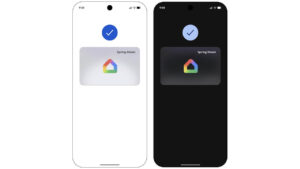
エネルギー管理機能では、複数の「Nest」サーモスタットを設置している場合、ワンタップで自宅内のすべてのデバイスを一括でエコモードに切り替えられるようになっています。また、安全性とセキュリティの項目として、「Aliro」規格対応のスマートロック向けに、対応する Android デバイスの「Google ウォレット」アプリへデジタルの「ホームキー(Home keys)」を追加し、かざして解錠したり近づくだけでハンズフリー解錠したりできる機能がパブリックプレビューとして展開開始されました。
 jetstream.blog
カメラ機能
Android 版「Google Home」アプリでは、カメラのイベント履歴において、静止画イベントやタイムラインの空白区間、再生エラー画面、あるいは端末の画面回転時に前後のイベントボタンや再生コントロールが消えたり反応しなくなったりする不具合が修正されました。
また、一時的なネットワーク切断時に連携済みのユーザーに対して “Nest アカウントをお持ちですか?” と再連携を求めるプロンプトが表示される不具合や、連携期限が切れたサードパーティ製カメラが再連携オプションを表示せずオフライン扱いになる不具合も解消されています。さらに、Android 版のデバイス設定にて、未移行でオフライン状態の第 1 世代「Nest Doorbell(有線)」を削除するオプションが復元されました。
加えて、「Google Home」アプリへ移行された第 1 世代「Nest Cam Indoor」「Nest Cam Outdoor」「Nest Doorbell(有線 / Nest Hello)」「Nest Cam IQ Indoor」「Nest Cam IQ Outdoor」向けにソフトウェアアップデートが配信され、PPPoE や光回線、モバイルホットスポットなど特定のネットワーク環境下でのライブストリーミング接続不良の改善、「Nest Cam IQ」でのイベントプレビュー空白表示の修正、イベント履歴のタイムスタンプ精度向上とセキュリティ証明書の更新、予期せぬ再起動を軽減する安定性向上が実施されています。
「Google Home MCP」
「Google Home MCP(早期アクセス)」
AI エージェントとスマートホームを連携させる「Google Home MCP(早期アクセス)」において、デバイスの状態確認や履歴閲覧、デバイス操作に加えて、パーソナルエージェントから自宅のオートメーションの表示 / 作成 / 更新が行えるようになりました。
「Google Home」アプリまたは「Google Home MCP」経由で作成されたオートメーションの操作に対応しつつ、セキュリティ上重要なアクションは安全のためブロックされます。なお、ルーティンの完全削除にはまだ対応していないため、不要な場合はエージェントにオフにするよう指示するか、「Google Home」アプリから直接削除する仕様です。
さらに、サーモスタット、扇風機、空気清浄機、ロボット掃除機、照明エフェクト、キッチン家電、EV 充電器、煙 / 一酸化炭素アラームといった幅広いスマートデバイスの状態確認や制御にも新たに対応しています。
「Google Home」アプリリンク


Source:Google




コメントを残す