






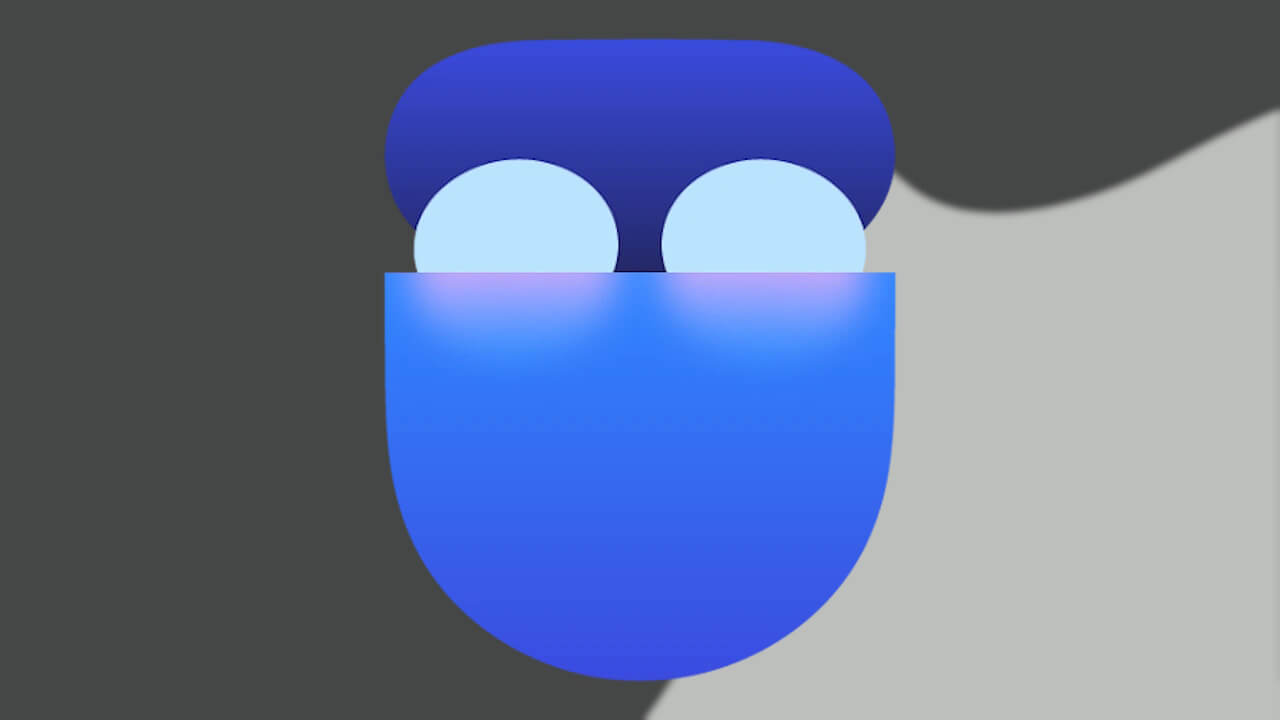
- Google Pixel Bluetooth イヤホンシリーズ「Pixel Buds」に、通話中のミュート / ミュート解除を行える新たなジェスチャー操作が追加される模様。
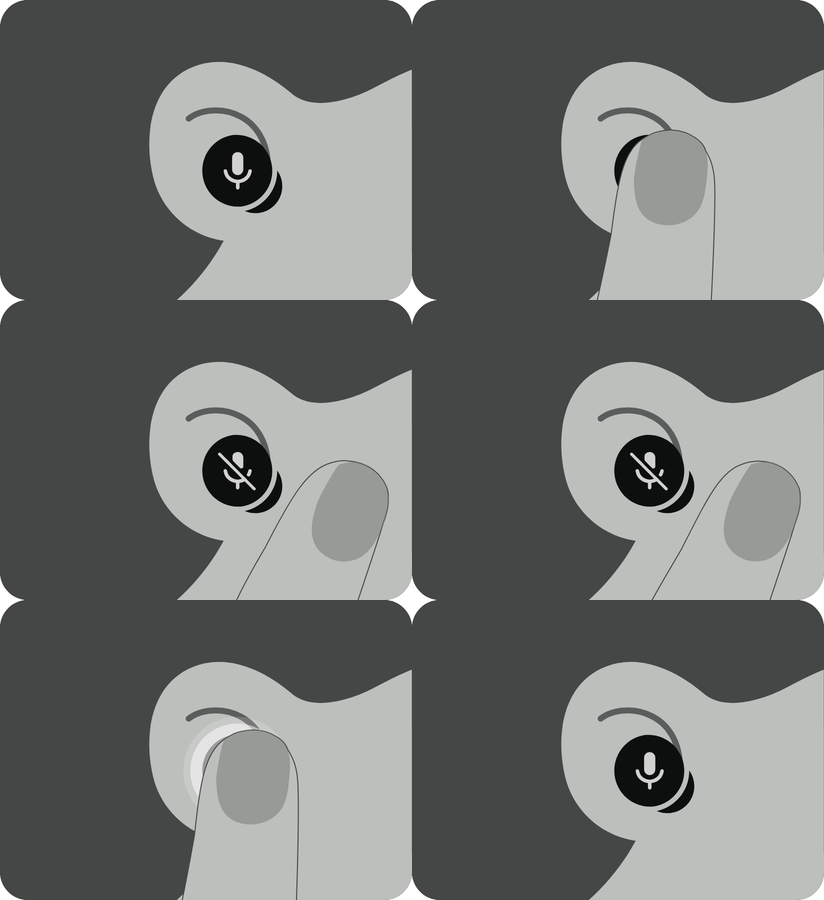
- Android 用「Google Pixel Buds」アプリバージョン v1.0.981607934 アップデートのアプリファイルを解析した結果、「Pixel Buds」シリーズ装着時の通話中にイヤホン 1 回タップでマイクのミュート / ミュート解除ができる新しいジェスチャー操作「ミュート コントロール(Mute control)」に関するリソースコードと、おそらく設定画面における操作紹介アニメーションが追加されていることを確認。
- Google Pixel デバイスの「Google の電話アプリ」もしくは「Google Meet」アプリにて機能する模様。
Google Pixel Bluetooth イヤホンシリーズ「Pixel Buds」は、イヤホン 1 回タップでメディアの再生 / 一時停止または着信応答、2 回タップで曲スキップまたは終話、3 回タップで前の曲に戻る、長押しで「Gemini(Google アシスタント)」呼び出しもしくはノイズコントロール切り替え、前方スワイプでボリュームアップ、後方スワイプでボリュームダウンといったジェスチャー操作に対応しています。
しかし、通話のミュート / ミュート解除といった新たなジェスチャー操作が追加される模様です。当サイト「Jetstream」オリジナルのアプリファイル解析報告コンテンツ「アプリ解析」にて、その内容をお送りします。
「アプリ解析」
当サイトの「アプリ解析」カテゴリで公開している記事では、最新 Android アプリを逆コンパイルして独自に解析し、今後実装される可能性のある新機能や変更点などをお届けします。正式リリース前の新機能や変更となるため開発段階の未確定な情報も含まれますが、Android アプリの今後のアップデート動向をいち早くキャッチできる、ほかにはない当サイトオリジナルコンテンツです。
当サイトオリジナルの「アプリ解析」コンテンツを見逃さないよう、ぜひ Google の「優先ソース」に当サイト「Jetstream 」を登録してください。

2026 年 9 月 23 日(水)前後に配信された Android 用「Google Pixel Buds」アプリバージョン v1.0.981607934 アップデートのアプリファイルを解析した結果、「Pixel Buds」シリーズ装着時の通話中にイヤホン 1 回タップでマイクのミュート / ミュート解除ができる新しいジェスチャー操作「ミュート コントロール(Mute control)」に関するリソースコードと、設定画面における操作紹介アニメーションが追加されていることを確認しました。現時点では、「Pixel Buds」シリーズの新ジェスチャー操作「ミュート コントロール」の実際の展開は確認できていません。
<string name="call_mute_title">Mute & unmute</string>
<string name="call_mute_toggle_description">During a call, single tap either earbud to mute or unmute</string>
<string name="call_mute_toggle_footer">This feature is limited to Pixel devices when using the Phone and Google Meet apps\n\nOn some platforms, the microphone may remain unmuted if the host app does not support the mute command, even if the audio transfer successfully occurs</string>
<string name="call_mute_toggle_preference_key">call_mute_toggle</string>
<string name="call_mute_toggle_title">Tap to mute & unmute</string>
<string name="key_call_mute">key_call_mute</string>
<string name="mini_oobe_call_mute_done">Done</string>
<string name="mini_oobe_call_mute_next">Next</string>
<string name="mini_oobe_call_mute_pair_info">This feature is limited to Pixel devices when using the Phone and Google Meet apps\n\nOn some platforms, the microphone may remain unmuted if the host app does not support the mute command, even if the audio transfer successfully occurs</string>
<string name="mini_oobe_call_mute_subtitle">During a call, single tap either earbud to mute or unmute</string>
<string name="mini_oobe_call_mute_switch_title">Tap to mute & unmute</string>
<string name="mini_oobe_call_mute_title">Mute & unmute</string>
<string name="subtitle_largo_mr_oobe_call_mute">Quick microphone management during calls</string>
<string name="title_call_mute">Tap to mute & unmute</string>
<string name="title_largo_mr_oobe_call_mute">Mute control</string><string name="call_mute_title">ミュートとミュート解除</string>
<string name="call_mute_toggle_description">通話中に左右どちらかのイヤホンを 1 回タップすると、ミュートまたはミュート解除できます</string>
<string name="call_mute_toggle_footer">この機能は、電話アプリと Google Meet アプリを使用している場合に、Google Pixel デバイスでのみ利用できます\n\nプラットフォームによっては、音声が転送されても、ホストアプリがミュート コマンドに対応していない場合は、マイクがミュート解除のままになることがあります</string>
<string name="call_mute_toggle_title">タップしてミュートまたはミュート解除</string>
<string name="mini_oobe_call_mute_done">完了</string>
<string name="mini_oobe_call_mute_next">次へ</string>
<string name="mini_oobe_call_mute_pair_info">この機能は、電話アプリと Google Meet アプリを使用している場合に、Google Pixel デバイスでのみ利用できます\n\nプラットフォームによっては、音声が転送されても、ホストアプリがミュート コマンドに対応していない場合は、マイクがミュート解除のままになることがあります</string>
<string name="mini_oobe_call_mute_subtitle">通話中に左右どちらかのイヤホンを 1 回タップすると、ミュートまたはミュート解除できます</string>
<string name="mini_oobe_call_mute_switch_title">タップしてミュートまたはミュート解除</string>
<string name="mini_oobe_call_mute_title">ミュートとミュート解除</string>
<string name="subtitle_largo_mr_oobe_call_mute">通話中にマイクをすばやく管理できます</string>
<string name="title_call_mute">タップでミュートまたはミュート解除する</string>
<string name="title_largo_mr_oobe_call_mute">ミュート コントロール</string>この、「Pixel Buds」シリーズの新ジェスチャー操作「ミュート コントロール」は、Google Pixel デバイスの「Google の電話アプリ」もしくは「Google Meet」アプリにて機能する模様です。Google Pixel デバイス以外の Android デバイスでは、今のところ未対応となる模様。
おそらく、「Pixel Buds」シリーズの新ジェスチャー操作「ミュート コントロール」は、「Pixel Buds」シリーズ向けの新機能群「Pixel Drop」として展開されると予想されます。
「Google Pixel Buds」アプリリンク






コメントを残す