







- Google Pixel デバイス向けの新しい診断ツール「充電診断」が、2026 年 7 月上旬頃についに Google Pixel デバイス向けに展開開始された模様。
- 同タイミングで展開が開始された「Gemini」統合トラブルシューティング「Google Pixel に質問する(Ask Pixel)」として展開。
- 完全に新しい診断機能というわけではなく、既存の「バッテリー診断」に内包されている充電関連の診断機能が独立して展開。
以前当サイトオリジナルコンテンツ「アプリ解析」にて、Google Pixel デバイス向けの新しい診断ツールとして、「充電診断(Charging Diagnostics)」が実装される可能性を報告させていただきました。
その「充電診断」が、2026 年 7 月上旬頃についに Google Pixel デバイス向けに展開開始された模様です。私手持ちの Google Pixel デバイス「Pixel 10」「Pixel 10 Pro XL」「Pixel 10 Pro Fold」にて、「充電診断」の展開を確認しました。
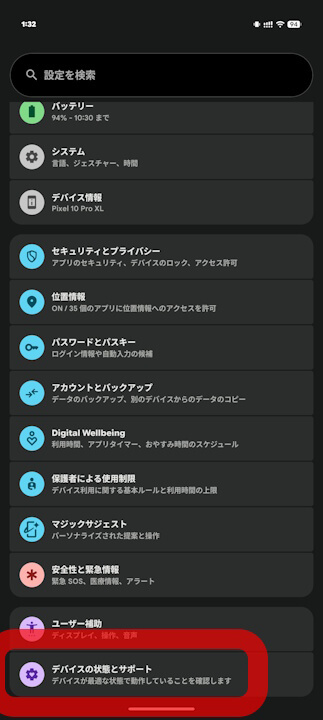
Google Pixel デバイスの「充電診断」は、Android 設定の「デバイスの状態とサポート」内に新設されています。そしてこの「充電診断」は、同タイミングで展開が開始された「Gemini」統合トラブルシューティング「Google Pixel に質問する(Ask Pixel)」として展開されています。
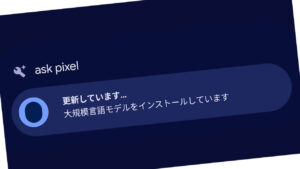

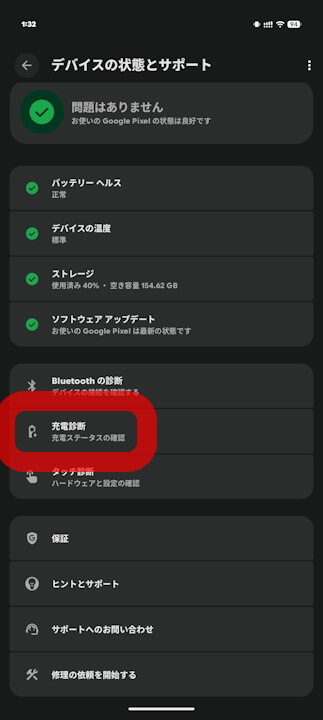
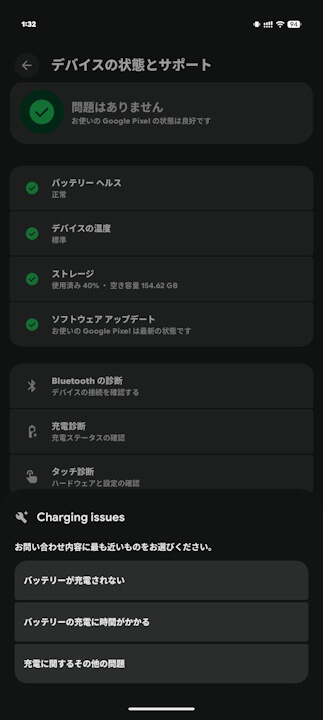
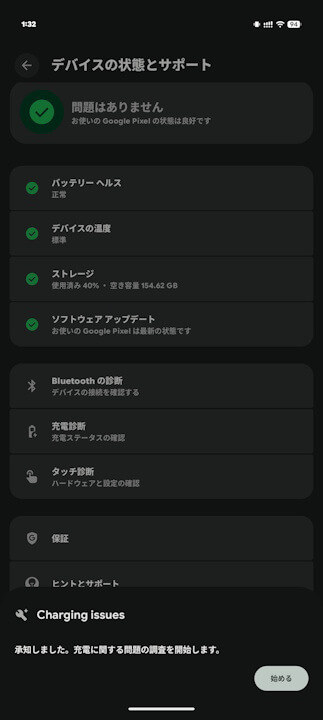
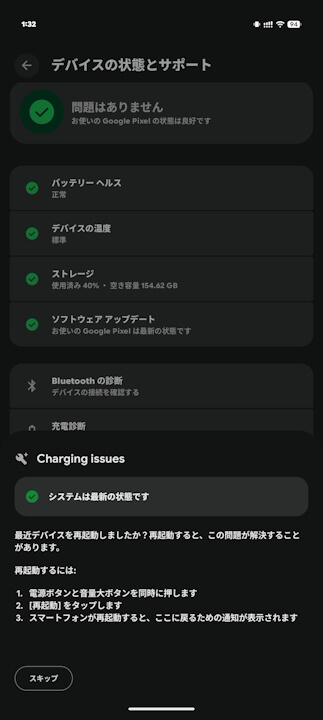
Google Pixel デバイス向けの新しい診断ツール「充電診断」は、完全に新しい診断機能というわけではなく、既存の「バッテリー診断」に内包されている充電関連の診断機能が独立して展開されています。また単に独立しているわけではなく、充電ワット数のリアルタイム表示や「アダプティブ充電」の詳細ステータス、ポートへの異物 / 水分検出、過熱や低温による充電一時停止保護など、新しい詳細なトラブルシューティング機能が実装されることも、リソースコードから判明しています。
なお、「充電診断」の展開対象 Google Pixel デバイスは今のところ不明ですが、少なくとも、「Google Pixel に質問する(Ask Pixel)」が展開される Google Pixel デバイスであることは確実です。

<string name="hub_charging_entrypoint_title">Charging diagnostics</string>
<string name="hub_charging_entrypoint_sub_title">Check your charging status</string>

<string name="charging_adaptive_charging_with_time_to_full">Your battery is charging normally and will be full by {charge_to_full_by_timestamp}.\n\nTo help extend battery lifespan, Adaptive Charging waits an hour before you usually unplug to charge past {battery_level_eighty_percent}.</string>
<string name="charging_at_watt_summary">Charging at {charging_now_watt}</string>
<string name="charging_contamination_summary">Debris or liquid detected in the charging port</string>
<string name="charging_temp_defend_instruction">Your phone has had an elevated temperature for an extended period of time. To protect your battery, charging will resume when your phone returns to normal temperature.</string>
<string name="charging_wireless_incompatible_instruction">Your battery isn\'t getting enough power to continuously charge. Try removing it from the charger, take off any case, and wait {wait_time_seconds} before charging again. After a few minutes, run the diagnostic again.</string>
「Pixel Troubleshooting」アプリリンク






コメントを残す