




- YouTube has announced four new features for its short-form video content, “YouTube Shorts,” which will be rolled out gradually.
- The new features for “YouTube Shorts” include “Clear Screen Mode,” 2x playback speed, a “💗” icon replacing the “👍” icon, and the removal of the “Dislike” button.
- While the “Dislike” button is being removed, users will gain more granular control, including options to mark content as “Not interested” or “Don’t recommend channel.”
On Thursday, June 25, 2026 (local time), Google’s video service YouTube announced four new features that will be gradually introduced to its short-form video platform, “YouTube Shorts.”
The newly announced features for YouTube Shorts include “Clear Screen Mode,” 2x playback speed, a “💗” icon to replace the “👍” icon, and the removal of the “Dislike” button. Although the “Dislike” button is being phased out, users will gain more granular control over their feed with options such as “Not interested” and “Don’t recommend channel.”
“Clear Screen Mode”
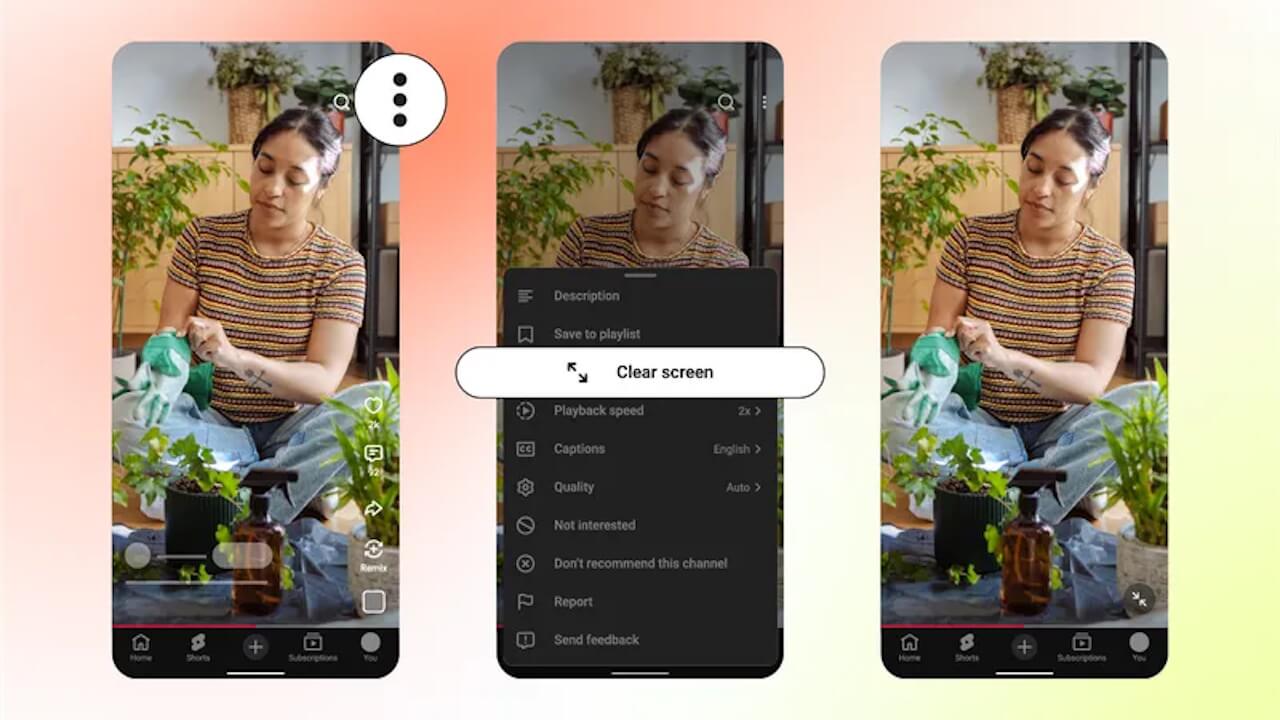
The “Clear Screen Mode” being introduced to YouTube Shorts is a feature that hides unnecessary elements, allowing users to focus entirely on video playback.
By turning on “Clear Screen Mode,” all icons and text will be temporarily hidden from the playback screen, providing an immersive viewing experience.
2x Playback Speed
The 2x playback speed feature for YouTube Shorts functions similarly to the existing 2x playback speed option on standard YouTube videos.
You can trigger 2x speed by long-pressing the screen while a video is playing. Additionally, you can lock the 2x playback mode by sliding your finger down from the long-press position.
“💗” Icon Replacing “👍”
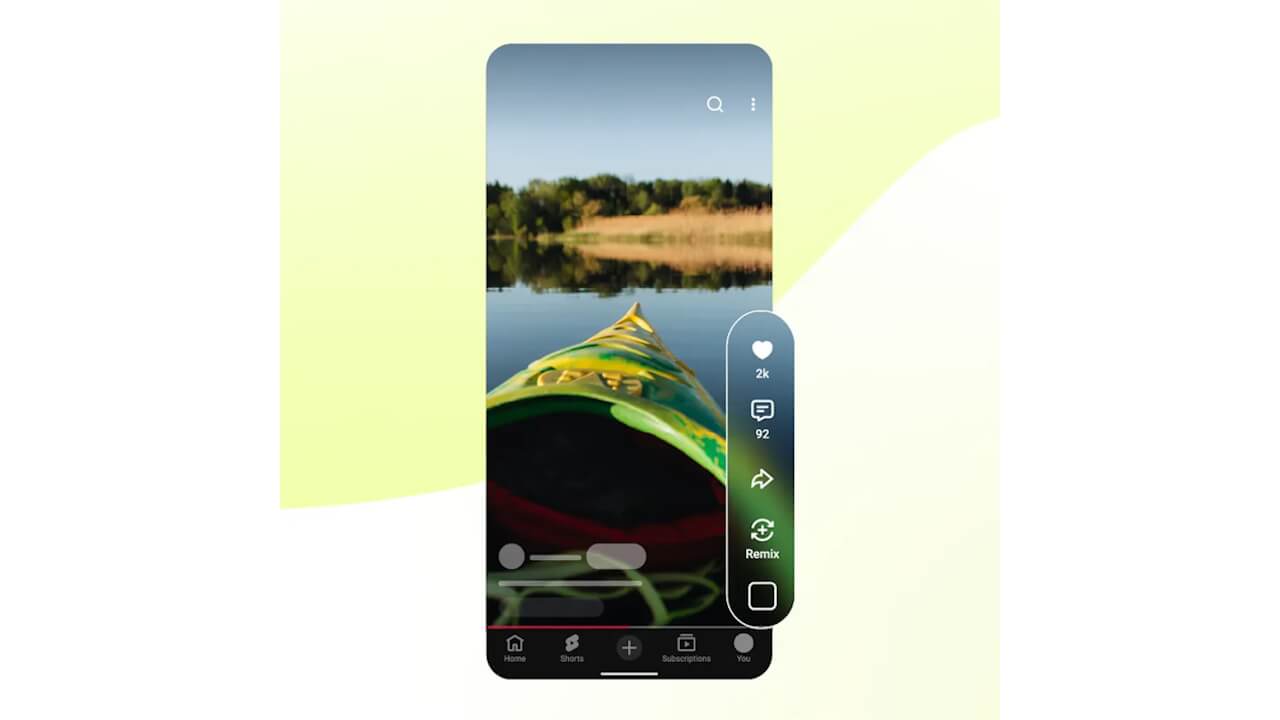
In YouTube Shorts, the “👍” (like) button will be replaced with a “💗” button.
Removal of the “Dislike” Button
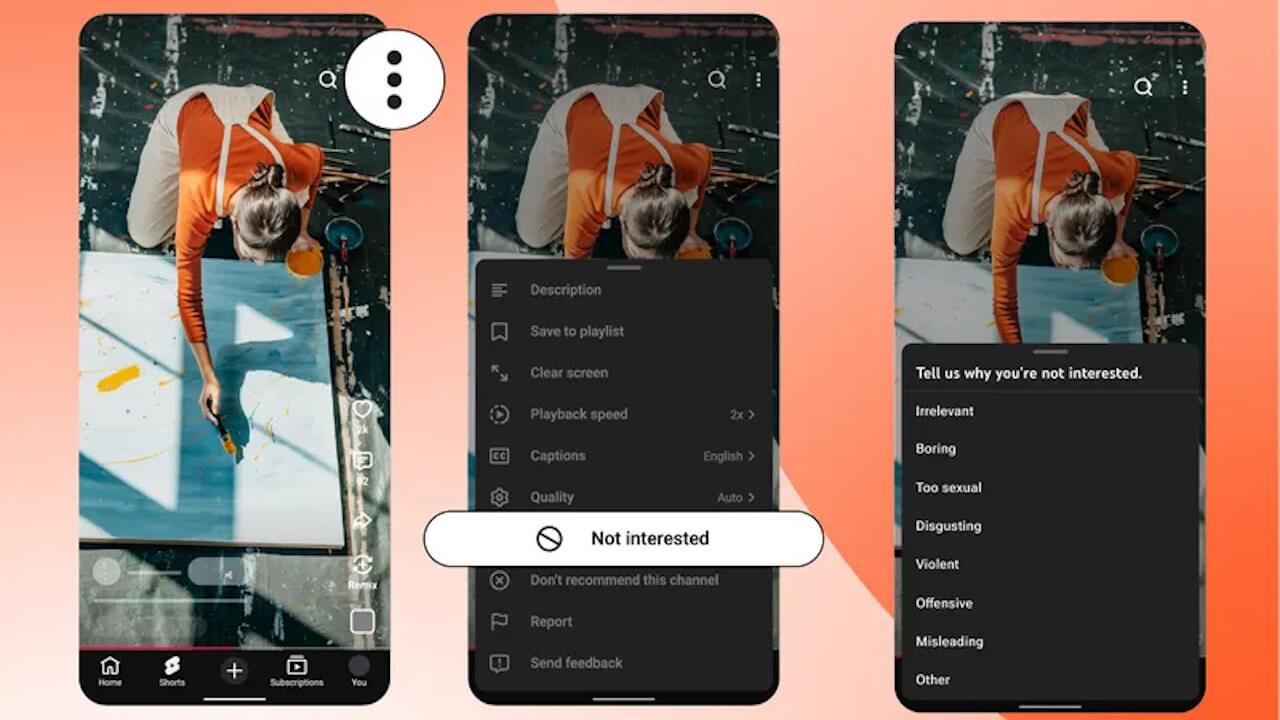
The “Dislike” button will be removed from YouTube Shorts.
In its place, users will be provided with “Not interested” and “Don’t recommend channel” options, offering more granular control to help refine future content suggestions.
Source: YouTube (https://blog.youtube/news-and-events/youtube-shorts-experience-updates-features/)