




- Google Pixel devices are expected to receive a new sixth diagnostic feature: “Charging Diagnostics.”
- An analysis of the app files from the “Pixel Troubleshooting” app update (v1.0.936348698.release) reveals the addition of resource code related to “Charging Diagnostics.”
- The feature is not merely being separated from “Battery Diagnostics”; the resource code indicates it will include new detailed troubleshooting capabilities, such as real-time charging wattage display, detailed status for “Adaptive Charging,” detection of debris or liquid in the port, and charging pause protection due to overheating or low temperatures.
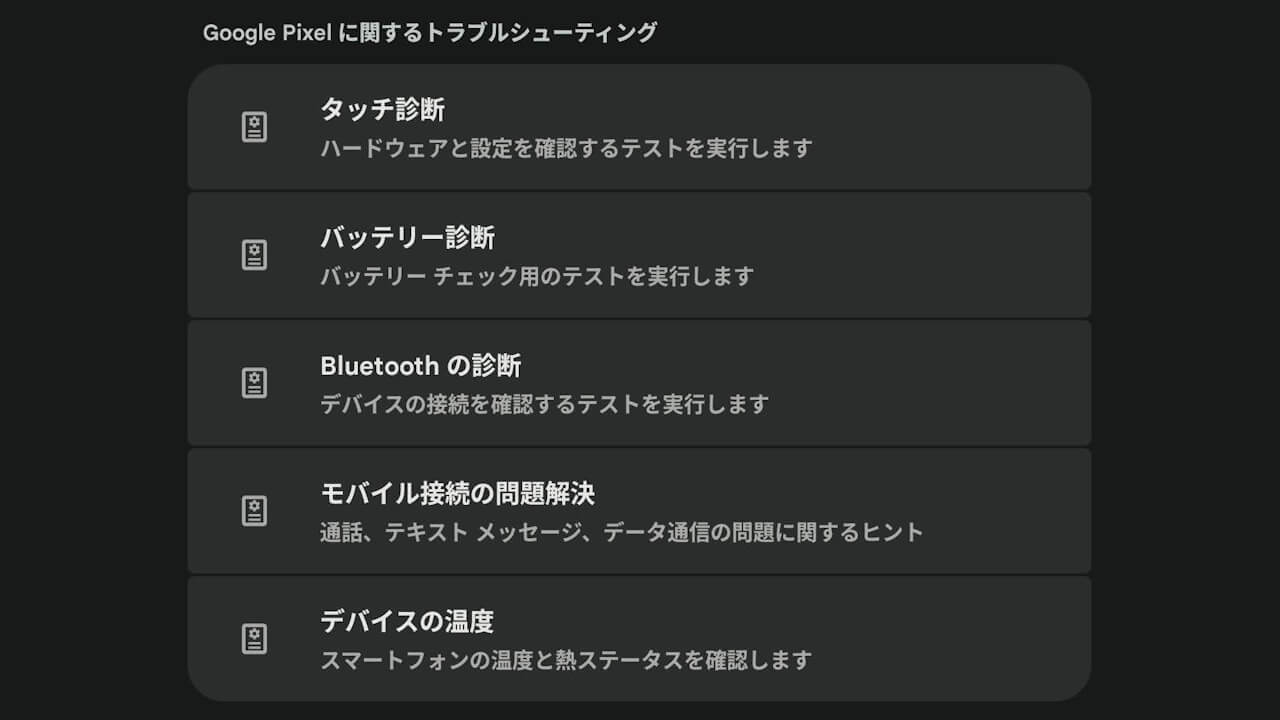
Google Pixel devices come with the “Pixel Troubleshooting” app, which manages five diagnostic features: “Display diagnostics” for the screen, “Battery diagnostics” for battery health, “Device temperature” for overheating issues, “Mobile connection troubleshooting” for calls/connectivity, and “Bluetooth diagnostics” for checking connections with Bluetooth devices.
It appears that a sixth diagnostic feature, “Charging Diagnostics,” will soon be implemented. This was uncovered through an “app teardown.”
「アプリ解析」
当サイトの「アプリ解析」カテゴリで公開している記事では、最新 Android アプリを逆コンパイルして独自に解析し、今後実装される可能性のある新機能や変更点などをお届けします。正式リリース前の新機能や変更となるため開発段階の未確定な情報も含まれますが、Android アプリの今後のアップデート動向をいち早くキャッチできる、ほかにはない当サイトオリジナルコンテンツです。
当サイトオリジナルの「アプリ解析」コンテンツを見逃さないよう、ぜひ Google の「優先ソース」に当サイト「Jetstream 」を登録してください。

An analysis of the app files from the “Pixel Troubleshooting” v1.0.936348698.release update, released on Friday, June 26, 2026, confirmed that resource code related to “Charging Diagnostics” has been added.
<string name="hub_charging_entrypoint_title">Charging diagnostics</string>
<string name="hub_charging_entrypoint_sub_title">Check your charging status</string>

<string name="charging_adaptive_charging_with_time_to_full">Your battery is charging normally and will be full by {charge_to_full_by_timestamp}.nnTo help extend battery lifespan, Adaptive Charging waits an hour before you usually unplug to charge past {battery_level_eighty_percent}.</string>
<string name="charging_at_watt_summary">Charging at {charging_now_watt}</string>
<string name="charging_contamination_summary">Debris or liquid detected in the charging port</string>
<string name="charging_temp_defend_instruction">Your phone has had an elevated temperature for an extended period of time. To protect your battery, charging will resume when your phone returns to normal temperature.</string>
<string name="charging_wireless_incompatible_instruction">Your battery isn't getting enough power to continuously charge. Try removing it from the charger, take off any case, and wait {wait_time_seconds} before charging again. After a few minutes, run the diagnostic again.</string>
The new “Charging Diagnostics” feature discovered here is not entirely new; rather, it appears to be a transition of existing charging-related diagnostic functions from “Battery Diagnostics” into a standalone module. It is not just a separation, however; the resource code reveals that new, detailed troubleshooting features are being implemented, such as real-time charging wattage, detailed “Adaptive Charging” status, detection of debris/liquid in the port, and charging protection pauses caused by overheating or low temperatures.
Additionally, the “Pixel Troubleshooting” v1.0.936348698.release update also features a redesigned app logo.


“Pixel Troubleshooting” App Link
