



Key Points of This Article
- Google has released the March 2026 monthly software update for Google Pixel devices running the new generation Android OS, “Android 16.”
- Alongside the update, Google announced the March 2026 “Pixel Drop” with a new set of features.
- The March 2026 “Pixel Drop” is unusually packed with a wide variety of new content.
On Tuesday, March 3, 2026, Google began rolling out the March 2026 monthly software update for a total of 21 Google Pixel models running the next-generation “Android 16” OS. This update includes the usual security vulnerability fixes and feature enhancements, covering the Pixel 6, 6 Pro, 6a, 7, 7 Pro, 7a, Tablet, Fold, 8, 8 Pro, 8a, 9, 9 Pro, 9 Pro XL, 9 Pro Fold, 9a, 10, 10 Pro, 10 Pro XL, 10 Pro Fold, and 10a.
In conjunction with the March update, Google has unveiled its new “Pixel Drop” features. This March 2026 installment of “Pixel Drop” is exceptionally feature-rich.
“Pixel Drop” for the “Pixel 10” Series
New “Pixel Drop” features for the Pixel 10, 10 Pro, 10 Pro XL, and 10 Pro Fold include six additions: multi-object image recognition in “Circle to Search,” “Virtual Try-On” for Circle to Search, restaurant suggestions via “Magic Cue,” a new “Comfort Filter” for display eye-care, offline support for “Guided Frame” in the Pixel Camera app, and the expansion of “Call Notes” transcription for users in India.
Multi-Object Image Recognition in “Circle to Search”
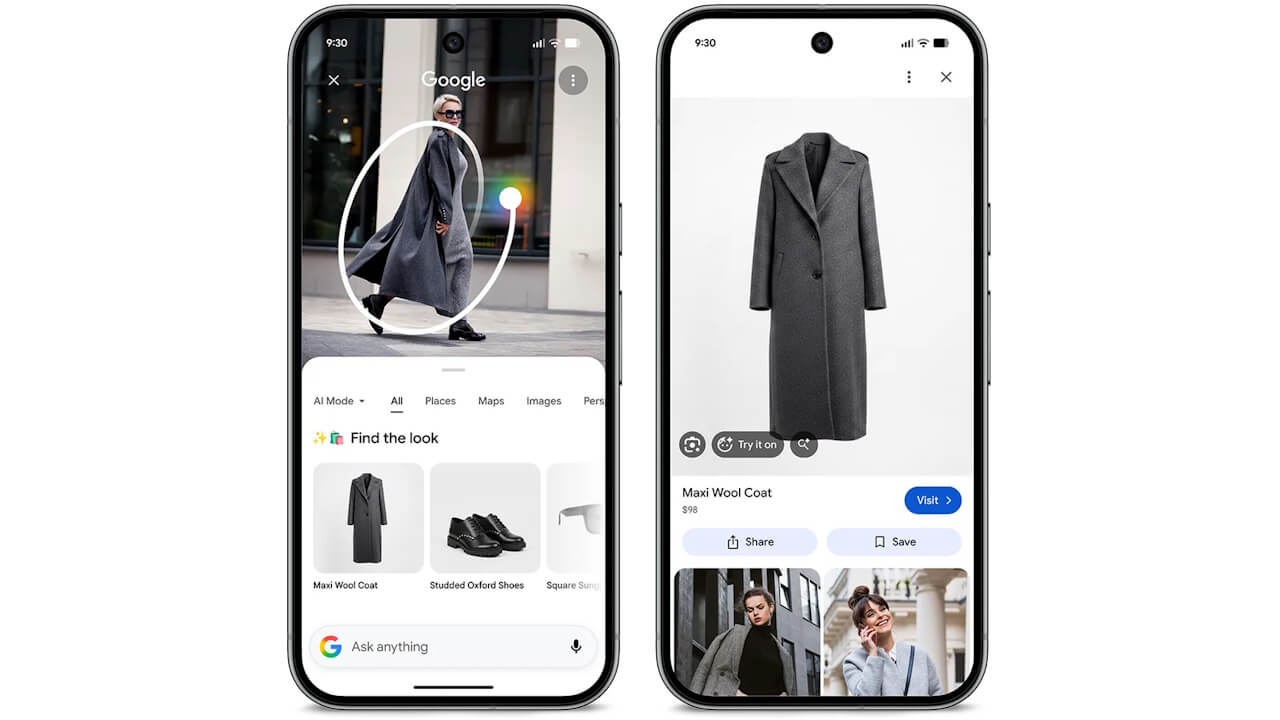
As a new feature for “Circle to Search,” multi-object image recognition has begun rolling out.
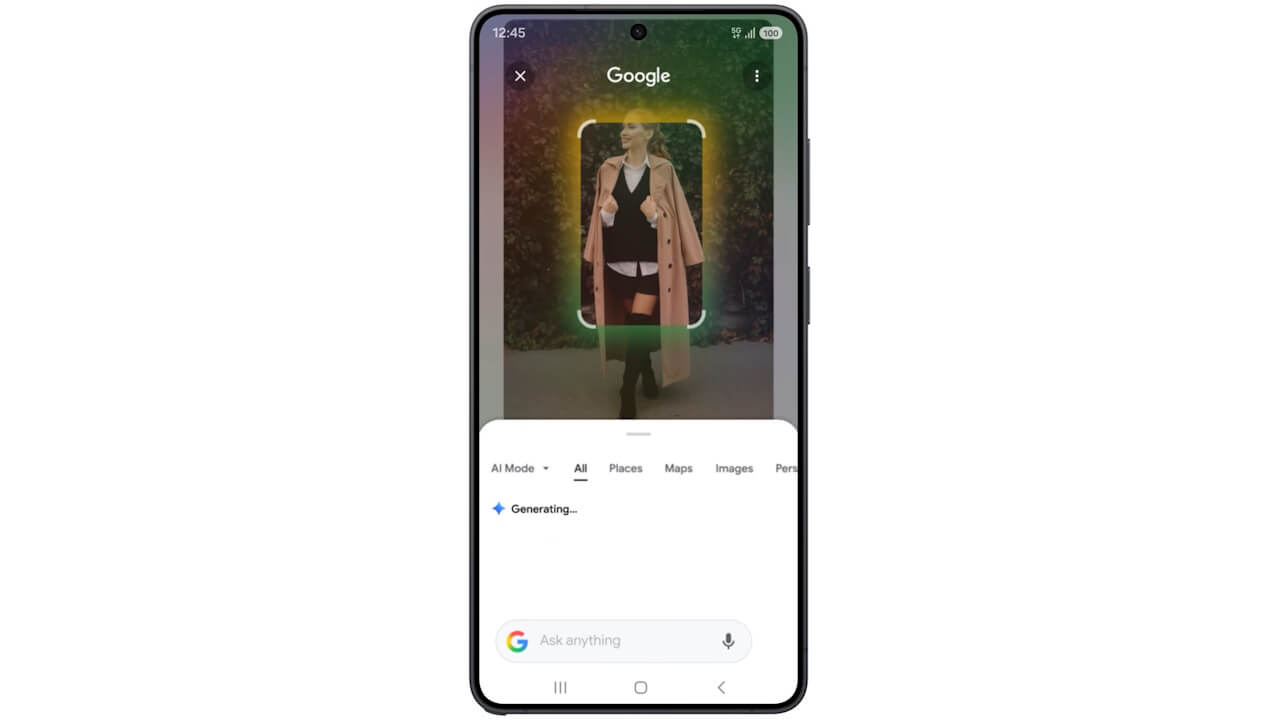
Previously, Circle to Search recognized the circled or highlighted area as a single image for search. Now, powered by next-generation features based on “Gemini 3,” it can identify individual objects within the circled area and search for them separately. For example, if you circle an outfit, it will now recognize and search for each item, from the top down to the shoes.
Multi-object image recognition for Circle to Search is rolling out in regions where “AI Overviews” or “AI Mode” is available, with the exception of France.
 jetstream.blog
“Virtual Try-On” in “Circle to Search”
For apparel items detected via multi-object recognition in Circle to Search, users can now utilize the “Virtual Try-On” feature by uploading a photo of themselves or a model.
This “Virtual Try-On” feature for Circle to Search is available in the US, Canada, UK, Australia, India, and Japan.
Restaurant Suggestions via “Magic Cue”
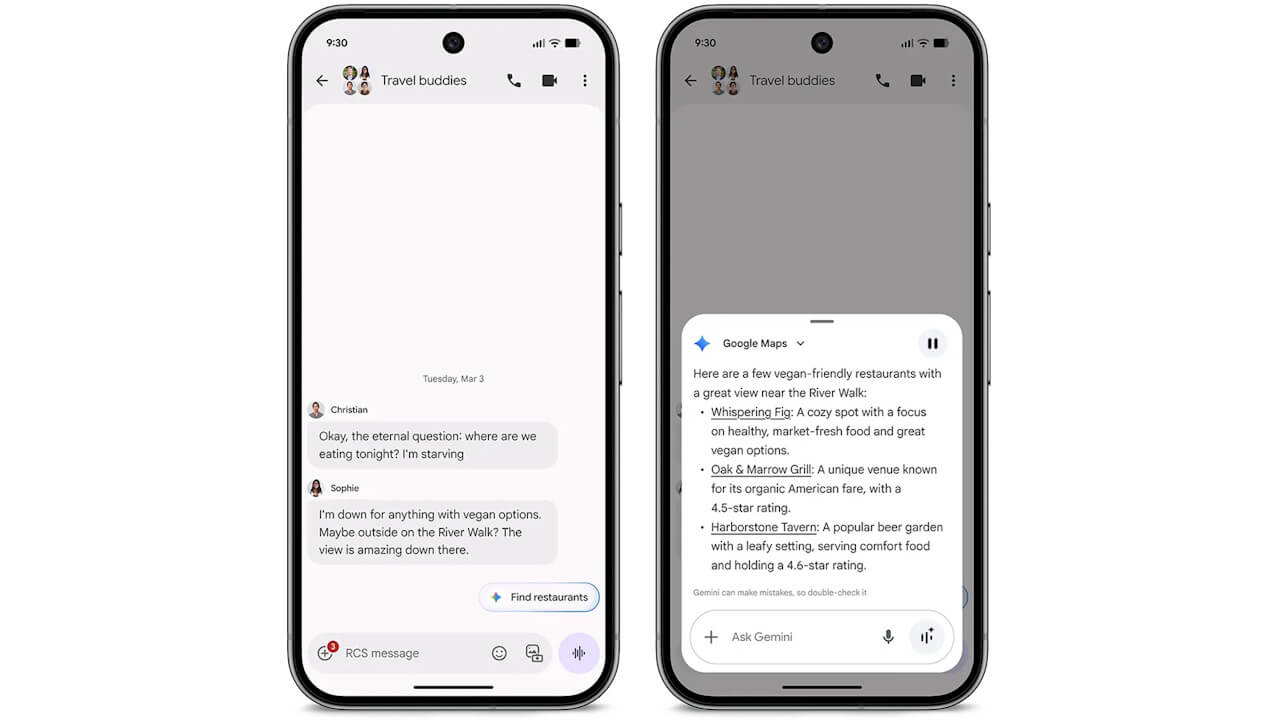
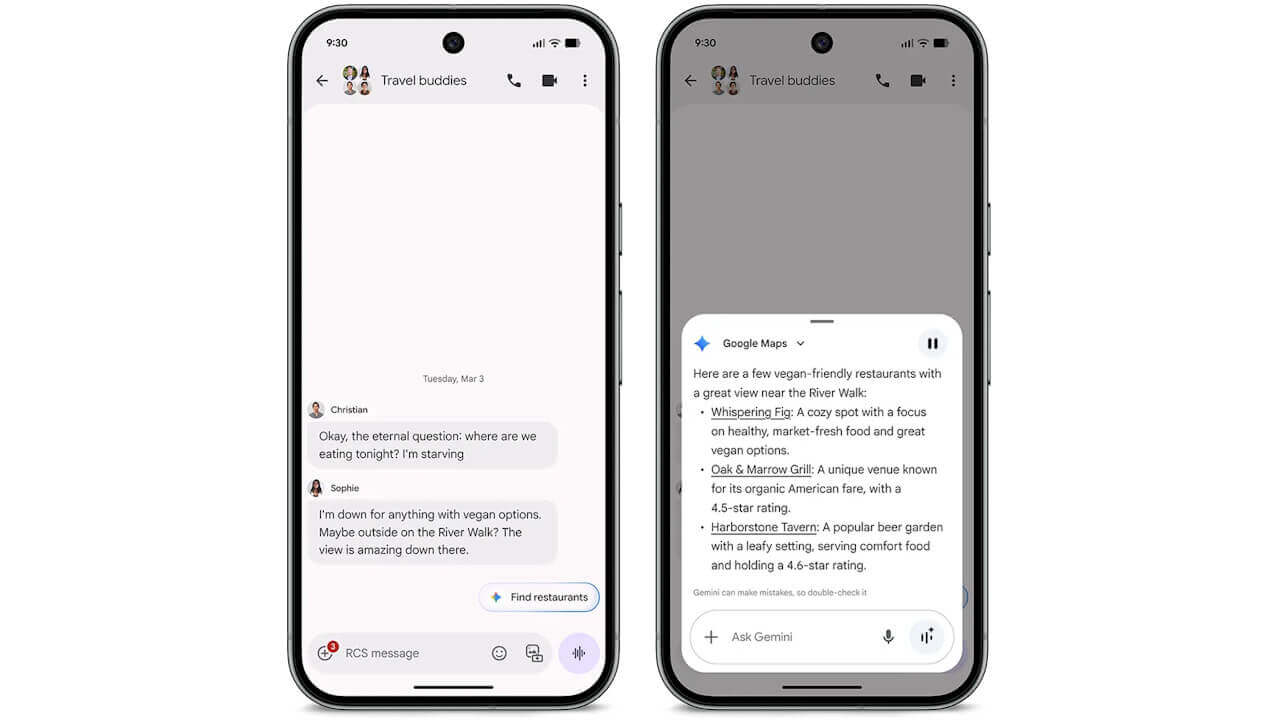
A new feature has been added where “Magic Cue” analyzes the context of your messages, and Google AI “Gemini” suggests restaurant options accordingly.
This feature is restricted to users aged 18 and older and is currently available in select countries and languages only.
“Comfort Filter”
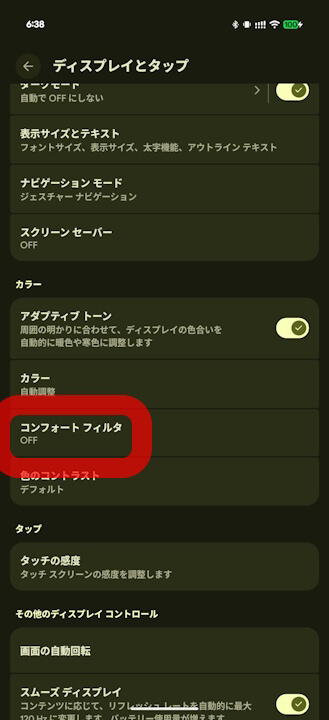
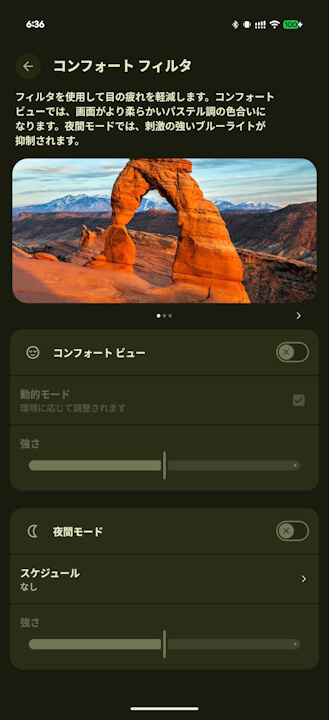
A new “Comfort Filter” feature has been introduced to provide more eye-friendly display settings.
The “Comfort Filter” includes “Comfort View,” which applies a soft pastel color tone to the screen, and “Night Mode,” which reduces blue light during nighttime hours.
Offline Support for “Guided Frame”
The “Guided Frame” feature—an audio-based accessibility tool for visually impaired users—is now supported offline within the Pixel Camera app, allowing it to be used without an internet connection.
On the Pixel 10 series, “Guided Frame” now assists with all types of photography, such as sunset shots or group photos, even when offline.
“Call Notes” for India
“Call Notes” in the Google Phone app has now been expanded to users in India.
In India, “Call Notes” supports full transcriptions of conversations.
“Pixel Drop” for “Pixel 10 / 10 Pro / 10 Pro XL”
Gemini’s “Multi-Step Tasks” are being rolled out for the Pixel 10, 10 Pro, and 10 Pro XL. Note that the Pixel 10 Pro Fold is excluded.
Gemini’s “Multi-Step Tasks”
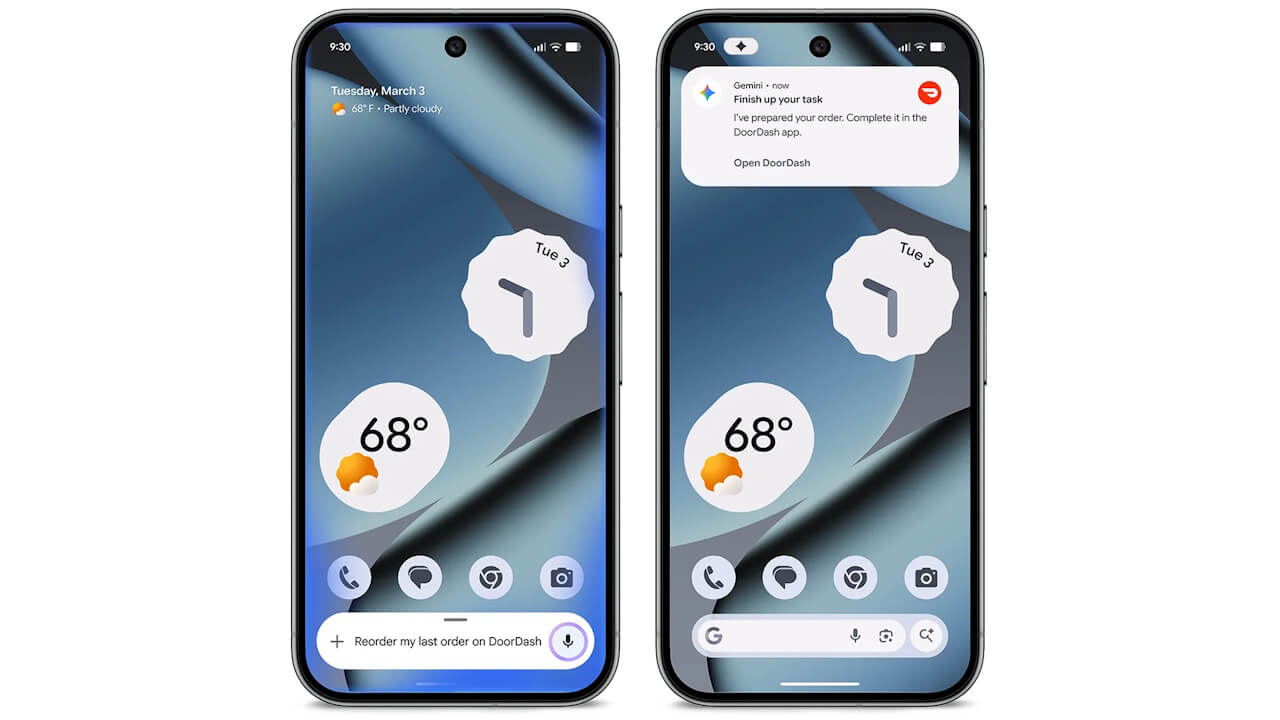
Gemini’s “Multi-Step Tasks” is an automated task execution feature that runs in the background.
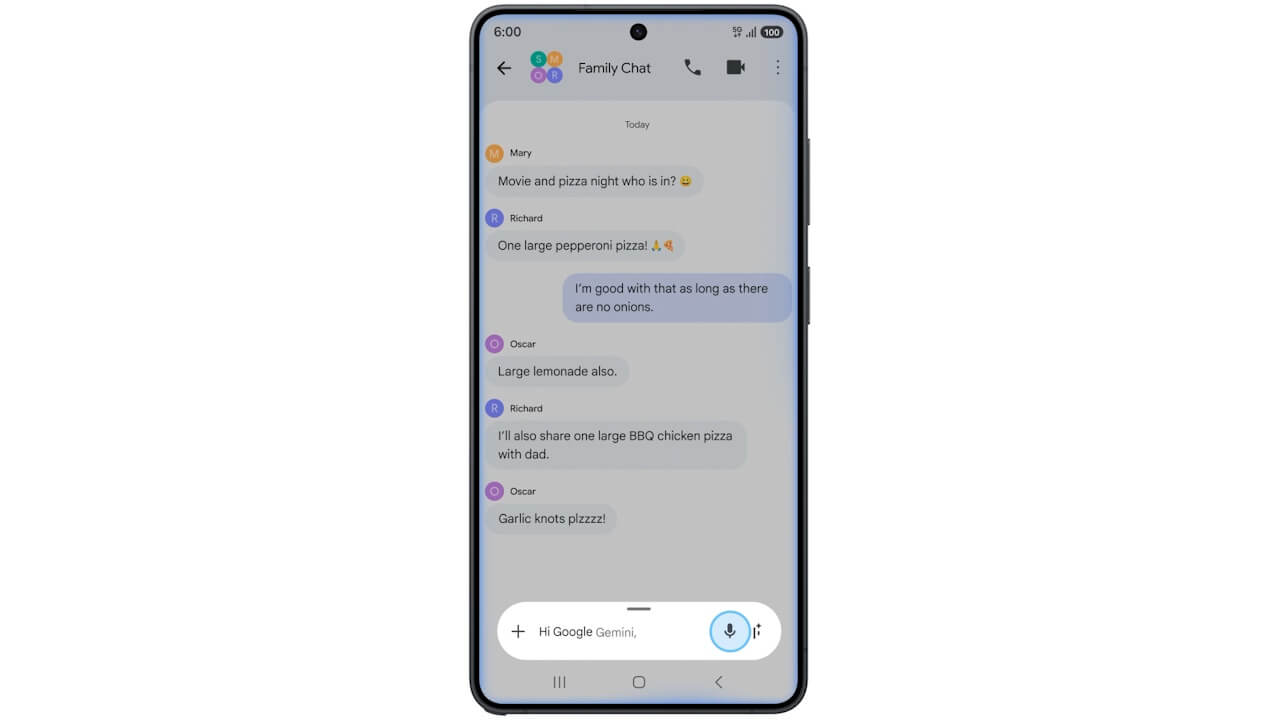
By simply asking the Gemini app, it can automatically execute background tasks for select apps, such as booking a ride-share or reordering food deliveries. This feature is limited to users 18 and older and is currently in beta.
 jetstream.blog
“Pixel Drop” for “Pixel 9” Series and Newer
Pixel Drop for the Pixel 9 and later includes three new features: AI-powered notification summaries, an AI-enhanced “Journal” app, and an expansion of “Scam Detection” in the Google Phone app.
AI-Powered Notification Summaries
AI-powered notification summaries provide a convenient way for AI to summarize accumulated notifications for you.
This is available in English and Japanese. However, the Pixel 9a is not eligible.
AI Enhancement for “Journal” App
The AI features of the mindfulness “Journal” app, which are supported on the Pixel 10 series, have been expanded to the Pixel 9 series.
For reference, the “Journal” app is compatible with the Pixel 8 series and later.
Expansion of “Scam Detection” in the Google Phone App
Originally available in the US and other regions, the “Scam Detection” feature in the Google Phone app has expanded to France, Italy, Spain, Mexico, Germany, and Japan.
This user-protection feature uses AI (Gemini Nano) to screen incoming calls; if a call is suspected of being a scam, it alerts the user with beeps and on-screen notifications at the start of and during the call. It is available on the Pixel 9 series and later, excluding the Pixel 9a.
“Pixel Drop” for “Pixel 8” Series and Newer
New features for the Pixel 8 series and later include a “Desktop Experience” (Desktop Mode), “Left-behind notifications” and “Lock when phone is not near you” via connection with Google Pixel Watch 2 and later, and identity verification using “Trusted Places” via connection with Google Pixel Watch 3 and later.
“Desktop Experience” (Desktop Mode)
The “Desktop Experience” for the Pixel 8 series and later has been available as a “Developer Option” since the September 2025 monthly update.
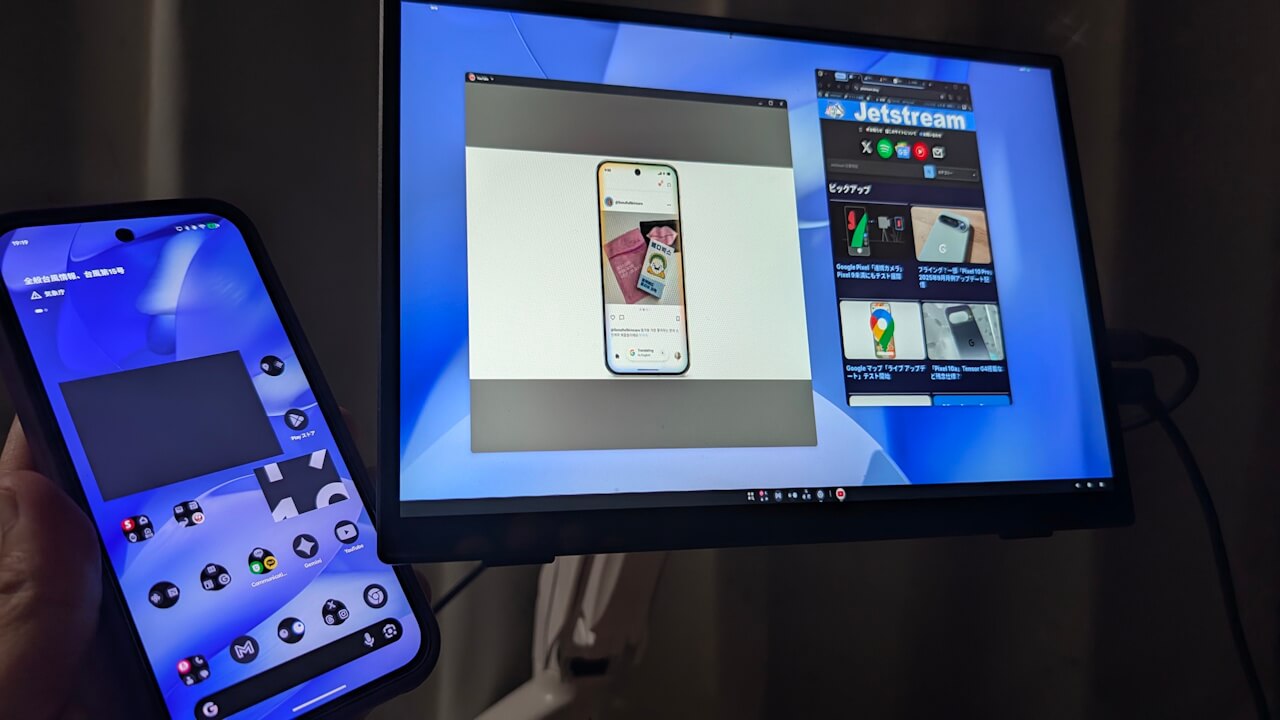
This feature has now graduated from “Developer Options” and is available for general use. Without needing to enable Developer Options, connecting a Pixel 8 series or later device to an external display supporting USB-C DisplayPort will allow users to utilize a desktop UI on the external monitor.
 jetstream.blog
“Left-behind Notifications” and “Lock when phone is not near you”
When paired with a Google Pixel Watch 2, 3, or 4, Pixel 8 and newer devices now support “Left-behind notifications”—which alerts your watch if you walk away without your phone—and “Lock when phone is not near you,” which automatically locks your phone when the paired watch goes out of Bluetooth range.
These settings are off by default and must be enabled via the Google Pixel Watch app. Note that the Google Pixel Watch 2, 3, and 4 must also have the March 2026 software update applied.
Identity Verification via “Trusted Places”
By pairing a Google Pixel Watch 3 or 4 with a Pixel 8 Pro or newer device, users can now perform identity verification using the watch’s “Trusted Places” feature.
This makes using your Pixel device both safer and smoother. Note that the Pixel 8a and Pixel 8 are not eligible.
“Pixel Drop” for “Pixel 7” Series and Newer
The only feature for the Pixel 7 series and later is a new setting in “At a Glance” called “Transit Information.”
New “At a Glance” Setting: “Transit Information”
As a new feature for the Pixel 7 series and later, “At a Glance” now includes “Transit Information,” which displays real-time transit updates and delay information.
This feature is available worldwide except in the EU and the UK. It is not supported on the Pixel Tablet.
“Pixel Drop” for “Pixel 6” Series and Newer
Features for the Pixel 6 series and later include an expansion of “Guided Frame” scenes and languages powered by Gemini, and wired support for “UVC (USB Video Class)” compliant USB cameras in the “Connected Camera” feature.
“Guided Frame” Scene and Language Expansion
The “Guided Frame” feature for the visually impaired, built into the Pixel Camera app, now supports more scenes and languages thanks to Google AI “Gemini.”
“Connected Camera” USB Camera Support
The “Connected Camera” feature, which allows you to use a secondary camera (such as a Pixel 6 or later, or a GoPro 10 or later) for video or streaming, now supports wired connections with UVC (USB Video Class) compliant USB cameras.
Originally for the Pixel 9 and 10 series, this update allows Pixel 6 and newer devices to serve as the main host for a wired USB camera. Note that “Connected Camera” only works with five apps: YouTube, Facebook, Instagram, Snapchat, and TikTok.
 jetstream.blog
“Pixel Drop” for “Pixel Tablet”
The highlight of the “Pixel Drop” for the Pixel Tablet is the long-awaited rollout of “Desktop Mode” (enabling the Desktop Experience).
“Desktop Mode” Rollout
The “Desktop Mode” for the Pixel Tablet has been available as a “Developer Option” since the September 2025 update.
This feature has graduated from Developer Options to general availability. You can now use “Desktop Mode” directly on the Pixel Tablet display without needing to enable Developer Options.
“Pixel Drop” for a Wide Range of Devices
New features for a wide range of devices include additions to “At a Glance” for sports and finance, a standalone “Now Playing” app release, “Custom Icons,” and new “Theme Packs.”
“At a Glance” Sports and Finance Information
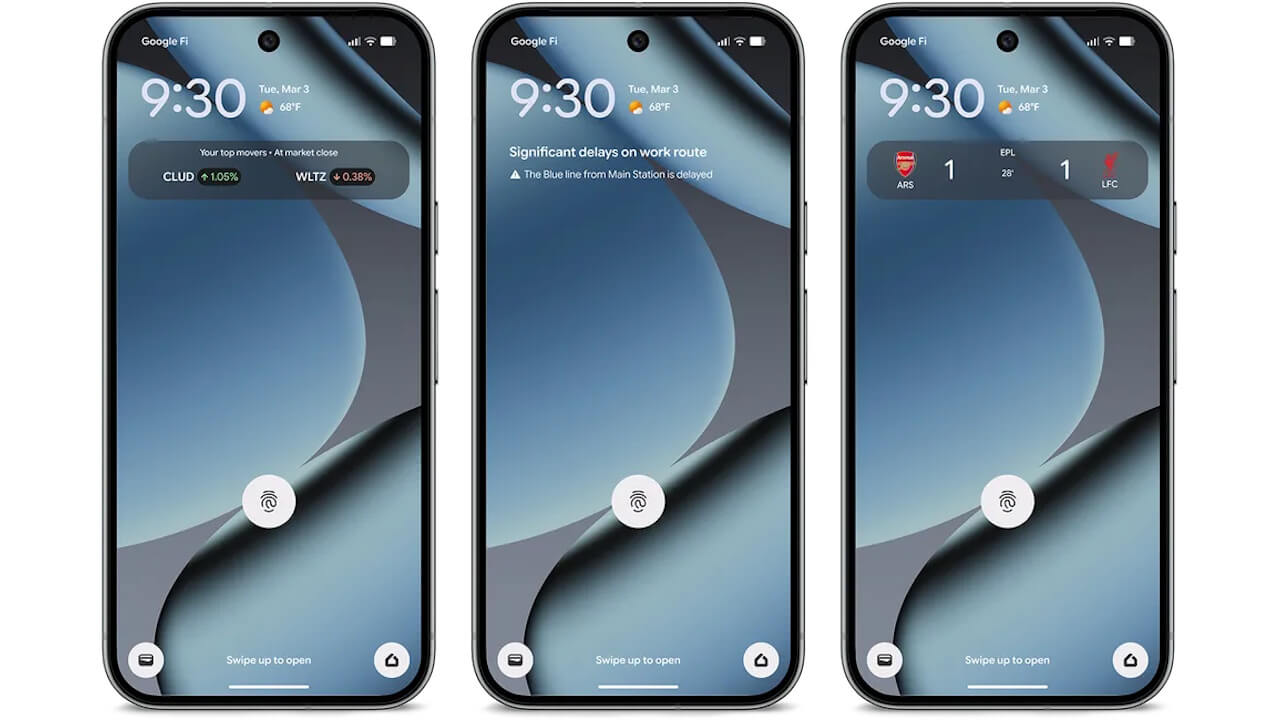
New sports and finance information has been added to the “At a Glance” feature in the Pixel Launcher.
Updates for followed sports teams, stocks, or cryptocurrencies will now appear in “At a Glance.” This feature is not available on the Pixel Tablet.
Standalone “Now Playing” App
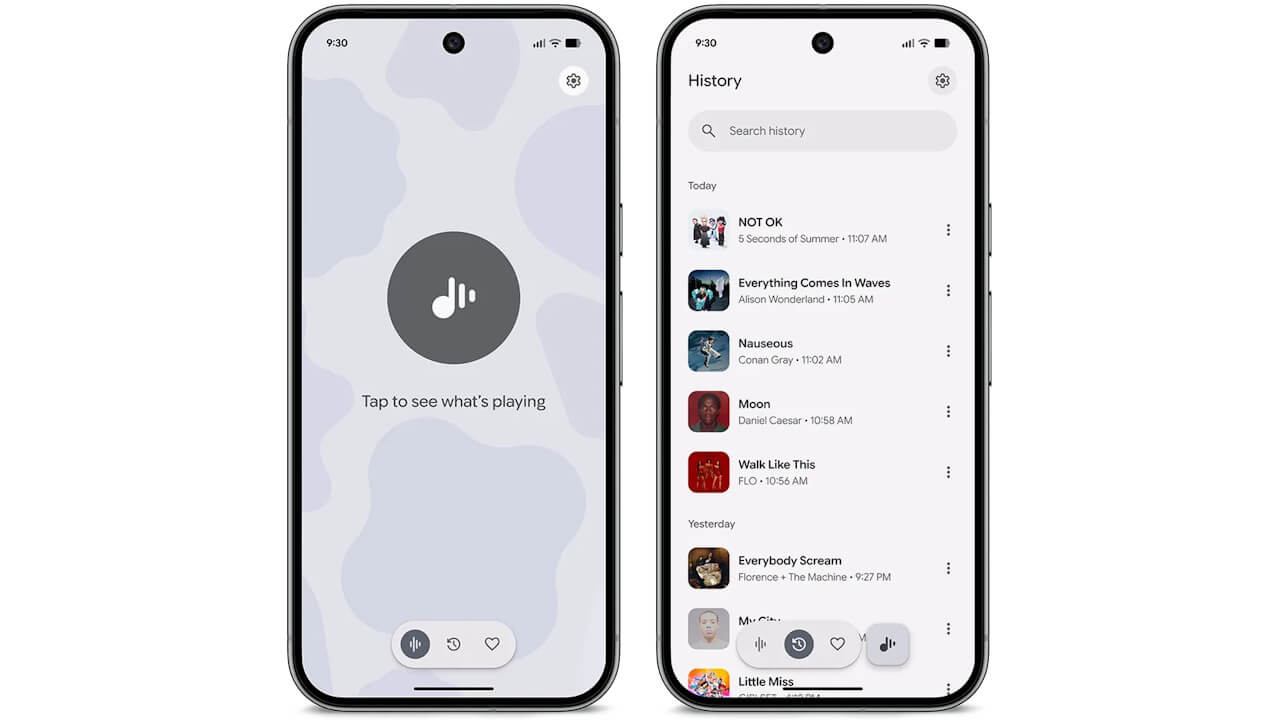
“Now Playing,” which identifies songs playing around you, has been released as a standalone app on the Google Play Store.
While the core functionality remains the same, the app features a refreshed UI with three tabs—Home, History, and Favorites—and adopts the “Material 3 Expressive” design. It can be installed on Pixel 6 and newer devices, including the Pixel Tablet and Pixel Fold.
“Custom Icons”
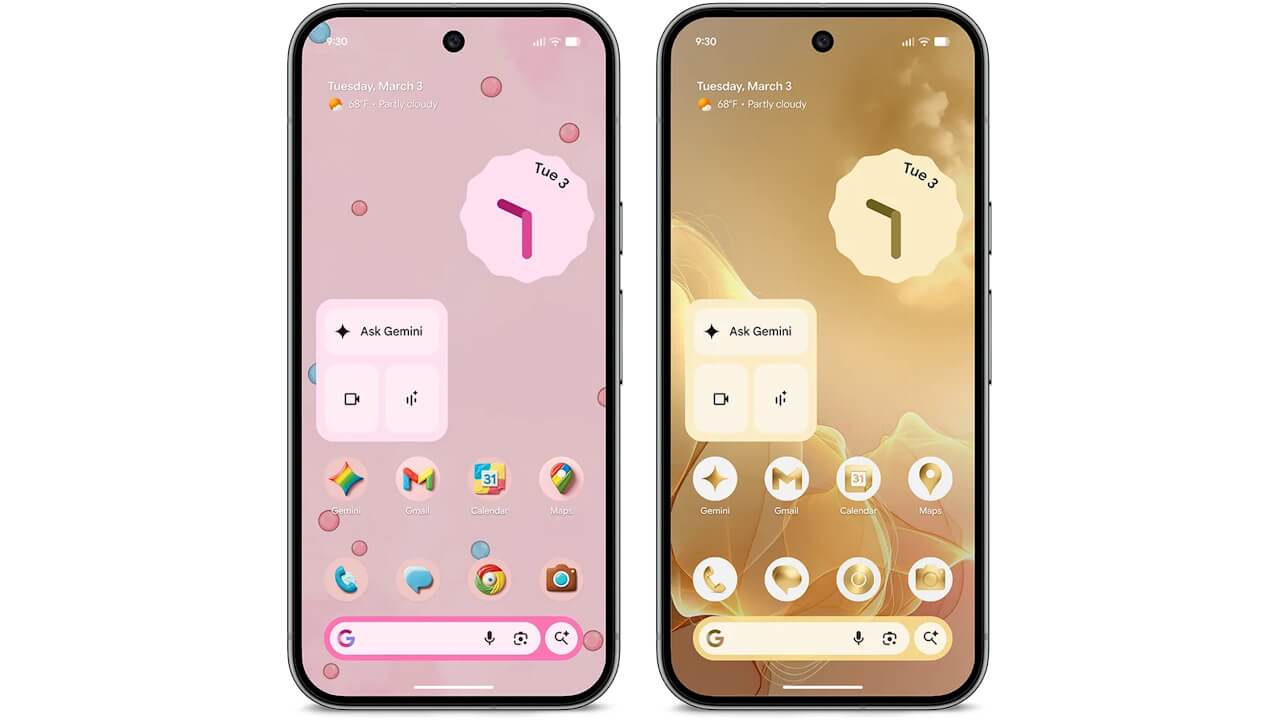
A “Custom Icons” feature has begun rolling out for Pixel Launcher, allowing users to create original app icons.
With “Custom Icons,” you can choose from five AI-generated preset styles—Sketch, Cookie, Easel, Treasure, and Stardust—to automatically generate original icons. It is available on Pixel 6 and newer devices, including the Pixel Tablet and Pixel Fold.
New “Theme Pack”
A new “SpongeBob SquarePants” theme pack has been released for the Pixel Launcher.
The SpongeBob theme pack is available for a limited time until Friday, May 1, 2026, and can be applied to Pixel 6 and newer devices, including the Pixel Tablet and Pixel Fold. However, it appears this is not currently available in Japan.
Source: Google
コメントを残す