




- It appears that the “Fingerprint unlock when screen is off” setting, initially available on Google Pixel devices from the Pixel 9 series onward (excluding the Pixel 9a), has been quietly rolled out to the Pixel 9a.
- I have confirmed that the “Fingerprint unlock when screen is off” setting is now enabled on my own Pixel 9a.
- This feature allows users to unlock their device by placing a registered finger on the fingerprint sensor, even when the screen is off and in sleep mode.
Initially, the “Fingerprint unlock when screen is off” setting—which allows users to unlock their phone by placing a registered finger on the fingerprint sensor even while the device is in sleep mode—was launched for six models: the Google Pixel 9, Pixel 9 Pro, Pixel 9 Pro XL, Pixel 10, Pixel 10 Pro, and Pixel 10 Pro XL.
This feature was previously limited to Google Pixel devices from the Pixel 9 series onward, with the “Pixel 9a” notably excluded. However, it appears that the Pixel 9a has now been added to the list of supported devices. I have personally confirmed that the “Fingerprint unlock when screen is off” setting is now available and enabled on my Pixel 9a.
It is likely that this functionality is also available on the Pixel 10a.
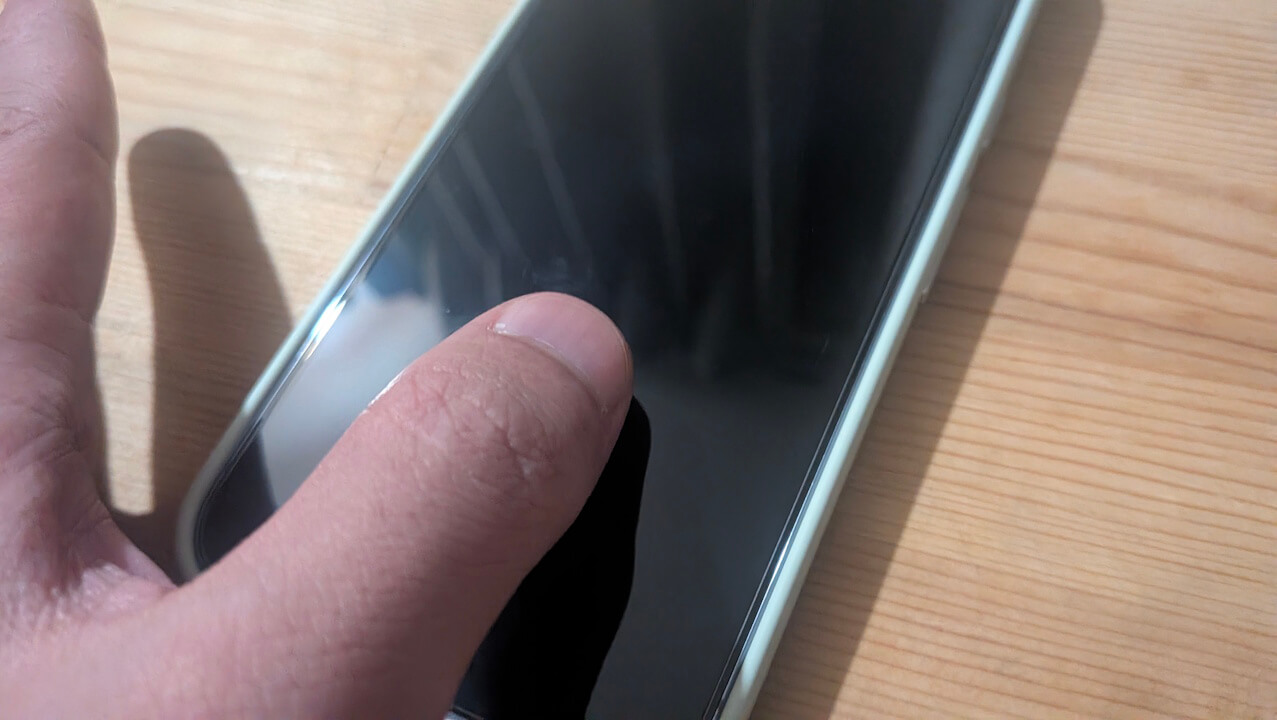

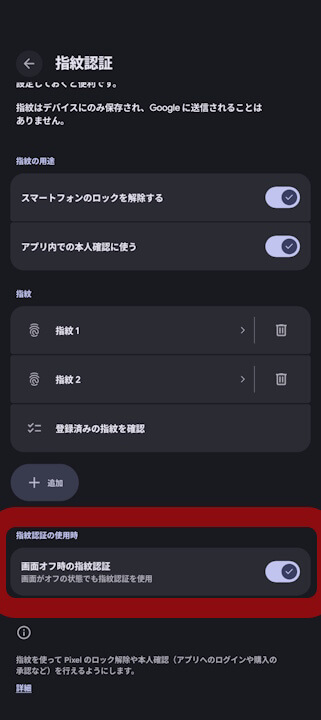
As mentioned, the “Fingerprint unlock when screen is off” feature allows you to unlock your phone while the screen is off and in sleep mode. By default, you usually need to wake the screen first to activate the fingerprint sensor before you can unlock the device. Enabling this setting allows you to bypass that step and authenticate directly from the sleep state.
The “Fingerprint unlock when screen is off” setting can be found within the “Fingerprint” menu inside your Google Pixel’s “Security & privacy” settings.
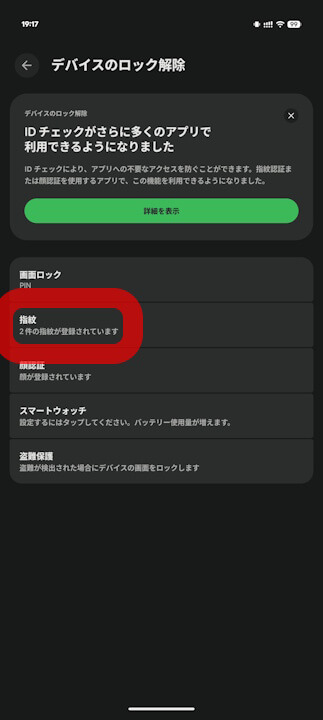
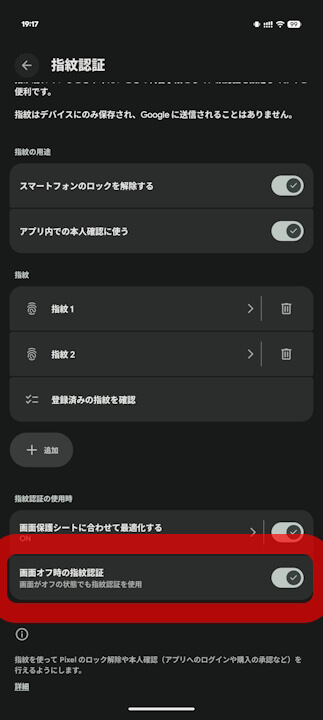
Please note that the official Google help site, “Pixel Phone Help,” in the article “Set up fingerprint unlock on your Pixel phone,” has not yet been updated to reflect the availability of this feature for the Pixel 9a or Pixel 10a.
重要: この機能は、Google Pixel 9、Google Pixel 9 Pro、Google Pixel 9 Pro XL、Google Pixel 10、Google Pixel 10 Pro、Google Pixel 10 Pro XL でのみご利用いただけます。
画面がオフの場合でも、指紋でスマートフォンのロックを解除できます。
この機能を有効にするには:
- スマートフォンの設定アプリを開きます。
- [セキュリティとプライバシー]
[デバイスのロック解除]
- [画面オフ時の指紋認証] をオンにします。
 [デバイスのロック解除]
 Source: Google
コメントを残す