



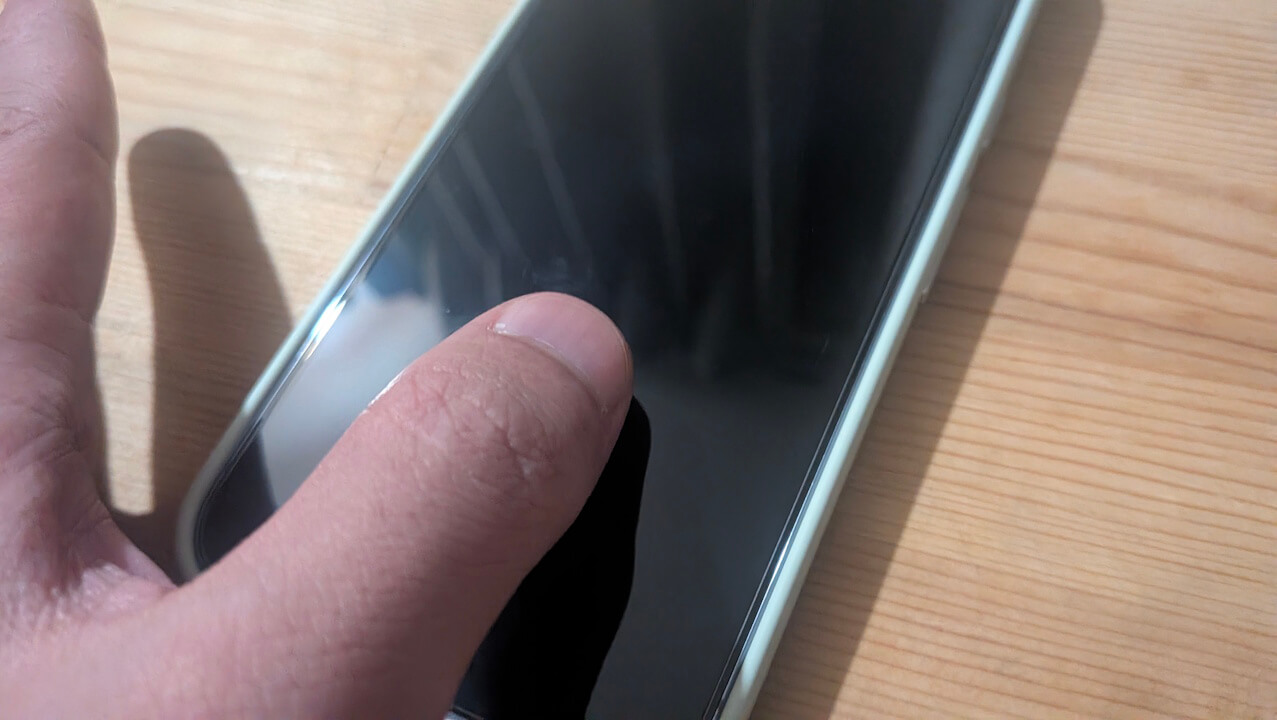
- The “Screen off fingerprint” setting has reportedly begun rolling out to six models: Pixel 9, Pixel 9 Pro, Pixel 9 Pro XL, Pixel 10, Pixel 10 Pro, and Pixel 10 Pro XL.
- This setting allows you to unlock the screen via fingerprint authentication by simply placing a registered finger on the sensor, even when the screen is off and in sleep mode.
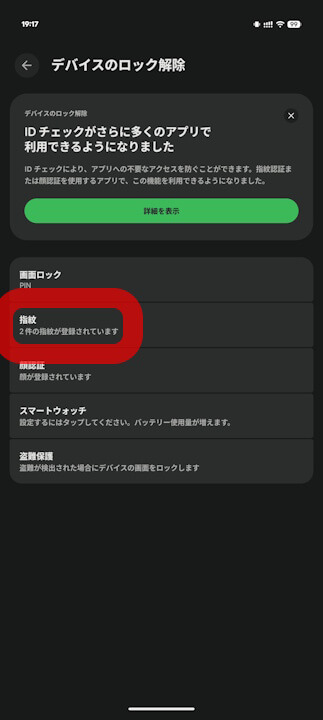
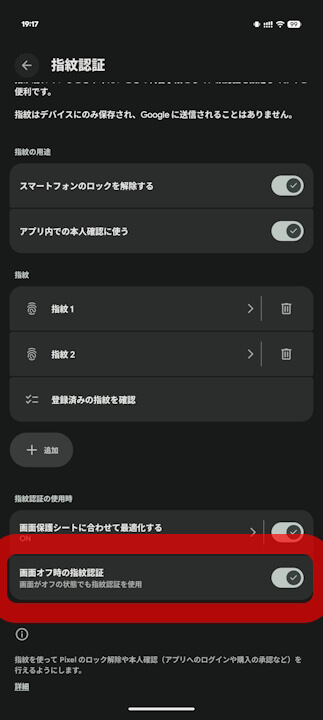
- It is located within the “Fingerprint Unlock” settings under the “Security & privacy” menu.
It appears that the “Screen off fingerprint” setting has quietly begun rolling out for six Google Pixel devices: the Pixel 9, Pixel 9 Pro, Pixel 9 Pro XL, Pixel 10, Pixel 10 Pro, and Pixel 10 Pro XL.
As the name suggests, the “Screen off fingerprint” setting allows you to unlock your device using fingerprint authentication even while the screen is off in sleep mode. By default, you usually have to wake the screen first to enable the fingerprint sensor before placing your finger. However, by enabling the “Screen off fingerprint” setting, you can perform fingerprint authentication even when the screen is completely off.
The actual “Screen off fingerprint” setting is located within the “Fingerprint Unlock” section under the “Security & privacy” settings on Google Pixel devices.
重要: この機能は、Google Pixel 9、Google Pixel 9 Pro、Google Pixel 9 Pro XL、Google Pixel 10、Google Pixel 10 Pro、Google Pixel 10 Pro XL でのみご利用いただけます。
画面がオフの場合でも、指紋でスマートフォンのロックを解除できます。
この機能を有効にするには:
- スマートフォンの設定アプリを開きます。
- [セキュリティとプライバシー]
[デバイスのロック解除]
- [画面オフ時の指紋認証] をオンにします。
 [デバイスのロック解除]
 Source: Google
コメントを残す