




- Google has announced the rollout of new features for “NotebookLM”: “View prompt and sources” and “Iterate.”
- These features allow users to review the prompts and sources used to generate content in “Studio,” adjust them, and regenerate the content.
- These new features were highly requested by users.
On Thursday, June 4, 2026 (local time), Google announced the rollout of two new features for its AI research tool, “NotebookLM”: “View prompt and sources” and “Iterate.”
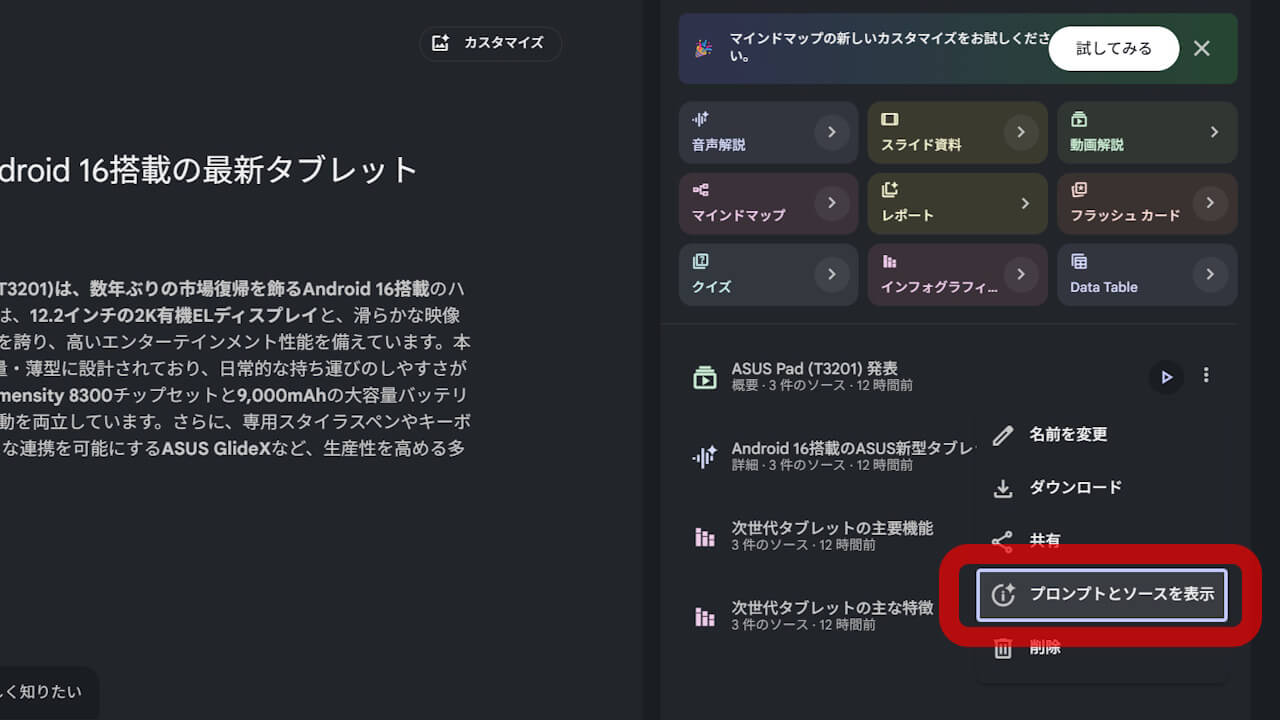
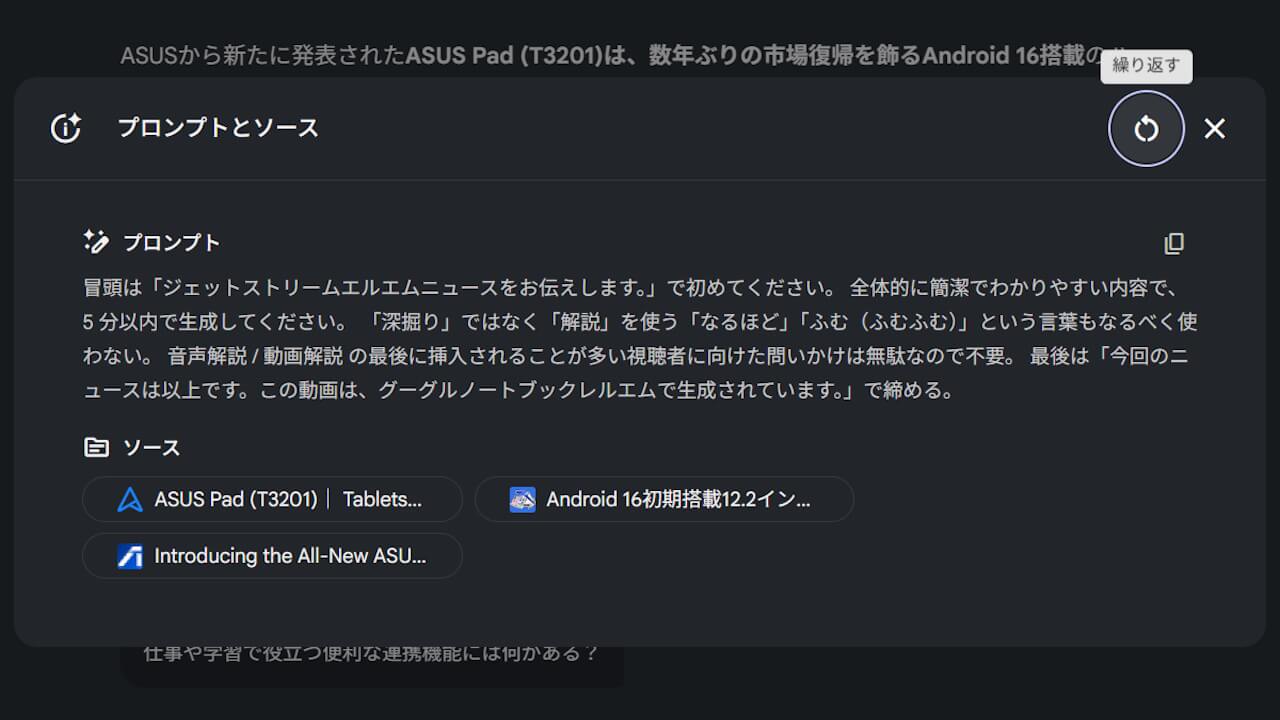
The newly launched “View prompt and sources” and “Iterate” features for NotebookLM enable users to review the prompts and sources utilized during content creation in the “Studio” feature, adjust them, and regenerate the output. By clicking the “︙” (three-dot) menu on the generated content and selecting “View prompt and sources,” a window will appear displaying the original prompt and the sources used to generate that specific content.
Furthermore, by clicking “Iterate” in the top-right corner of the “View prompt and sources” window, users can open the customization window and regenerate content based on the initial settings. Please note that content generated via “Iterate” does not overwrite the original, but is instead created as a new piece of content.
The new “View prompt and sources” and “Iterate” features for NotebookLM have been highly requested by users. They are already available, so be sure to take advantage of them.