




- It appears that the permanent, always-on navigation bar has begun rolling out for the Android version of the “Google Play Store” app on large-screen Android devices.
- Since the update to the Android “Google Play Store” app v50.4 (version: 50.4.17-31 [0] [PR] 877544065), it has been confirmed that the navigation bar, displayed on the left edge of the screen, now remains visible at all times on large-screen Android devices.
- With the new UI in the Android “Google Play Store” app, a permanent, always-on navigation bar that does not hide even on app detail or search result pages is being rolled out as a new feature for large-screen Android devices.
On March 3, 2026 (Tuesday), Google published the latest “Google System Release Notes,” which summarize updates to the “Google System Updates” designed to improve security and reliability for Android devices. In these notes, Google announced the introduction of a permanent, always-on navigation bar as a new feature (new UI) for the Android “Google Play Store” app on large-screen Android devices such as the “Pixel Tablet” and “Pixel 10 Pro Fold (inner display).”
It now appears that this permanent, always-on navigation bar for the Android “Google Play Store” app on large-screen devices has begun to roll out. Following the v50.4 update (version: 50.4.17-31 [0] [PR] 877544065) released around March 9, 2026 (Monday), we confirmed that the navigation bar located on the left edge of the screen now stays visible at all times on large-screen Android devices.


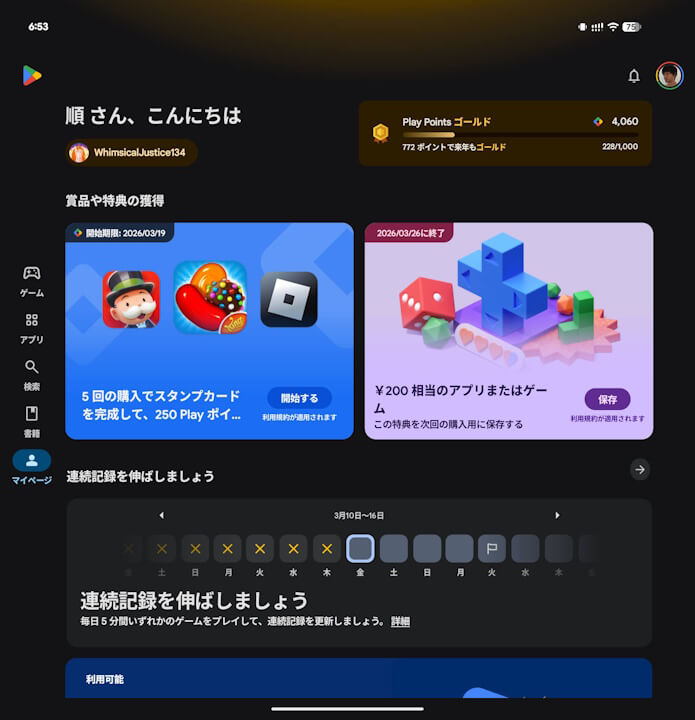
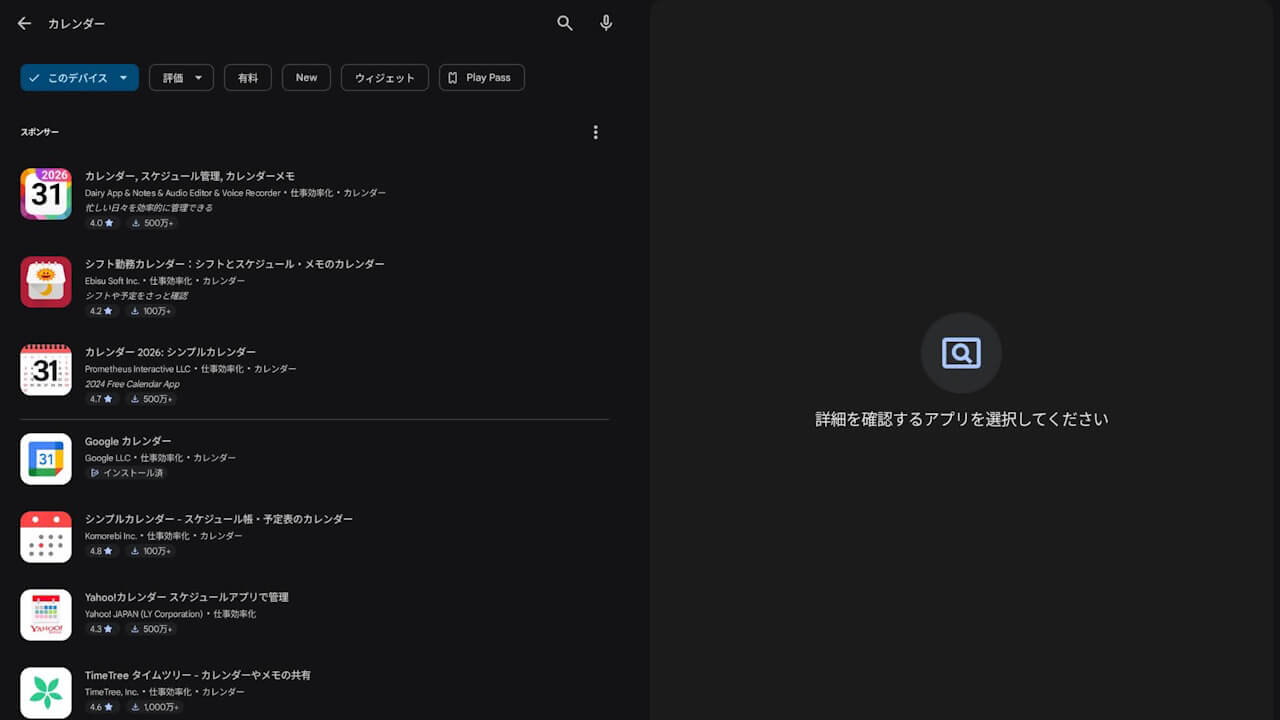
The navigation bar in the Android “Google Play Store” app contains tabs for “Games,” “Apps,” “Search,” “Books,” “My Page,” and “Kids” (on devices like the Pixel Tablet), allowing users to switch between them easily. However, in the old UI, the navigation bar was designed to hide when viewing app detail pages or search results, meaning the bar would not reappear unless you navigated back to a previous screen.
With the new UI, the Android “Google Play Store” app now features a permanent, always-on navigation bar that remains visible even on app detail and search result pages, rolled out specifically for large-screen Android devices like the “Pixel Tablet” and “Pixel 10 Pro Fold (inner display).” This makes navigating within the Android “Google Play Store” app much smoother.
Source: Google
コメントを残す