


- A new backup feature called “Keep items from the past 30 days” will be rolled out to the iOS version of the “Google Photos” app (v7.94.0) between late September 2026 and early October 2026.
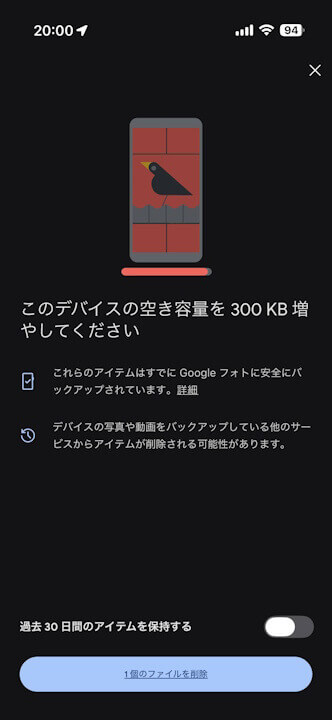
- This backup feature ensures that when you use the “Free up space on this device” option to delete photos and videos backed up to “Google Photos” from your device (locally), photos and videos from the past 30 days will remain on your device and will not be deleted.
- If you want to keep your most recent photos and videos on your device while still backing them up to “Google Photos,” turn this feature on. That way, even if you use “Free up space on this device,” photos and videos from the past 30 days will not be deleted from your device.
Google has started rolling out a new backup feature called “Keep items from the past 30 days” for the iOS version of the online photo library service “Google Photos” (v7.94.0), spanning from late September to early October 2026.
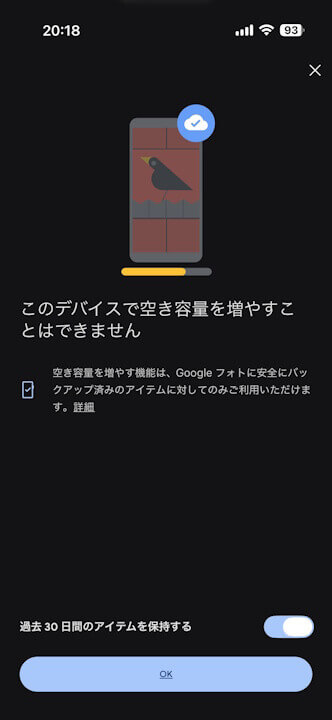
The “Keep items from the past 30 days” feature, now rolling out on the iOS version of the “Google Photos” app, is a backup feature designed to prevent photos and videos from the last 30 days from being deleted from the device when using the “Free up space on this device” feature, which removes backed-up photos and videos from the local device storage. If you want to back up your photos and videos to “Google Photos” while still keeping your most recent photos and videos on your device, turning this feature ON ensures that images and videos from the past 30 days will not be deleted from your device even if you use “Free up space on this device.”
Please note that “Keep items from the past 30 days” is turned OFF by default.
While “Keep items from the past 30 days” has currently been rolled out to the iOS version of the “Google Photos” app, its availability on the Android version has not yet been confirmed.
“Google Photos” App Links