




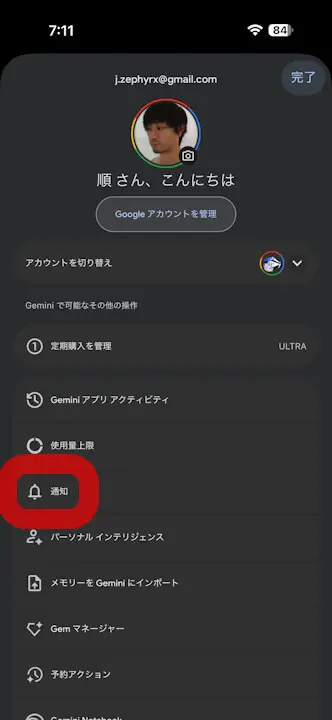
- In mid-August 2026, a new “Notifications” setting was added to the iOS version of the “Gemini” app.
- Similar to the “Notifications” settings in the Android version of the “Gemini” app, it allows users to toggle “Notifications” ON or OFF for four items: “Daily summary,” “Scheduled actions,” “Responses,” and “Service updates and tips.”
- This allows for granular control over “Notifications” that were previously sent automatically.
In early August 2026, we introduced the new “Notifications” settings that were added to the Android app for Google’s AI, “Gemini.”
The new “Notifications” settings in the Android version of the “Gemini” app allow users to toggle “Notifications” ON or OFF for four items using toggle switches: “Daily summary,” “Scheduled actions,” “Responses,” and “Service updates and tips.” Note that “Responses” refers to notifications sent when Gemini replies to complex questions that take time to process.

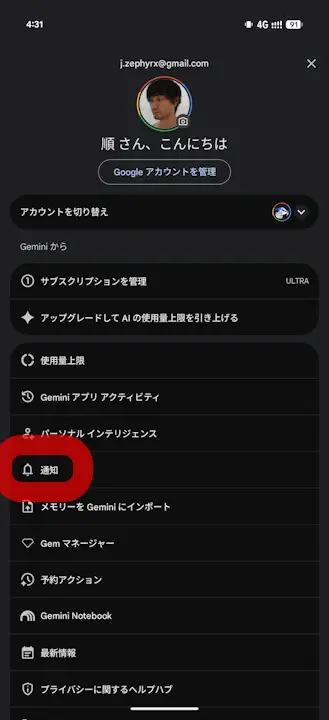
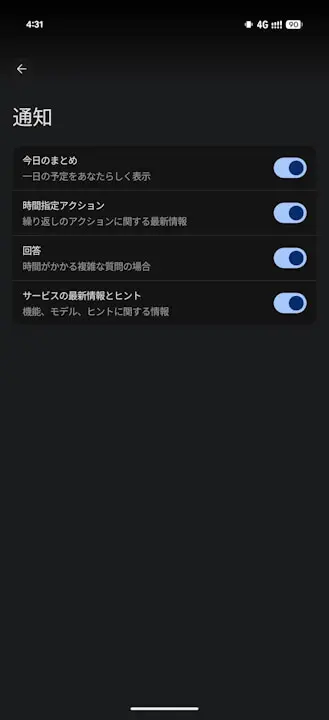
Then, in mid-August 2026, similar “Notifications” settings were newly added to the iOS version of the “Gemini” app as well. Just like the Android version, it allows users to toggle “Notifications” ON or OFF for the four items: “Daily summary,” “Scheduled actions,” “Responses,” and “Service updates and tips.”
This update allows users to finely control “Notifications” that were previously sent automatically.

Source: Gemini