



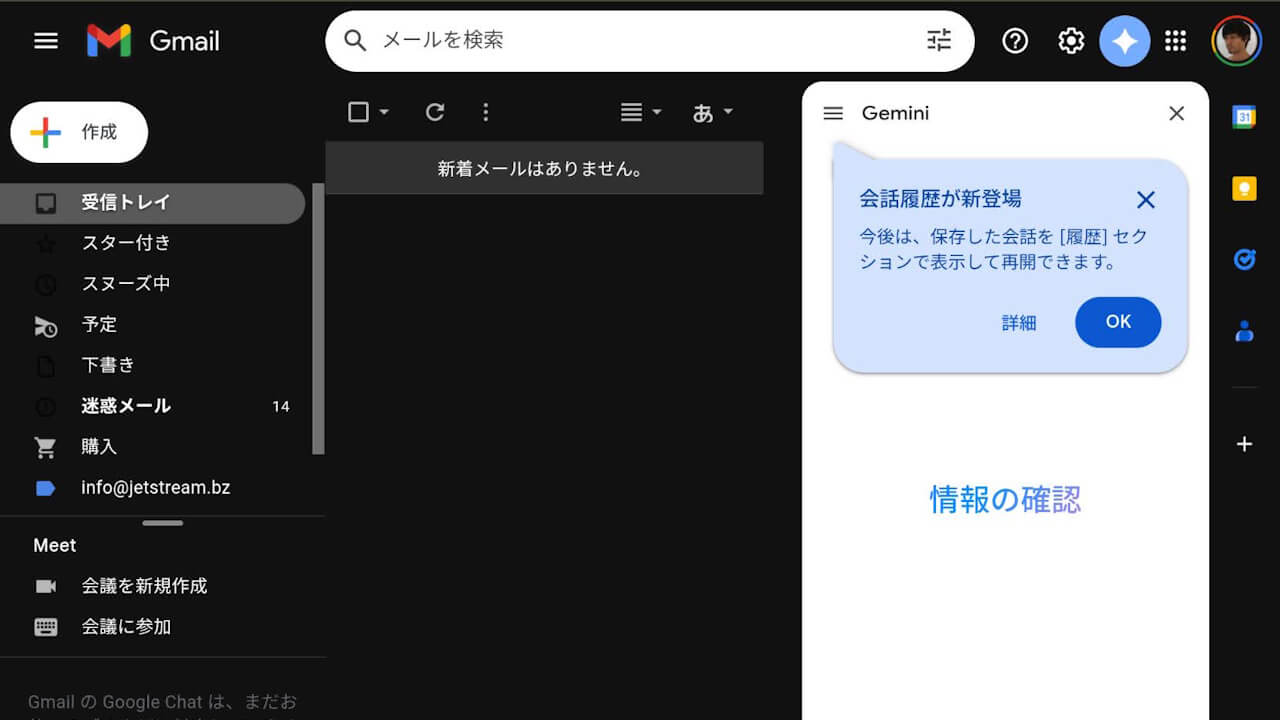
- Google has added conversation history with “Gemini” to the “Gemini side panel” in Google Workspace services.
- Applicable Google services include Gmail, Google Docs, Google Sheets, Google Slides, and Google Drive.
- Conversation history with “Gemini” within the “Gemini side panel” is specific to each service and will not be displayed across different services.
On Thursday, February 26, 2026, Google introduced conversation history with “Gemini” to the “Gemini side panel” across Google services integrated with “Google Workspace.”
The supported Google services include Gmail, Google Docs, Google Sheets, Google Slides, and Google Drive. Users can now access their conversation history with “Gemini” directly within the “Gemini side panel” of these services.

An important point regarding this new feature is that the conversation history with “Gemini” conducted within a specific Google service’s “Gemini side panel” is localized to that service. History is not shared or visible across different services.
Similarly, conversation history with “Gemini” held within shared files in “Gemini for Google Drive” is only visible within that specific shared file.
Please note that the “Gemini side panel” (Gemini in Google Workspace) is a feature available to Google Workspace accounts, as well as members of the Google One AI plans, “Google AI Pro” and “Google AI Ultra.”
Source: Google
コメントを残す