



- Google has sent a direct message titled “Update to how privacy settings work on Google Play” primarily to Android users, notifying them of changes to personalization and activity history management in Google Play.
- The notice explains that Google Play personalization and activity history, currently managed under “Web & App Activity (WAA)” in the “Activity Controls” of a Google Account, will be separated and migrated to a dedicated “Google Play” setting.
- The rollout is expected to proceed on a per-account basis within the next few days.
In mid-January 2026, Google began sending direct messages titled “Update to how privacy settings work on Google Play” primarily to Android users to inform them of upcoming changes to personalization and activity history management settings within Google Play.
The message explains that Google Play personalization and activity history, which are currently managed under “Web & App Activity (WAA)” within the “Activity Controls” of a Google Account, will be separated and migrated to a dedicated “Google Play” setting. In other words, personalization and activity history for Google Play will be detached from the general Google Account “Activity Controls” and established as an independent “Google Play” setting, making them easier to access and manage directly.
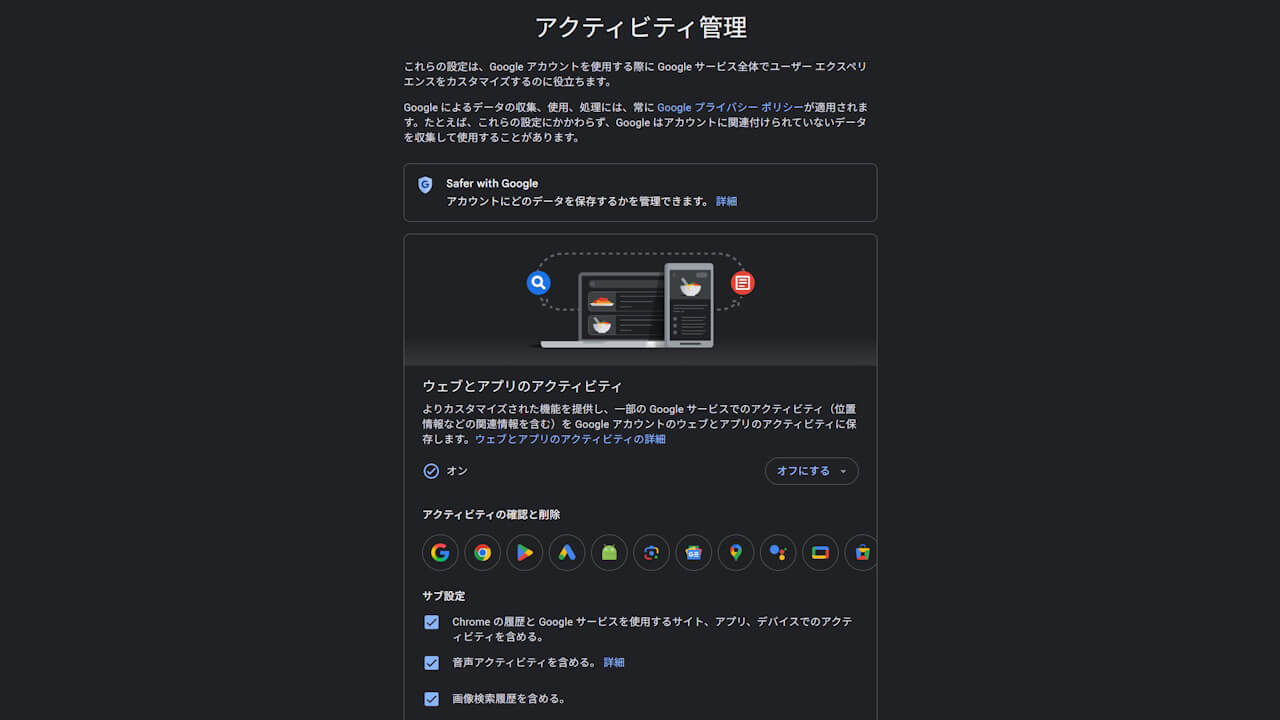
Following the migration, you will still be able to choose how long activity is stored in your Google Play history or manually delete activity, just as before. Furthermore, if your “Web & App Activity” is currently set to OFF, that OFF setting will be carried over to the new Google Play settings during the migration.
The rollout of this new independent “Google Play” setting for personalization and activity history is expected to take place on a per-account basis over the next few days.
Google Play のパーソナライズとアクティビティ履歴を管理する設定が更新されました。今後は、Google Play でのパーソナライズと、Google アカウントの Play の履歴へのアクティビティ保存に関する専用の管理機能をご利用いただけるようになります。これらの設定は Google Play メニューから簡単にアクセスできます。
これまで、Google Play のパーソナライズと履歴は、Google アカウントのウェブとアプリのアクティビティ(WAA)の設定で管理されていましたが、今後は、WAA が Google Play のパーソナライズと Play の履歴を管理することはなくなります。これらの設定は Google Play で直接管理できるようになります。この変更は、数日以内にお客様のアカウントに反映されます。Google Play のパーソナライズと Play の履歴についての詳細
お客様のアカウントで移行が行われる際、Google Play の設定は WAA で最近選択された内容に基づいて変更されるため、お客様のエクスペリエンスに影響はありません。数日中に移行が行われますが、移行時に WAA をオンにしている場合は、Google Play のパーソナライズと Play の履歴の設定はオンになります。WAA がオフになっている場合は、Google Play のパーソナライズと Play の履歴はオフになります。お客様はこれまでと同様に、Play の履歴にアクティビティを保存しておく期間を選択できるほか、Play の履歴から手動または自動でアクティビティを削除するかどうかも選択できます。
移行が完了すると、WAA と Google Play の設定は別々になり、一方を変更しても他方には影響しなくなります。Google Play のプライバシー設定は、[Google Play でのパーソナライズ でいつでも確認および変更できます。移行とその設定への影響についての詳細
Google Play をご利用いただきありがとうございます。
コメントを残す