



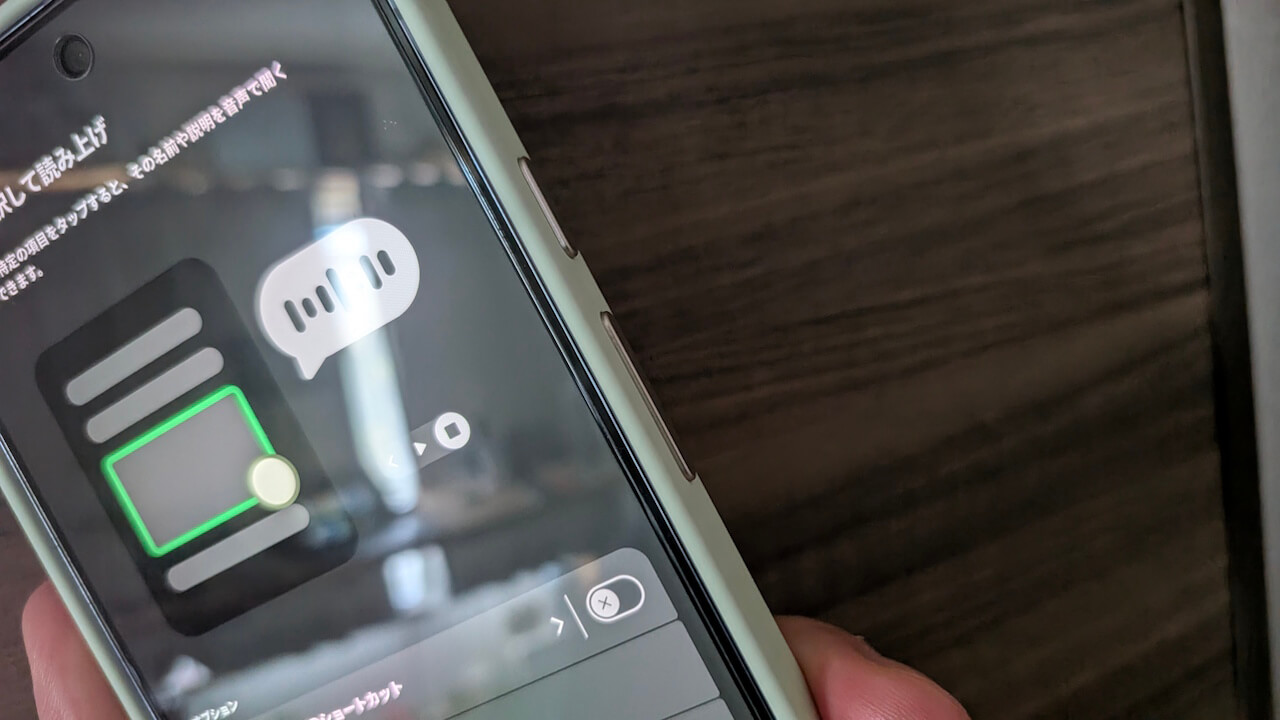
- At the start of 2026, a bug related to volume buttons has been occurring mainly on Google Pixel devices.
- The issue prevents continuous volume adjustment from working even when the volume button is long-pressed.
- Turning OFF the “Select to Speak” setting within the “Accessibility” settings should restore continuous volume adjustment via long-press.
At the beginning of 2026, it appears that a volume button-related bug is occurring mainly on Google Pixel devices.
The confirmed volume button issue on Google Pixel devices is that continuous volume adjustment does not trigger even when the volume button is long-pressed. I have personally confirmed this bug occurring on my own “Pixel 10 Pro XL.”
But rest assured. Both the cause and the fix have already been identified.
The cause of the bug preventing continuous volume adjustment on Google Pixel devices is likely that the “Select to Speak” setting in the “Accessibility” menu was automatically turned ON following the v16.2 update of the “Android Accessibility Suite (TalkBack)” app released on Monday, January 5, 2026. Turning the “Select to Speak” setting OFF should restore the continuous volume adjustment functionality when long-pressing the volume button.
In fact, when I turned OFF the “Select to Speak” setting on my “Pixel 10 Pro XL,” continuous volume adjustment via long-pressing the volume button began working again.
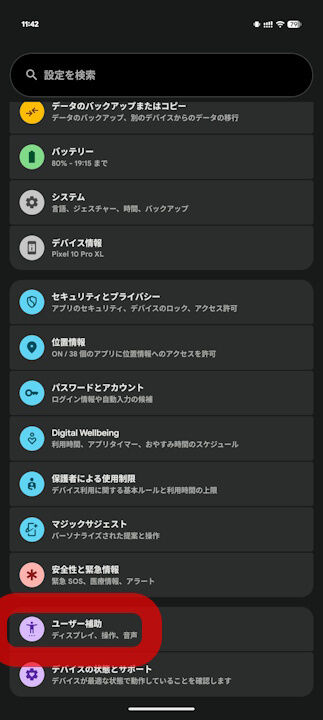
➜
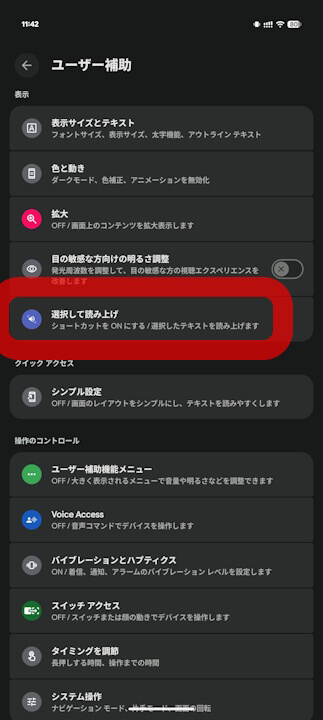
➜
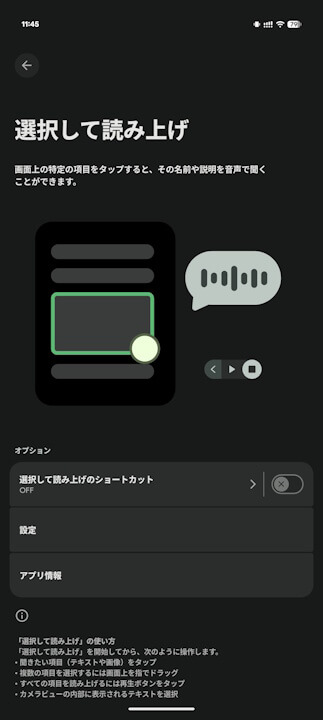
If you are experiencing similar symptoms, please try turning OFF the “Select to Speak” setting.
Source:reddit
コメントを残す