




- Google has released the May 2026 monthly software update for a total of 16 Google Pixel devices running the next-generation Android 16 OS, including the usual monthly security vulnerability fixes and performance enhancements.
- The May 2026 update includes the latest Android security patch level, along with various bug fixes and improvements.
- The update is not available for the following five models: Pixel 6, Pixel 6 Pro, Pixel 6a, Pixel 7, and Pixel 7 Pro.
On Tuesday, May 5, 2026 (local time), Google began rolling out the May 2026 monthly software update for a total of 16 Google Pixel devices running the next-generation Android 16 OS: Pixel 7a, Pixel Tablet, Pixel Fold, Pixel 8, Pixel 8 Pro, Pixel 8a, Pixel 9, Pixel 9 Pro, Pixel 9 Pro XL, Pixel 9 Pro Fold, Pixel 9a, Pixel 10, Pixel 10 Pro, Pixel 10 Pro XL, Pixel 10 Pro Fold, and Pixel 10a. This update includes the regular security vulnerability fixes and functional enhancements.
The May 2026 monthly software update released for Google Pixel devices today includes the updated Android security patch level, as well as a total of five bug fixes and improvements. Please note that this May 2026 update is not being delivered to the Pixel 6, Pixel 6 Pro, Pixel 6a, Pixel 7, and Pixel 7 Pro.

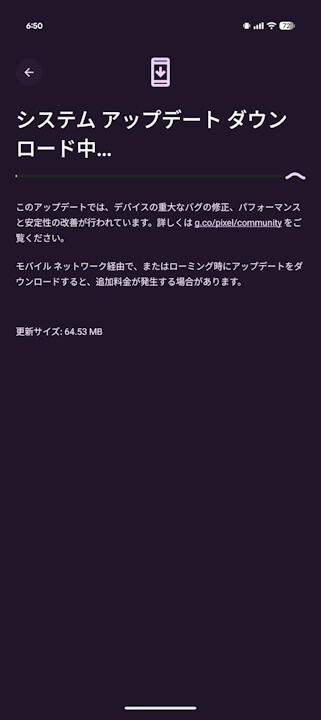
The bug fixes and improvements included in the May 2026 software update are listed below. A total of five issues have been addressed, including a bug that caused slower wireless charging speeds.
| ■ Pixel 7a, Pixel 8, Pixel 8 Pro, Pixel 8a, Pixel Fold, Pixel Tablet, Pixel 9, Pixel 9 Pro, Pixel 9 Pro XL, Pixel 9 Pro Fold, Pixel 9a, Pixel 10, Pixel 10 Pro, Pixel 10 Pro XL, Pixel 10 Pro Fold, Pixel 10a |
〇 Battery & Charging
|
| ■ Pixel 10, Pixel 10 Pro, Pixel 10 Pro XL |
〇 Display & Graphics
|
| ■ Pixel 10 Pro, Pixel 10 Pro XL |
〇 Display & Graphics
|
| ■ Pixel 10 |
〇 Camera
|
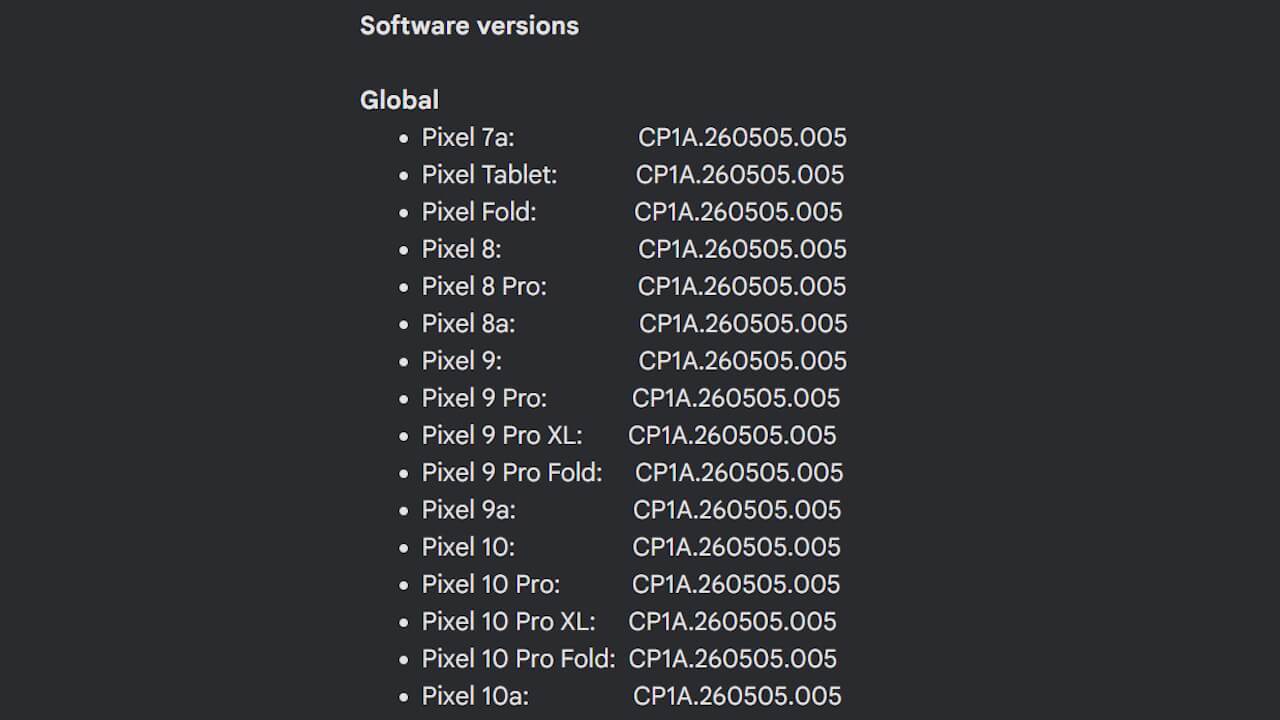
Following the May 2026 software update, the build number will be unified across all applicable devices as “CP1A.260505.005,” and the Android security patch level will be updated to “May 5, 2026.”
| ■ Android Security Patch Level |
|
| ■ Build Number |
|
The software update for Google Pixel devices is being rolled out in stages via “Over the Air (OTA),” starting today and continuing over the next week. You can check if the update is available for your device by going to Android Settings, selecting “System” -> “Software update,” and tapping “System update.”
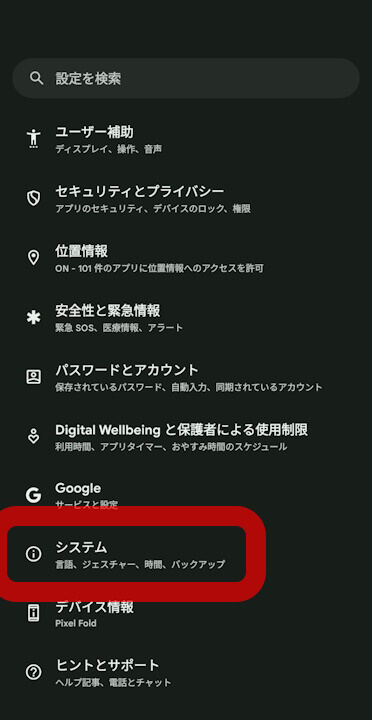
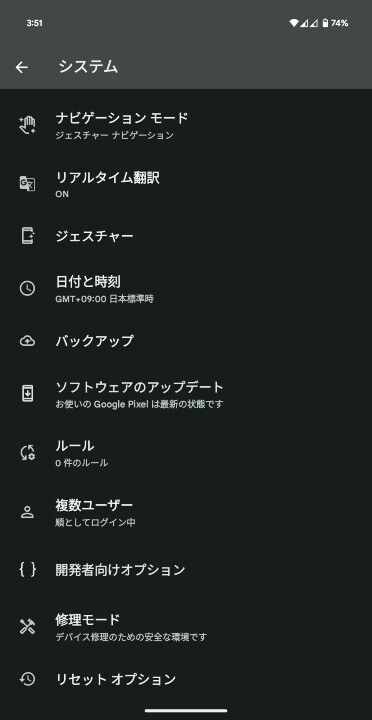
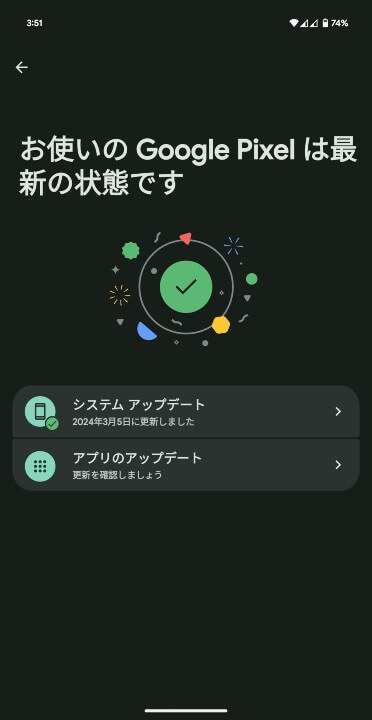
| ①Android 設定の[システム]をタップ |
| Android 設定内の[システム]をタップします。 |
| ②[システム アップデート]をタップ |
| 表示されるメニュー内の[システム アップデート]をタップします。 |
| ③[システム アップデート]をタップ |
| 画面右下の[アップデートをチェック]をタップします。 |
Google Pixel users are encouraged to apply the software update as soon as possible.
Source: Google (https://support.google.com/pixelphone/thread/431077516/google-pixel-update-may-2026)