




- The voice recorder app “Recorder” for Google Pixel devices now supports “Allow other apps to access recordings.”
- With support for “Allow other apps to access recordings,” you can now access recorded data from file manager apps like “Files by Google” and handle them as M4A (.m4a) files.
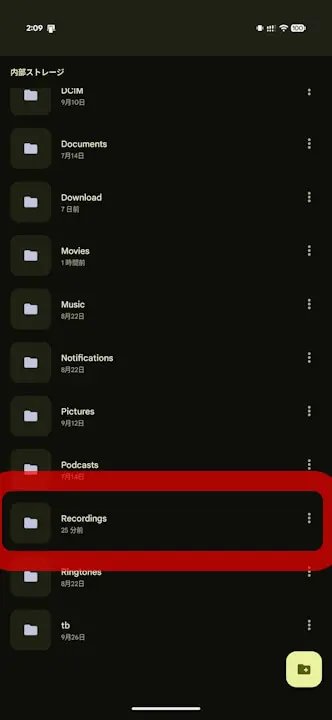
- When “Allow other apps to access recordings” is turned ON, recorded data is stored in the “Recordings” folder within the Android local storage.
The “Recorder” app for Google Pixel devices has added support for “Allow other apps to access recordings” in the app update v4.2.20260823.992025916, released in early October 2026.
Previously, while recorded data in the Google Pixel “Recorder” app supported cloud data sharing, it was saved in a dedicated “Recorder” area—regardless of whether it was on the web or via an app—making it inaccessible from file manager apps like “Files by Google.” However, with the new support for “Allow other apps to access recordings,” you can now access recorded data from file manager apps like “Files by Google” and handle them as M4A (.m4a) files.
This allows you to utilize recordings from the “Recorder” app in various ways, such as uploading them to generative AI services like “Gemini.” “Allow other apps to access recordings” is turned ON by default, but it can also be turned OFF in the settings.
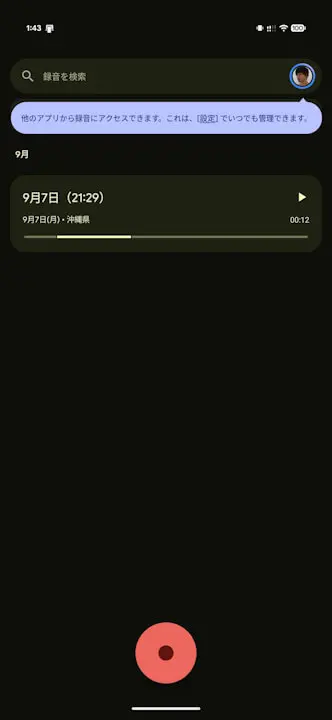
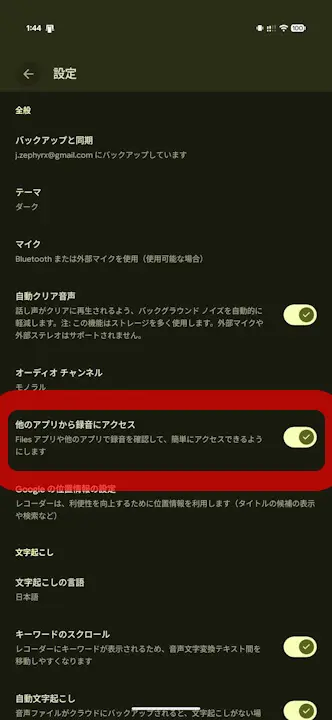
When “Allow other apps to access recordings” is turned ON, recorded data is stored in the “Recordings” folder within the Android local storage.
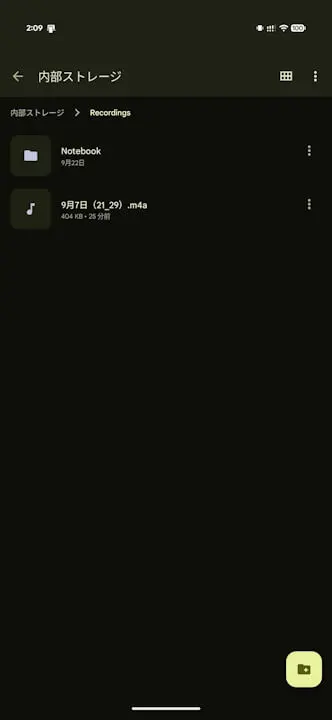
When “Allow other apps to access recordings” is enabled, the recorded data stored in the “Recordings” folder is simply a copy of the original recording. Therefore, even if you delete a recording within the “Recordings” folder, the original recording in the “Recorder” app will not be deleted, and vice versa.
In other words, having “Allow other apps to access recordings” turned ON means that recorded data will accumulate in duplicate, so please keep an eye on your storage space.
<plurals name="fai_dlg_message_deletion_confirmation">
<item quantity="one">This will permanently remove the recording from your Google Account and synced devices. Copies stored in your phone’s public folders won’t be deleted. This action can’t be undone.</item>
<item quantity="other">This will permanently remove %1$d recordings from your Google Account and synced devices. Copies stored in your phone’s public folders won’t be deleted. This action can’t be undone.</item>
</plurals>
<plurals name="fai_dlg_message_deletion_no_account_confirmation">
<item quantity="one">This will permanently remove the recording from your device. Copies stored in your phone’s public folders won’t be deleted. This action can’t be undone.</item>
<item quantity="other">This will permanently remove %1$d recordings from your device. Copies stored in your phone’s public folders won’t be deleted. This action can’t be undone.</item>
</plurals>
“Recorder” App Link

Source:Google