



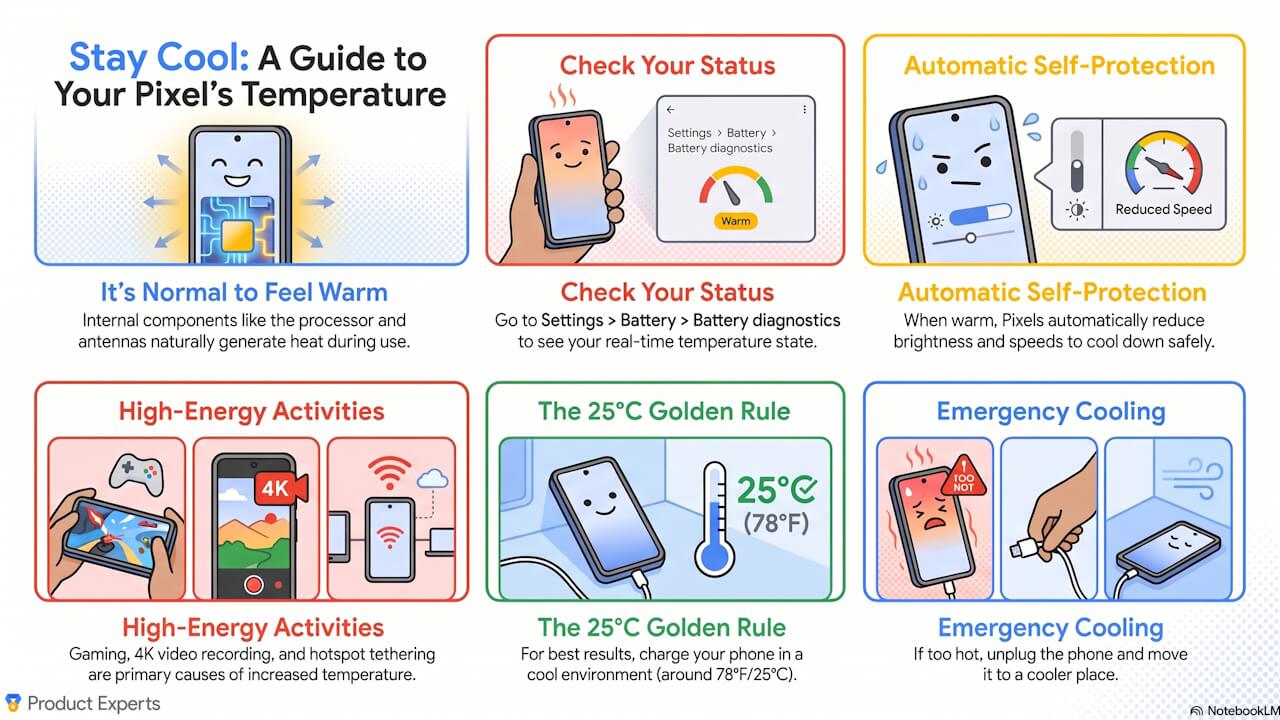

- Google has published an official, comprehensive temperature guide for Google Pixel devices titled “How to Keep Your Google Pixel Cool This Summer (Full Temp Guide).”
- The guide provides a systematic overview of information necessary for managing Google Pixel devices, including the device’s built-in temperature diagnostic status, primary factors that cause overheating, and concrete cooling measures.
- This is a must-read guide, especially for the summer months when Google Pixel devices are particularly prone to high temperatures.
On Monday, July 6, 2026, Google published an official comprehensive temperature guide for Google Pixel devices titled “How to Keep Your Google Pixel Cool This Summer (Full Temp Guide).”
The “How to Keep Your Google Pixel Cool This Summer (Full Temp Guide)” systematically summarizes essential information for managing Google Pixel devices, such as the implemented temperature diagnostic status, primary causes of overheating, and specific cooling measures. It is a comprehensive temperature guide that should be reviewed, particularly during the summer season when Google Pixel devices are highly susceptible to becoming hot.
4-Stage Temperature Diagnostic Status
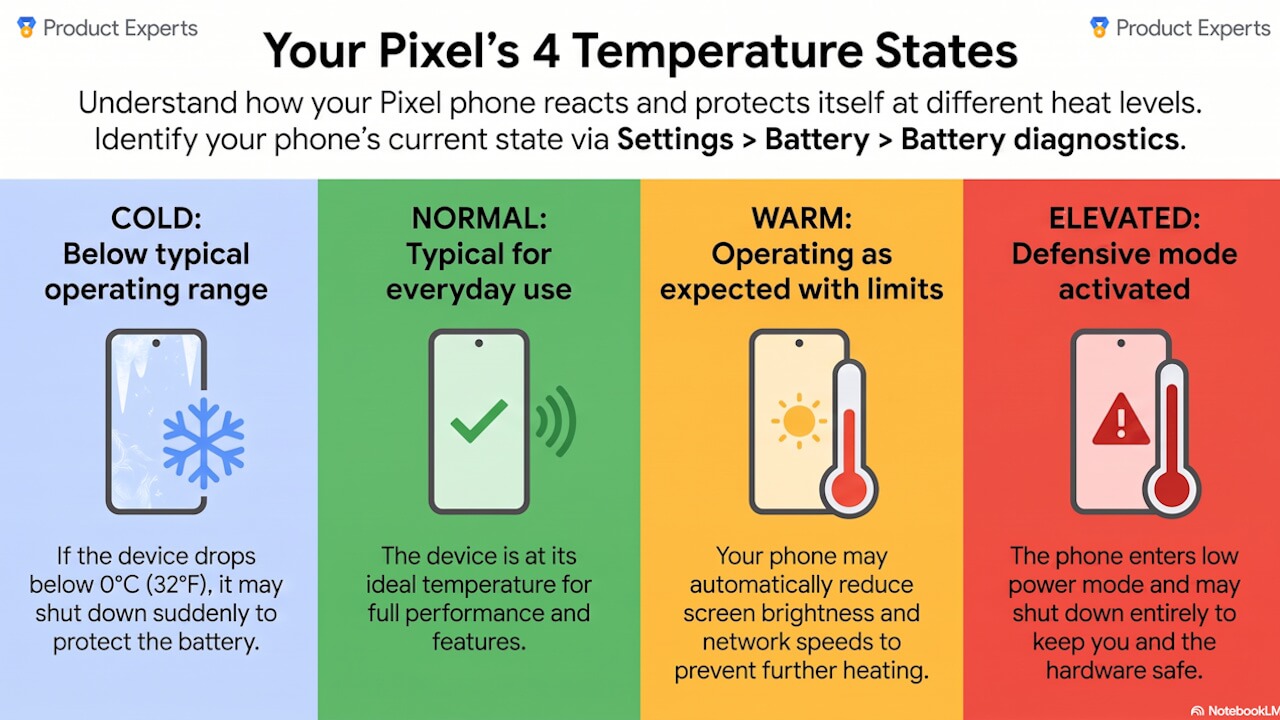
Google Pixel devices use an internal diagnostic system to categorize the device temperature into four status levels: “Cold,” “Normal,” “Warm,” and “Elevated.”
“Cold” and “Normal” are statuses that pose no issues for Google Pixel devices; however, in the “Warm” status, users may notice reduced screen brightness or slower communication speeds. Once the device reaches the “Elevated” status, mobile data and Wi-Fi connections may be partially or completely disabled. This is a defensive measure intended to suppress heat generation in the antenna section.
Furthermore, if the temperature becomes excessively high and exceeds safe limits, the device will automatically shut down to protect the hardware.
Primary Causes of Overheating
Main high-load factors that cause Google Pixel devices to heat up include recording video at 4K@60fps, intensive gaming, high-bitrate streaming playback, transferring large files, restoring cloud backups, using tethering, and extended periods of video calling or GPS navigation.
Environmental factors include use under direct sunlight, leaving the device on a car dashboard, or using cases with poor ventilation. A typical scenario that causes a Google Pixel device to deteriorate quickly from “Normal” to “Elevated” is a combination of factors, such as using navigation while wireless charging under direct sunlight, which is compounded by the fact that wireless charging generates more heat than wired charging.
Diagnostic Tools and “Adaptive Battery”
Google Pixel devices are equipped with diagnostic tools that allow users to check the device’s temperature state and battery cycle count.
For Google Pixel devices from the Pixel 6 series and later, you can check the current estimated temperature status by going to Android Settings > “Battery” > “Battery Diagnostics” and selecting “My phone is very hot.” For Google Pixel devices from the Pixel 8 series and later, you can check the battery cycle count and the date of first use under “Device Info” > “Battery Info,” and check whether the capacity is “Normal” or “Degraded” under “Battery” > “Battery Health.”
Additionally, for devices from the Pixel 6a to the Pixel 9 series (excluding the Pixel 6, Pixel 6 Pro, and Pixel Tablet), there is a feature where turning on “Adaptive Battery” allows the device to adjust the maximum voltage in stages between 200 and 1,000 cycles to stabilize performance. Note that for Google Pixel devices from the Pixel 9a onward, “Adaptive Battery” is enabled by default.
Long-term Battery Protection
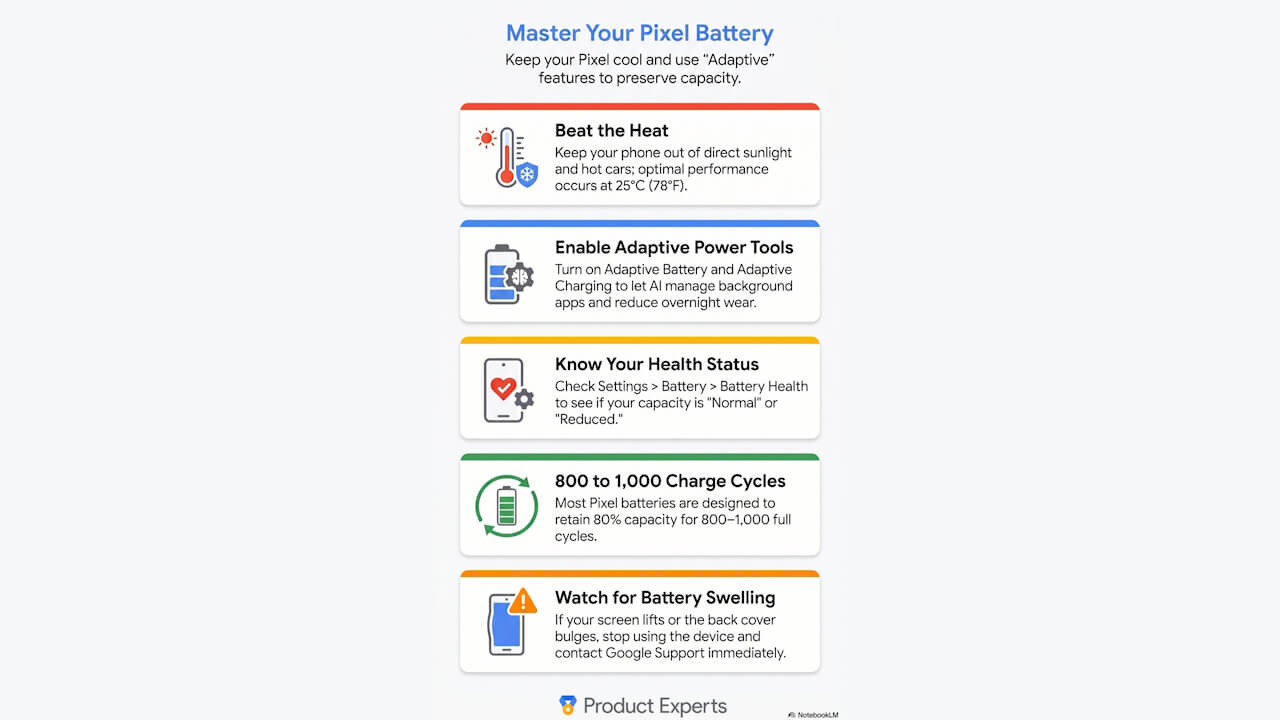
Specific measures to cool down your Google Pixel device include stopping games or video calls, reducing screen brightness, prioritizing Wi-Fi connections, removing incompatible cases, and using a 30W or 45W USB-C PPS (Programmable Power Supply) compatible charger.
High-load use while charging and wireless charging in high-temperature environments are activities that should be avoided to help with cooling. Note that the ideal ambient temperature for battery charging is approximately 25°C. Incidentally, if the ambient temperature exceeds 35°C, the device will switch to “Slow Charging.”
Long-term battery protection features for Google Pixel devices include “Adaptive Charging,” which learns your charging patterns while sleeping to hold charging at 80% and then completes the final 20% before you wake up, and the “80% Limit” available on Google Pixel devices from the Pixel 6a onward. Note that even if the “80% Limit” is enabled, the device is designed to intentionally charge to 100% once every 10 cycles to calibrate internal sensors.
The guideline for battery replacement for Google Pixel devices is approximately 800 cycles for the Pixel 3 through Pixel 8 Pro and Pixel Fold, and approximately 1,000 cycles for Google Pixel devices from the Pixel 8a onward; in both cases, the point at which it can no longer maintain 80% of its initial capacity is the guideline for replacement. Batteries that have swollen due to degradation or other issues do not pose an immediate risk of explosion, but they must be handled with care to prevent fluid leaks or damage.
Source: Google (https://support.google.com/pixelphone/community-guide/448408873/how-to-keep-your-google-pixel-cool-this-summer-full-temp-guide)