





- App version v2026.07.27.959360430 for the “Journal” app—a journaling app for Google Pixel devices designed for mindful writing—started rolling out around Monday, August 17, 2026.
- A total of four new features have been added: an auto-formatting feature, sleep data retrieval via integration with the health data management app “Health Connect,” a “Reminders” setting, and the addition of location information.
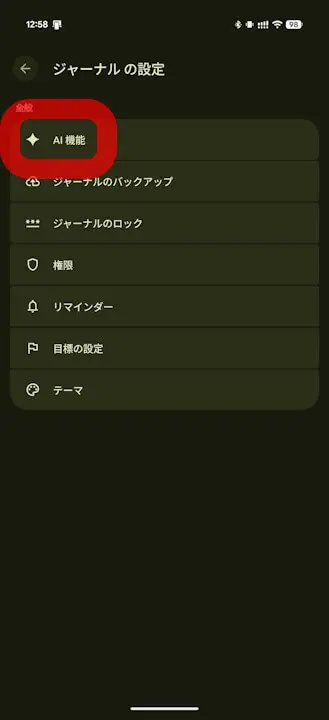
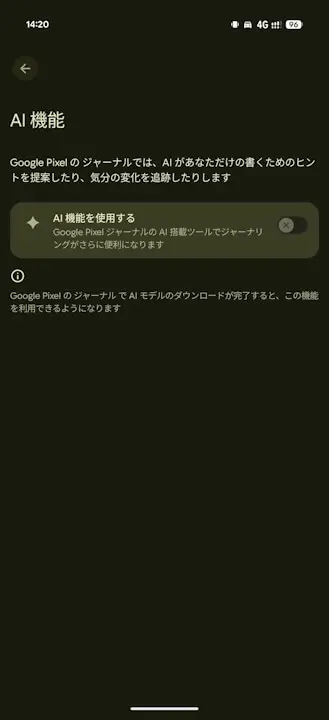
- To use the auto-formatting feature, you need to download the latest AI model in advance via “Use AI features” under “AI settings” in the “Journal” app.
Initially released exclusively for the Google Pixel “Pixel 10” series and later made available for the “Pixel 8” series and newer, “Journal” is a mindful writing app that allows you to jot down your thoughts, emotions, and everyday life events.
After receiving an app update around the spring of 2026, the “Journal” app had been quiet for a while, but app version v2026.07.27.959360430 began rolling out around Monday, August 17, 2026, bringing multiple new features. A total of four new features have been added in the “Journal” app v2026.07.27.959360430 update: an auto-formatting feature, sleep data retrieval via integration with the health data management app “Health Connect,” a “Reminders” setting, and the addition of location information.
With the auto-formatting feature, AI automatically organizes the content you enter into the “Journal” app. As revealed in our original content “App Teardown,” this AI-powered auto-formatting feature is realized through integration with the “Private Compute Services” app, with privacy protection in mind.
<string name="_0_resource_name_obfuscated_res_0x7f14038d">Pixel Journal is now powered by Google's Private AI Compute, allowing you to enjoy AI experiences with industry-leading privacy safeguards. To ensure your data stays private to you, Pixel Journal works in a secure, isolated environment on your device and in the cloud. You can turn off AI features in Journal settings.</string>
<string name="_0_resource_name_obfuscated_res_0x7f14038e">More power, same protection</string>
<string name="_0_resource_name_obfuscated_res_0x7f14038f">AI features are now available to help you write. Use of AI tools is subject to the Generative AI Prohibited Use Policy. AI responses may also display inaccurate or offensive information that doesn't represent Google's views. Pixel Journal is now powered by Google's Private AI Compute, allowing you to enjoy AI experiences with industry-leading privacy safeguards. To ensure your data stays private to you, Pixel Journal works in a secure, isolated environment on your device and in the cloud. You can turn off AI features in Journal settings.</string>
<string name="_0_resource_name_obfuscated_res_0x7f140390">Private, powerful writing tools</string>
To use the auto-formatting feature, you need to download the latest AI model in advance via “Use AI features” under “AI settings” in the “Journal” app. However, as of Monday, August 17, 2026, the download was not yet available, which likely means it is rolling out gradually.
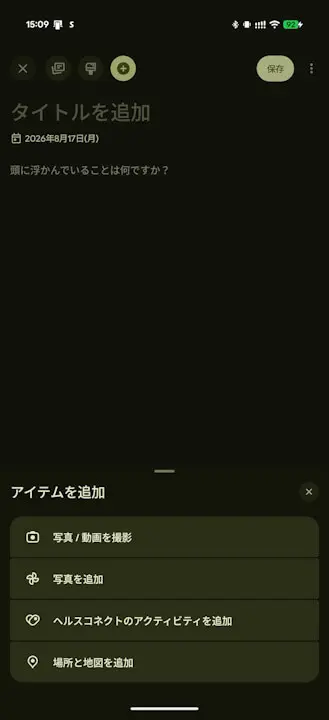
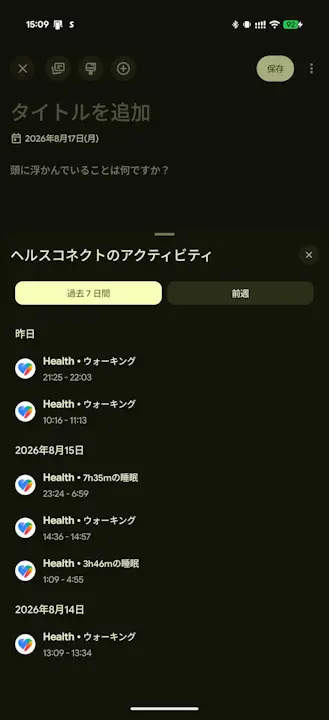
While the “Journal” app previously supported adding activity data via “Health Connect” integration, the new “Journal” app v2026.07.27.959360430 update now makes it possible to add sleep data as well. Additionally, the location information feature allows you to add location data from “Google Maps.”
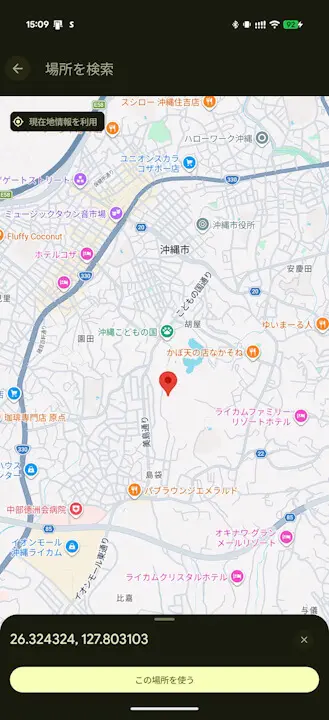
In addition, the “Reminders” feature allows you to set reminders to encourage daily journaling.
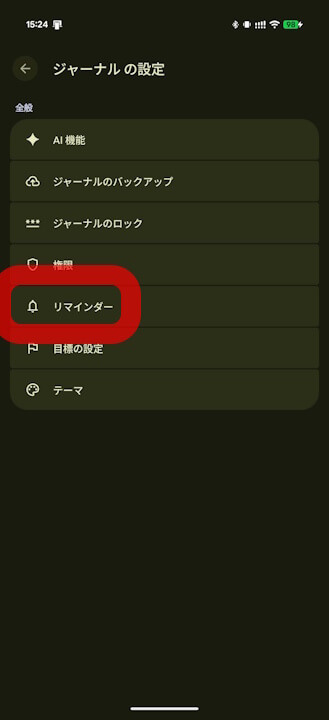
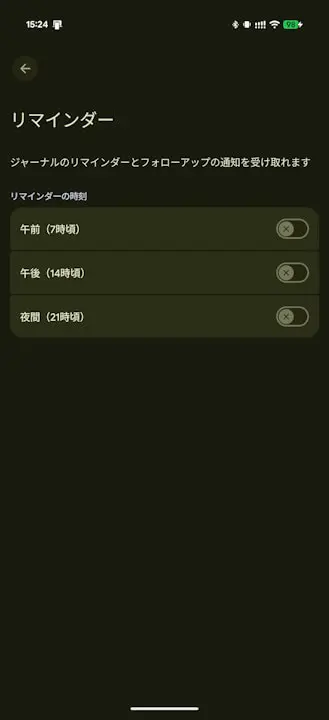
The “Journal” app’s first app update in a while brings a remarkably substantial set of new additions.
新機能
ジャーナルの 2026 年 8 月のアップデート:
ジャーナル アプリで考えを書き留めて気付きを得る – Google Pixel ヘルプ
- テキストを整理するための自動フォーマット機能
- ヘルスコネクトからの睡眠データ
- 毎日のカスタム ルーティンのリマインダー
- インタラクティブな公開中の地図の検索
“Journal” App Link
