




- A new diagnostic tool for Google Pixel devices, “Charging diagnostics,” appears to have begun rolling out in early July 2026.
- It is being deployed as part of the “Ask Pixel” feature, the Gemini-integrated troubleshooting tool that was launched at the same time.
- Rather than being a completely new diagnostic feature, it is an independent rollout of the charging-related diagnostic functions previously embedded within the existing “Battery diagnostics.”
Previously, in our original “App Teardown” series, we reported on the potential implementation of “Charging diagnostics” as a new diagnostic tool for Google Pixel devices.
It appears that this “Charging diagnostics” tool began rolling out to Google Pixel devices in early July 2026. I have confirmed the rollout of “Charging diagnostics” on my own devices, including the Pixel 10, Pixel 10 Pro XL, and Pixel 10 Pro Fold.
On Google Pixel devices, “Charging diagnostics” is located under “Device diagnostics” within the Android settings. This tool is deployed as part of “Ask Pixel,” the Gemini-integrated troubleshooting service that launched simultaneously.


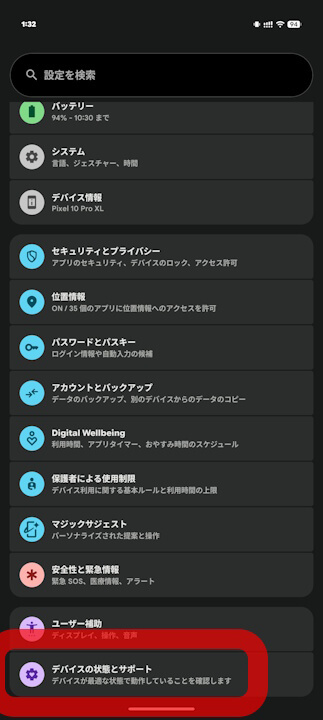
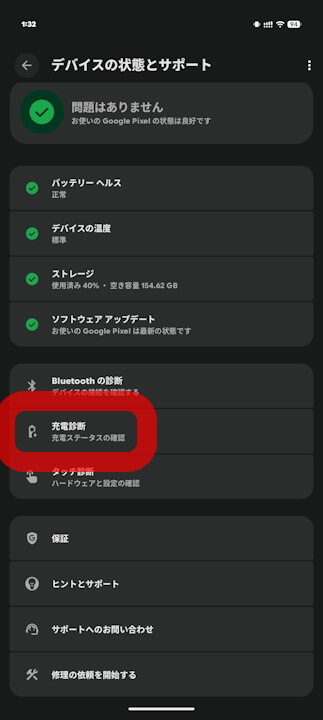
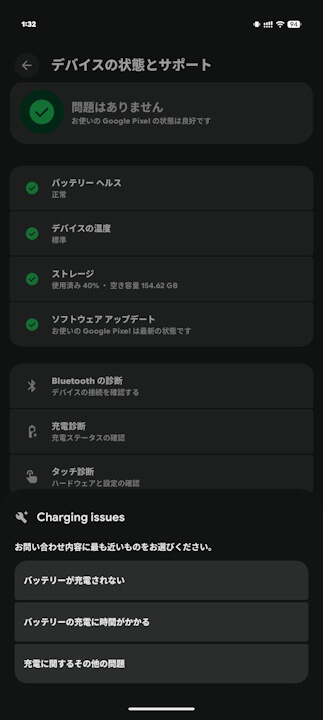
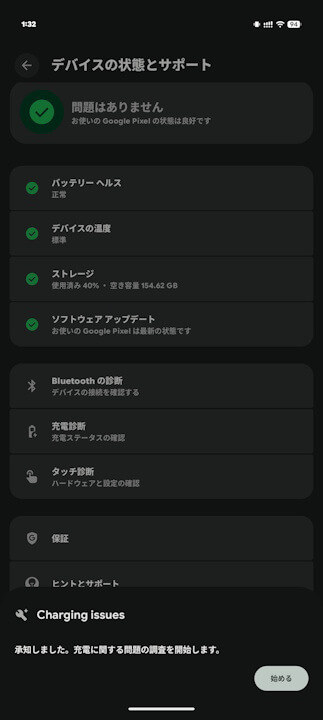
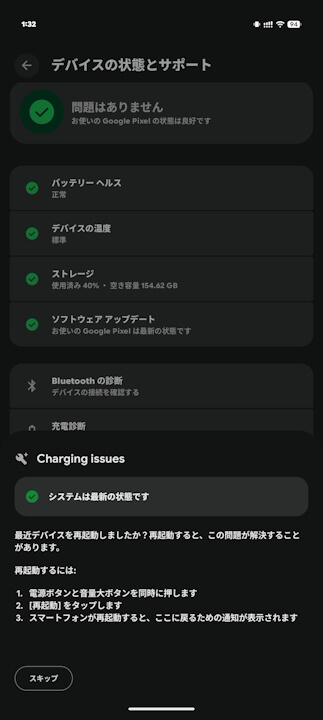
The new “Charging diagnostics” tool for Google Pixel devices is not entirely new; rather, it is an independent rollout of charging-related diagnostic features that were previously included in the “Battery diagnostics.” Resource code also reveals the implementation of new detailed troubleshooting features, such as real-time charging wattage display, detailed “Adaptive Charging” status, detection of debris or moisture in the port, and charging pauses due to overheating or low temperatures.
While the specific list of Google Pixel devices eligible for “Charging diagnostics” is not yet officially confirmed, it is certain that it is available on devices supported by “Ask Pixel.”

<string name="hub_charging_entrypoint_title">Charging diagnostics</string>
<string name="hub_charging_entrypoint_sub_title">Check your charging status</string>

<string name="charging_adaptive_charging_with_time_to_full">Your battery is charging normally and will be full by {charge_to_full_by_timestamp}.nnTo help extend battery lifespan, Adaptive Charging waits an hour before you usually unplug to charge past {battery_level_eighty_percent}.</string>
<string name="charging_at_watt_summary">Charging at {charging_now_watt}</string>
<string name="charging_contamination_summary">Debris or liquid detected in the charging port</string>
<string name="charging_temp_defend_instruction">Your phone has had an elevated temperature for an extended period of time. To protect your battery, charging will resume when your phone returns to normal temperature.</string>
<string name="charging_wireless_incompatible_instruction">Your battery isn't getting enough power to continuously charge. Try removing it from the charger, take off any case, and wait {wait_time_seconds} before charging again. After a few minutes, run the diagnostic again.</string>
“Pixel Troubleshooting” App Link
