




- Google has rolled out a new feature for the “Google Photos” app on Android and iOS: the “Show dates in a grid” setting for the Home Library.
- When the “Show dates in a grid” setting is turned on, media in the Home Library is displayed by date.
- This setting can be turned on or off for each device.
On Tuesday, July 28, 2026, local time, Google began rolling out a new feature for the Android and iOS versions of the online photo library service “Google Photos”: a date grid display setting called “Show dates in photo grid” for the home library.
When turned on, the “Show dates in photo grid” setting—now rolling out to the Android and iOS “Google Photos” apps—displays media in the home library grouped by date.
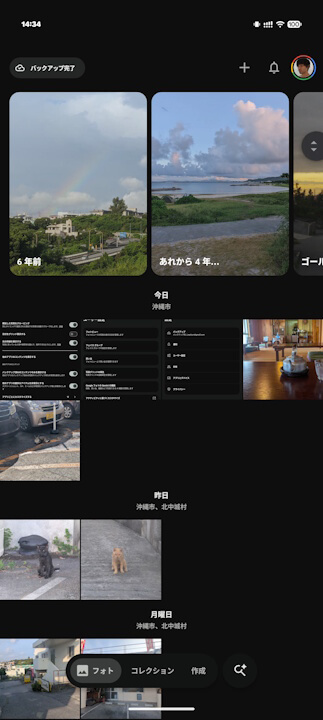
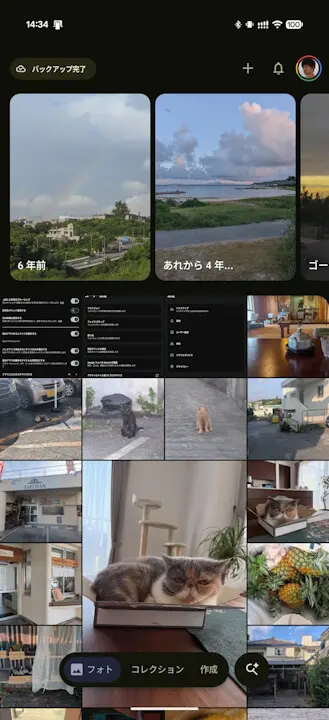
You can access “Show dates in photo grid” in the Android and iOS “Google Photos” app by going to Settings > Preferences > Photo grid.
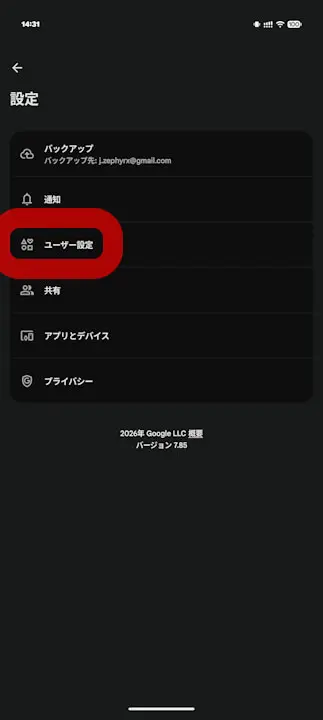
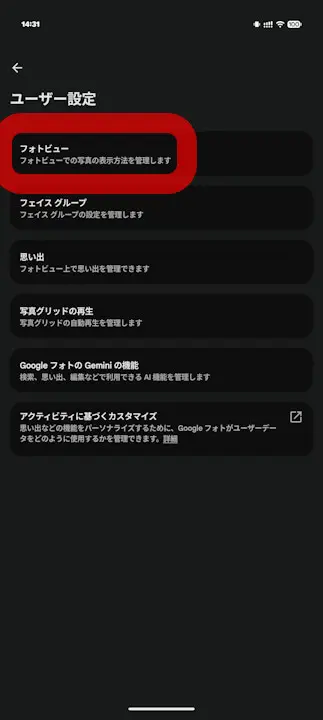
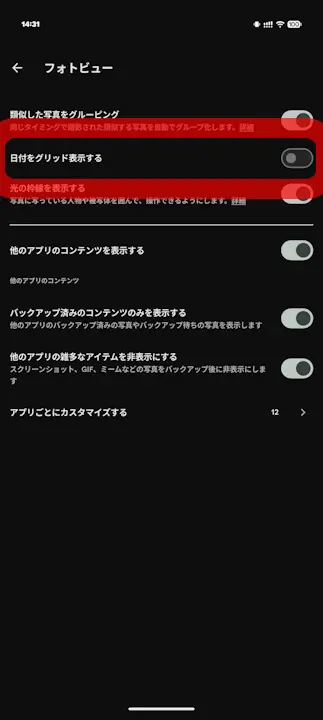
The “Show dates in photo grid” setting in the Android and iOS “Google Photos” app is turned off by default. Additionally, this setting can be toggled on or off independently for each device. Even if you are logged in with the same Google Account across multiple devices, you can configure the “Show dates in photo grid” setting separately on each one.
“Google Photos” App Links


Source: Google (https://support.google.com/photos/thread/455460020/update-new-option-to-turn-photo-grid-dates-on-and-off)