




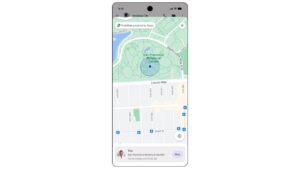
- It appears that the “Real-Time Location” feature in the “Google Messages” app for Android now supports map layers.
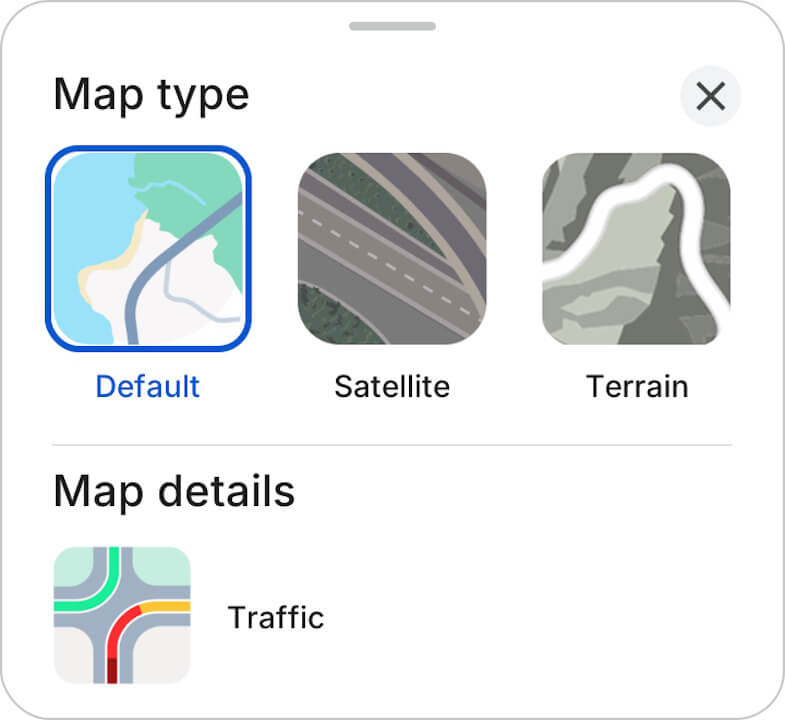
- An analysis of the app files for the “Google Messages” app for Android update v20261013_00_RC00 revealed that resource code has been added for the “Map layers” button, which allows users to switch between “Map type” and ‘Traffic’ on the map screen used to view the current location shared via “Real-time Location.”
- Users will be able to choose from three map types: “Default,” “Satellite,” and “Terrain.”
- Translated with DeepL.com (free version)
In March 2026, Google began rolling out “Location Sharing”—a “Find Hub” integrated feature that allows users to share their current location with chat partners—as a new feature for the SMS / MMS / RCS client app “Google Messages” on Android devices.
While the “Location Sharing” feature in the Android “Google Messages” app is currently a simple location-sharing tool, it appears that it will soon support map layers, which were also introduced to the Android “Find Hub” app in December 2025. We bring you this report through our original app file analysis content, “App Analysis,” here on Jetstream.

「アプリ解析」
当サイトの「アプリ解析」カテゴリで公開している記事では、最新 Android アプリを逆コンパイルして独自に解析し、今後実装される可能性のある新機能や変更点などをお届けします。正式リリース前の新機能や変更となるため開発段階の未確定な情報も含まれますが、Android アプリの今後のアップデート動向をいち早くキャッチできる、ほかにはない当サイトオリジナルコンテンツです。
当サイトオリジナルの「アプリ解析」コンテンツを見逃さないよう、ぜひ Google の「優先ソース」に当サイト「Jetstream 」を登録してください。

As a result of analyzing the app files from the Android “Google Messages” app v20261013_00_RC00 update released on Friday, October 16, 2026, we confirmed that resource codes related to the “Map layers” button—which switches between “Map type” and “Traffic” on the map screen used to check real-time shared locations—have been added. Although the current “Location Sharing” map screen lacks map layer settings, users will soon be able to choose from three map types: “Default,” “Satellite,” and “Terrain.”
It also appears that users will be able to select “Traffic” as part of “Map details” to overlay traffic conditions. Additionally, the UI design for the “Map type” and “Map details” selection screens has been revealed through the newly identified resource codes and in-app thumbnail images.
<string name="map_layers_button_description">Map layers</string>
<string name="map_layers_title">Map type</string>
<string name="map_layers_close_dialog">Close dialog</string>
<string name="map_type_default">Default</string>
<string name="map_type_default_desc">Default map type</string>
<string name="map_type_satellite">Satellite</string>
<string name="map_type_satellite_desc">Satellite map type</string>
<string name="map_type_terrain">Terrain</string>
<string name="map_type_terrain_desc">Terrain map type</string>

<string name="map_details">Map details</string>
<string name="traffic">Traffic</string>
<string name="map_details_traffic_desc">Traffic layer visual</string>
Please note that the rollout of the map layer feature for “Location Sharing” in the Android “Google Messages” app has not yet been officially confirmed.
Google Messages App Link
