




- Google has released the release notes for the latest version v5.10 of the “Google Health” app for Android / iOS.
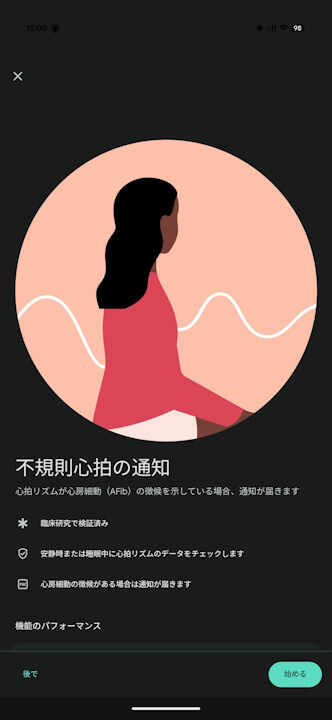
- “Irregular Heart Rhythm Notifications” are now officially available in Japan.
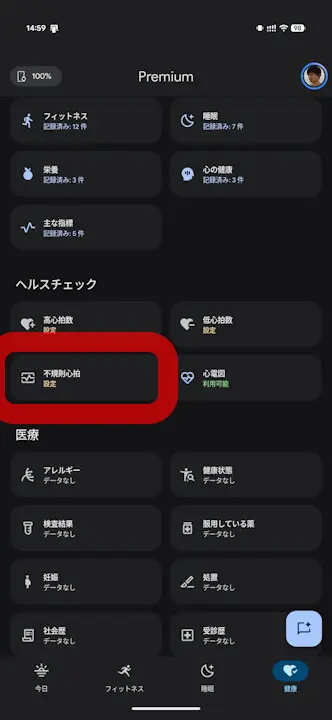
- Users can set up “Irregular Heart Rhythm” from the “Health” tab in the “Google Health” app.
On Friday, October 9, 2026 local time, Google released the release notes for the latest version v5.10 of the “Google Health” app, which has begun rolling out for Android and iOS.
The main highlight of the “Google Health” app v5.10 is the launch of the “Irregular Heart Rhythm” feature in Japan. The Google Pixel Watch series and Fitbit devices analyze heart rhythm data in the background while resting or sleeping to check for signs of atrial fibrillation (AFib). Users in Japan can set up “Irregular Heart Rhythm” from the “Health” tab in the “Google Health” app.
In addition, this update brings improvements to the “Readiness Score,” which now utilizes a broader range of sleep data, as well as a new feature that allows users to delete accidentally logged data simply by talking to the “Google Health Coach.” The Android and iOS versions of the “Google Health” app v5.10 will roll out gradually over the course of a week starting today.
| “Irregular Heart Rhythm Notifications” now available in Japan |
|
|---|---|
| Improvements to “Readiness Score” |
|
| Delete logs through conversation with “Google Health Coach” |
|
“Google Health” App Links


Source: Google (https://support.google.com/googlehealth/blog/472185312/google-health-app-5-10-update-oct-2026)