



- The Google app for Android now supports “Live Updates,” a headline feature of the next-generation Android OS, “Android 16.”
- “Live Updates” is a feature that allows you to check the progress of orders from food delivery apps, car navigation in the Google Maps app, and itineraries in the Google Wallet app in real-time from your notification area or lock screen.
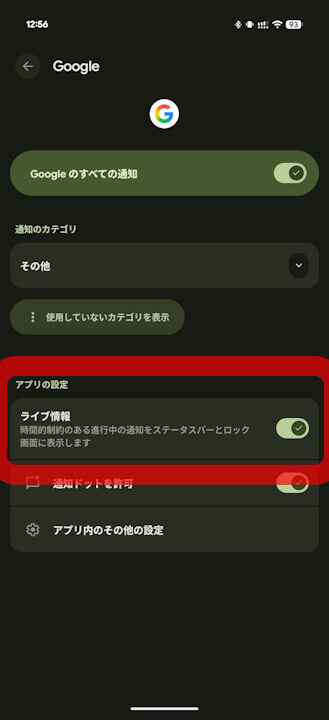
- On Android devices running “Android 16” with the latest version of the Google app, a new “Live Updates” setting has been added to the “Notifications” menu under “App info.”
The Google app for Android appears to now support “Live Updates,” a headline feature of the next-generation Android OS, “Android 16.”
The “Android 16” headline feature, “Live Updates,” is a function that allows you to check the progress of food delivery orders, car navigation in the Google Maps app, and itineraries in the Google Wallet app in real-time from your notification area and lock screen.

And it has been confirmed that the Google app for Android also supports “Live Updates.” It’s unclear when this support was added, but on Android devices running “Android 16” with the latest version of the Google app, a new “Live Updates” setting is available in the “Notifications” menu under “App info.” This setting is turned on by default.
It is currently unclear how “Live Updates” will specifically function in the Google app for Android. However, since the app also manages features like Google’s AI “Gemini,” a wide range of functionalities can be expected.
“Google” App Link

コメントを残す