




- It appears that the ability to change a Google Account email address has finally been rolled out to users in Japan, around June 19, 2026.
- I (Jun Ishii) have confirmed that the email change feature is available on my own Google Account.
- Please note that this is a gradual rollout that began in mid-June 2026.
Google began rolling out the Google Account username (email address) change feature to users in the United States about three months ago, on Tuesday, March 31, 2026.
Three months later, around Friday, June 19, 2026, it appears that this Google Account email address change feature has finally been unlocked for users in Japan. I (Jun Ishii) have confirmed the availability of this feature on my personal Google Account.
However, I have also confirmed that some Google Accounts do not yet support email address changes. It appears to be a gradual rollout that started in mid-June 2026. The scope of the rollout is currently unknown.
 jetstream.blog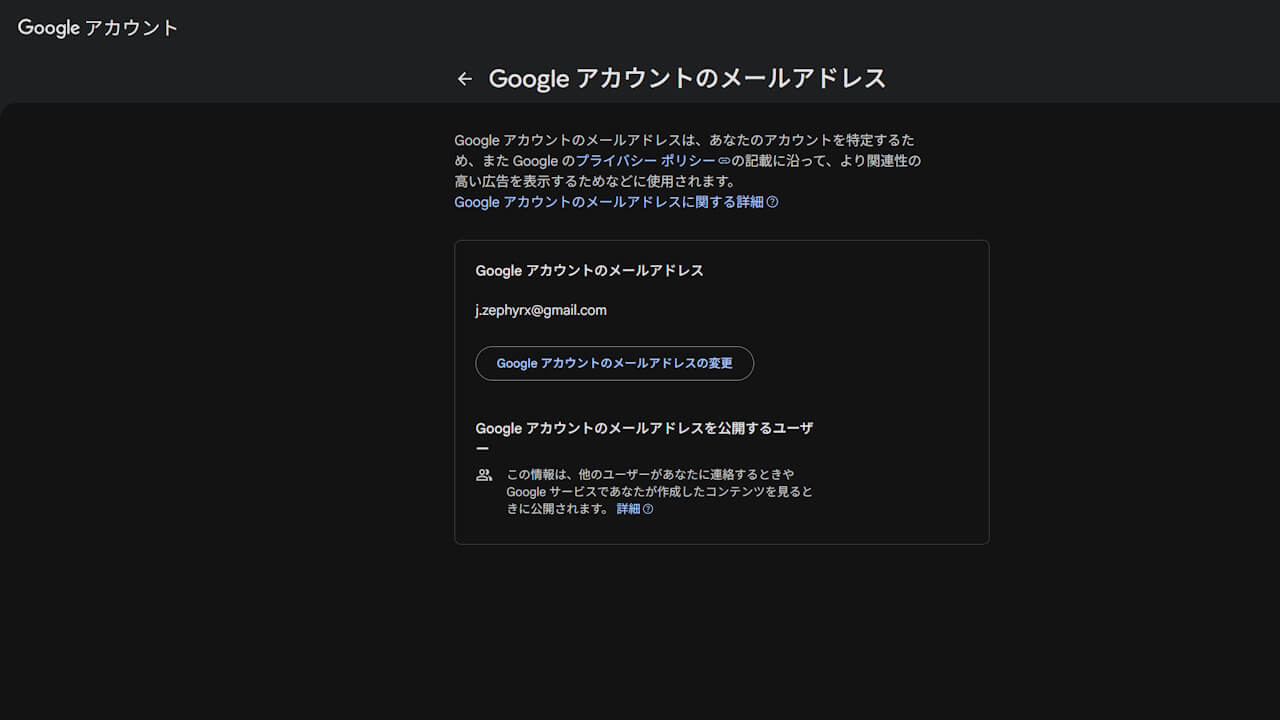
A Google Account username is the “xxx” part of “xxx@gmail.com” in the Gmail service. Previously, this “xxx” part could not be changed, and to acquire a new “xxx,” users had to register for a completely new Google Account.
However, with the new ability to change the “xxx” part, users can now acquire a new email address while keeping their current Google Account. This is a highly anticipated improvement for users.
Additionally, even if you change the “xxx” part, the old “xxx” is retained as an alias held by the user. This means you can continue to send and receive emails with the new address, while still receiving emails sent to the old address.
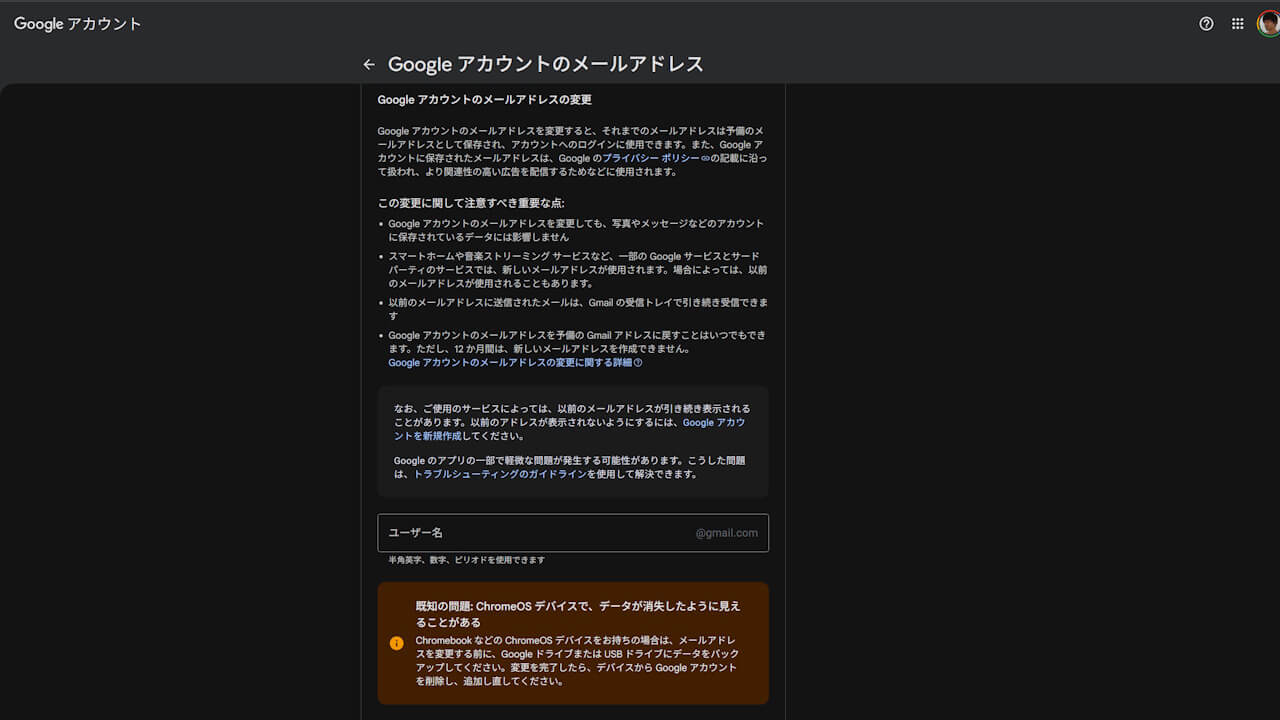
Google アカウントのメールアドレスの変更
Google アカウントのメールアドレスを変更すると、それまでのメールアドレスは予備のメールアドレスとして保存され、アカウントへのログインに使用できます。また、Google アカウントに保存されたメールアドレスは、Google のプライバシー ポリシーの記載に沿って扱われ、より関連性の高い広告を配信するためなどに使用されます。
この変更に関して注意すべき重要な点:
- Google アカウントのメールアドレスを変更しても、写真やメッセージなどのアカウントに保存されているデータには影響しません
- スマートホームや音楽ストリーミング サービスなど、一部の Google サービスとサードパーティのサービスでは、新しいメールアドレスが使用されます。場合によっては、以前のメールアドレスが使用されることもあります。
- 以前のメールアドレスに送信されたメールは、Gmail の受信トレイで引き続き受信できます
- Google アカウントのメールアドレスを予備の Gmail アドレスに戻すことはいつでもできます。ただし、12 か月間は、新しいメールアドレスを作成できません。 Google アカウントのメールアドレスの変更に関する詳細
なお、ご使用のサービスによっては、以前のメールアドレスが引き続き表示されることがあります。以前のアドレスが表示されないようにするには、Google アカウントを新規作成してください。
Google のアプリの一部で軽微な問題が発生する可能性があります。こうした問題は、トラブルシューティングのガイドラインを使用して解決できます。
Google アカウントのメールアドレス
However, a known issue on Chromebooks (ChromeOS) is that if you continue using the old email address (user account), it may appear as though your data has disappeared. Currently, on Chromebooks, you must remove the old user account after changing your email address and then add the new user account.
It is also recommended to back up your data beforehand.
既知の問題: ChromeOS デバイスで、データが消失したように見えることがある
Chromebook などの ChromeOS デバイスをお持ちの場合は、メールアドレスを変更する前に、Google ドライブまたは USB ドライブにデータをバックアップしてください。変更を完了したら、デバイスから Google アカウントを削除し、追加し直してください。
Google アカウントのメールアドレス
Source: Google