




- Google has added the mobile payment management service “Google Wallet” as a new “App Extension” supported app for “Personal Intelligence” in Gemini.
- Enables personal questions and consultations regarding individual spending habits and household budget management.
- A new feature, “Memory Summary,” has also been rolled out, making it easier to review and edit information remembered by “Gemini.”
On Friday, November 13, 2026 (local time), Google added the mobile payment management service “Google Wallet” as a new “App Extension” supported app for “Personal Intelligence,” the user personalization feature of the Google AI “Gemini.”
Gemini’s “Personal Intelligence” is a feature that securely integrates with Google services you use daily—such as Gmail, Google Photos, YouTube, Google Search, and Google Maps, which was added recently—to provide more personalized and helpful responses. With the addition of “Google Wallet” to “App Extensions,” users can now ask personal questions and seek advice regarding their personal spending habits and household budget management.
The “Google Wallet” integration for “Personal Intelligence” has started rolling out to all web, Android, and iOS “Gemini” app users in the United States. Users can also optionally link credit cards and bank accounts securely to “Google Wallet” via the financial data connection service “Plaid” to extract deeper household budget analysis.
By tagging “@Google Wallet” in the Gemini chat and entering a prompt, you can use it in the following ways:
| Spending Visualization |
“Can you review my spending from last quarter so I can save $1,000 over the next 3 months?” → Generates dynamic charts directly in the chat to track cash flow, asset allocation, and budgets. |
|---|---|
| Discovering Forgotten Subscriptions |
“What subscriptions am I still paying for, and which ones went up in price this year?” → Searches recurring payments across linked accounts and flags services with price increases. |
| Holiday Budgeting |
“How much did I spend on gifts and travel last year? Use that to help me set a holiday budget for this year.” → References last year’s transaction history to suggest a customized budget plan for the user. |
The “Google Wallet” integration with “Personal Intelligence” is also designed with security and privacy in mind. Even if a user explicitly opts in and connects “Google Wallet” via “App Extensions” in the “Personal Intelligence” settings, “Gemini” is only able to read account information and cannot transfer, manage, or invest funds. Furthermore, you can turn the integration on or off at any time.
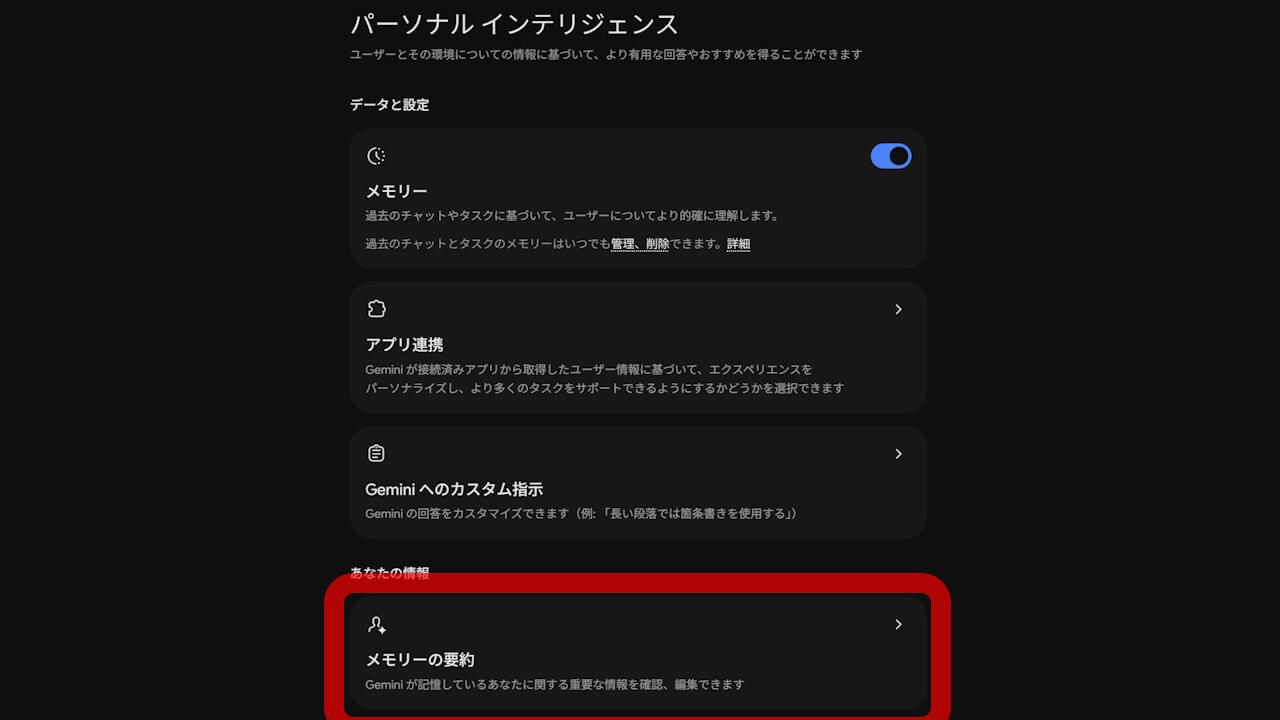
In addition, a new feature called “Memory Summary” has been rolled out for “Personal Intelligence,” making it easier to review and edit what “Gemini” remembers. “Memory Summary” is a snapshot feature that clearly lists saved preferences, interests, and ongoing goals in one easy-to-read place, allowing users to check, adjust, or delete the content at any time.
“Memory Summary” is available in all regions where “Personal Intelligence” is supported, accessible via the “Gemini” app (Web, Android, iOS) under “Profile” → “Personal Intelligence” → “Memory Summary.” Its rollout in Japan has also been confirmed.
Source: Google (https://blog.google/innovation-and-ai/products/gemini-app/google-wallet-gemini-app/)