



Key Points of This Article
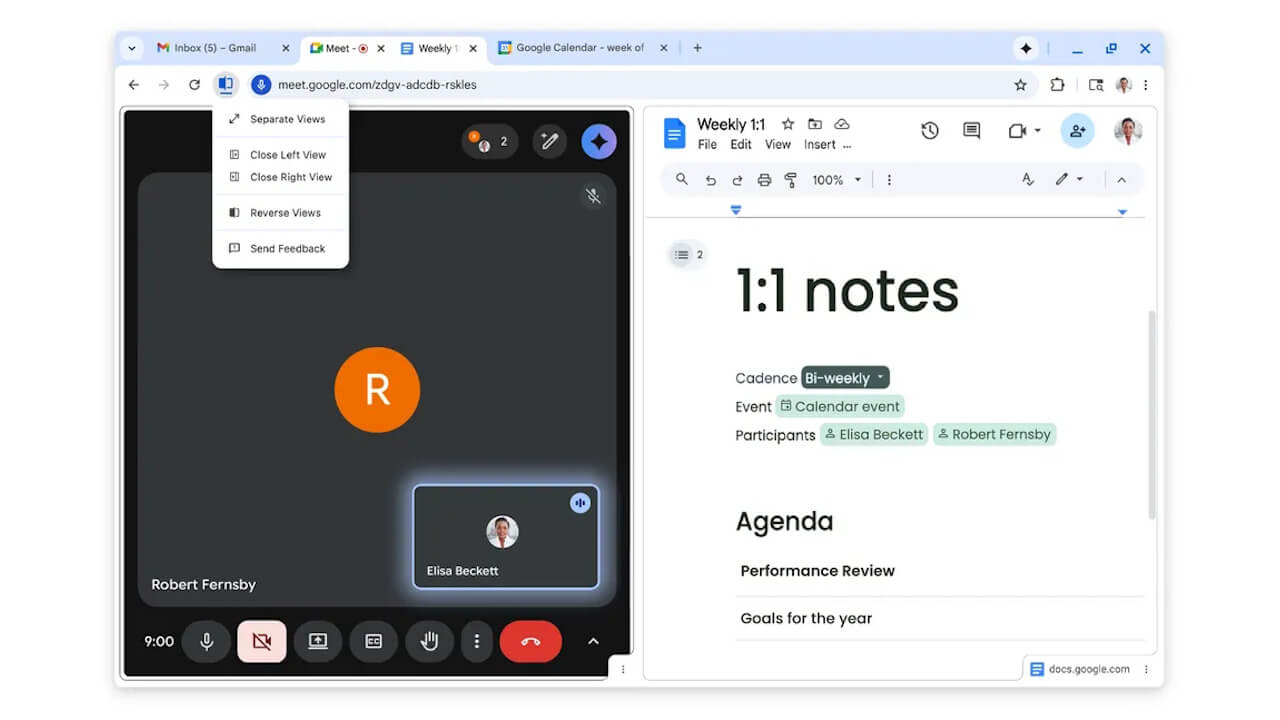
- Google has officially announced “Split View,” a new feature rolling out for the desktop version of Chrome.
- This feature allows users to display two web pages side-by-side within a single tab.
- To use it, simply right-click a link while hovering over it and select “Open link in split view” from the context menu.
On Thursday, February 19, 2026, Google officially announced “Split View,” a new feature that has begun rolling out for the desktop version of its Chrome browser.
“Split View” for desktop Chrome is a feature that has been observed in rollout since around December 2025. It allows two web pages to be displayed simultaneously within a single tab, making it useful for various tasks such as comparing pages or products, or watching a video while working.
Using “Split View” is simple: just right-click a link while hovering over it and select “Open link in split view” from the context menu. Additionally, you can perform a similar action by right-clicking any Chrome tab while hovering and selecting “Add tab to new split view.”


Source:Google
コメントを残す