



- Google has announced a new Wear OS “watch face” creation feature for “Androidify,” its custom “Android bot” generation app.
- This feature allows you to set custom “Android bots” created in the Android version of the “Androidify” app as watch faces for Wear OS smartwatches paired with your Android device.
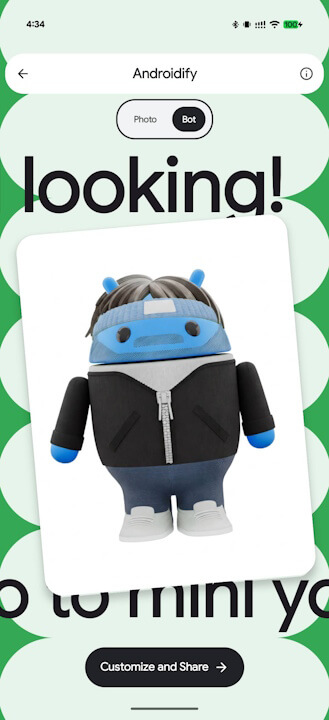
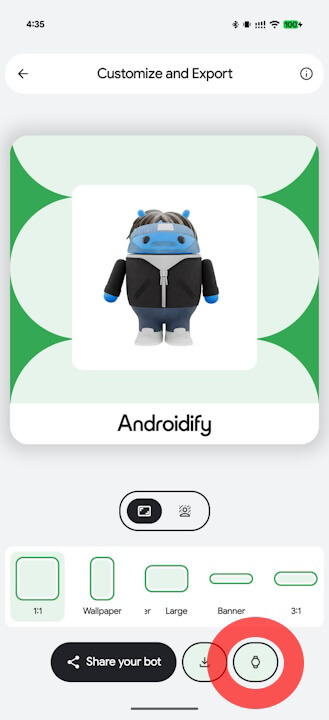
- The process is simple: create a custom “Android bot” in the Android version of the “Androidify” app, tap the Wear OS icon [⌚], and follow the on-screen instructions.
On Thursday, December 18, 2025, Google announced a new Wear OS “watch face” creation feature for “Androidify,” an Android app that generates original characters from portrait photos or text prompts.
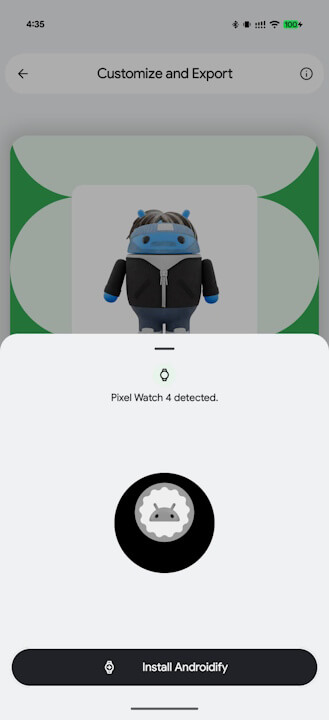
The watch face creation feature in the “Androidify” app allows you to set a custom “Android bot” created within the Android version of the app as the watch face for a Wear OS smartwatch paired with that device. It is easy to use: simply create your custom “Android bot” in the Android version of the “Androidify” app, tap the Wear OS icon [⌚], and follow the instructions provided.
The custom “Android bot” Wear OS watch face will be set in a matter of seconds. However, please note that you must install the Wear OS version of the “Androidify” app, which was released simultaneously, on your Wear OS smartwatch.
Androidify App Link

Source: Google
コメントを残す