



- Google has announced five new features coming to “Android XR.”
- These include: “Auto-spatialization” for converting content into 3D, an expanded library of immersive apps, wall pinning, realistic hand visualization, and automatic session restoration.
- These new features, designed to enhance immersion on Android XR, will be rolled out gradually to the Samsung “Galaxy XR” headset.
On Tuesday, April 7, 2026, Google announced five new features rolling out to its cross-reality (XR) operating system, “Android XR.”
The five newly announced features for Android XR include: “Auto-spatialization” for 3D content conversion, an expanded library of immersive apps, wall pinning, realistic hand visualization, and automatic session restoration. Designed to deepen the sense of immersion within Android XR, these features will be distributed gradually to the Samsung-manufactured “Galaxy XR” headset.
Auto-spatialization for 3D Content
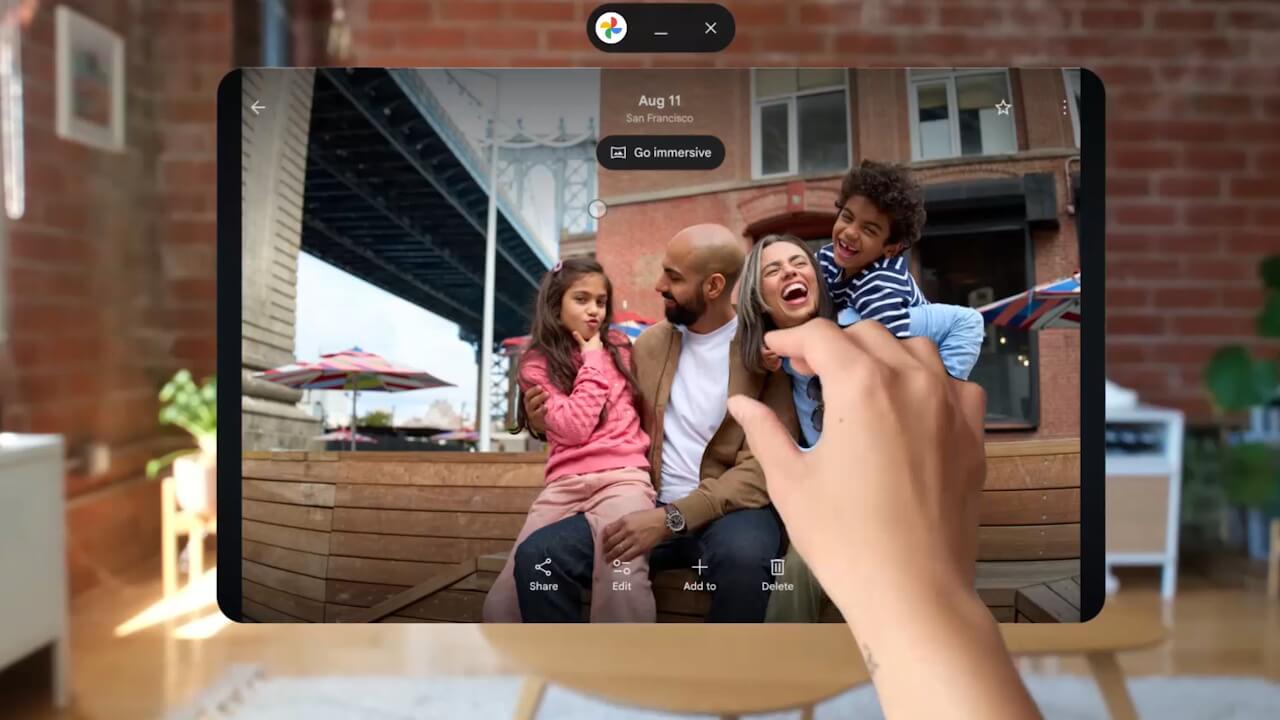
A new “Auto-spatialization” feature has been introduced in experimental form, allowing users to convert 2D apps, games, websites, images, and videos into a 3D format with just the click of a button.
This allows you to add depth to YouTube videos and enjoy a more stereoscopic web browsing experience. To use it, simply enable “Auto-spatialization” under the “Labs” tab in settings.
Expanded Library of Immersive Apps

In addition to the millions of apps already available on the Google Play Store, the number of dedicated apps designed to fully utilize the immersive power of XR has more than doubled to over 100 titles.
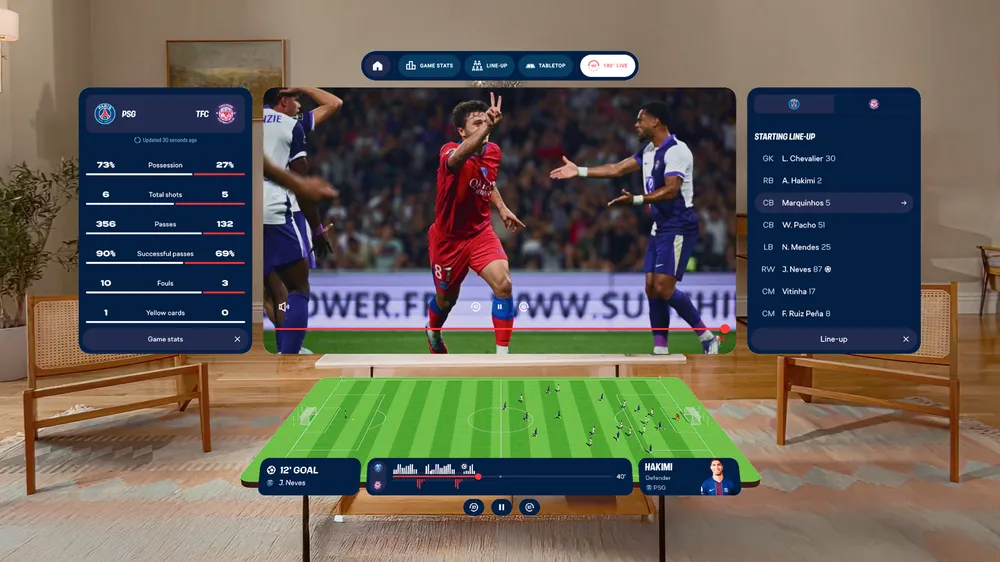
Beyond gaming titles like “Real VR Fishing” and “Trombone Champ: Unflattened!”, a new official Paris Saint-Germain (PSG) app is also being released. It offers a new way to enjoy sports, such as providing a viewpoint that feels like sitting in a prime seat at the Parc des Princes stadium in Paris, or displaying matches as if they are taking place right on your table.
Wall Pinning
You can now pin apps directly to the “walls” of your physical environment to keep them fixed in place.
Whether it’s keeping a calendar permanently displayed on the wall next to your desk or placing a streaming app on a blank wall like a large-screen TV, you can now curate your space exactly how you like it.
Hand Visualization
In Home Space mode, you can now interact with virtual content while seeing your own hands, replacing the previous white outline effect.
Actions like reaching out to objects, pinching, and swiping have become more natural and intuitive, further blurring the line between the real and digital worlds. To use this feature, enable it via the “Labs” tab in settings.
Automatic Session Restoration
When you take off your headset and put it back on, your previous session will now be restored automatically.
Because the apps you were using previously relaunch just as you left them, you can seamlessly pick up right where you left off, even if you stepped away in the middle of a movie.
Source: Google
コメントを残す