




この記事のポイント
- In mid-September 026, a new SIM selection menu was added to the call screen of the default Android phone app, “Google Phone.”
- This menu allows users with dual SIM setups to specify which SIM to use when making a call.
- Users can now select which SIM to use when making a call directly from the call screen.
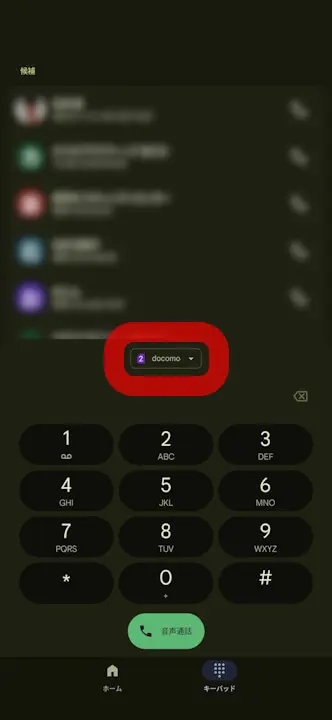
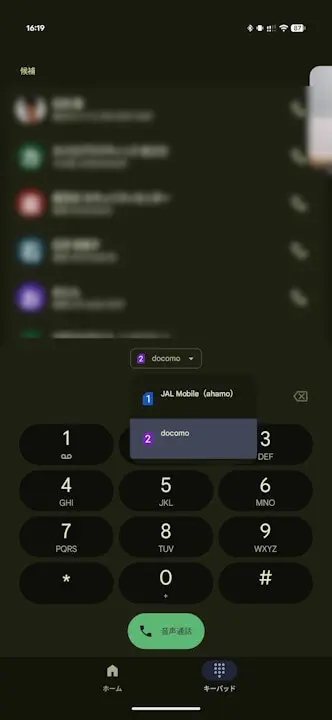
In mid-September 2026, a new SIM switching menu was added to the outgoing call screen of the default Android phone app, “Phone by Google.”
The newly added SIM switching menu in “Phone by Google” allows users with dual SIM setups to specify which phone number to use for making a call. Previously, users either had to set a “Primary SIM” for calls in the Android settings or select the phone number from a pop-up menu that appeared when placing a call. Now, it has become possible to specify the phone number directly from the outgoing call screen.
Please note that the SIM switching menu on the outgoing call screen of “Phone by Google” is introduced in app version v229 and later.
“Phone by Google” Link
