




- Android’s lock screen “IMEI” checking feature has quietly begun rolling out.
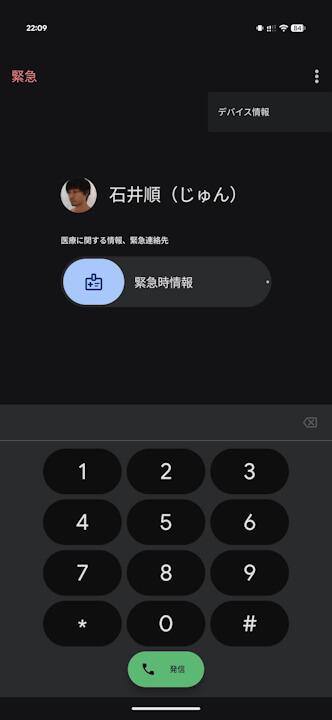
- Specifically, the “IMEI” is now displayed under “Device Info” on the “Emergency” call screen.
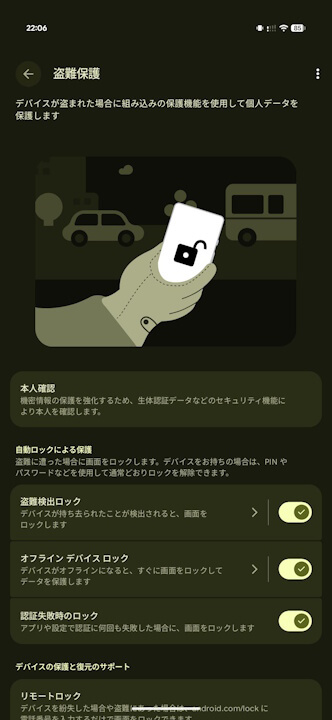
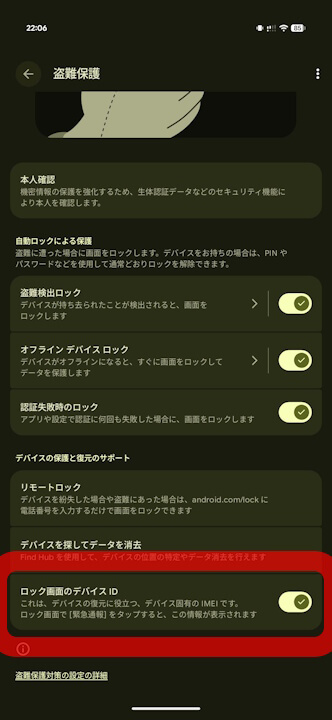
- It can be hidden by turning off “Lock screen device ID” in the “Theft protection” settings.
In the July 2026 latest edition of the Google System Release Notes—which summarizes the Google System Updates released on Monday, July 20, 2026 to improve the security and reliability of Android-related devices—Google announced a new feature for Android that allows users to check their “IMEI (International Mobile Equipment Identity)” directly from the lock screen.
The “IMEI” is a unique identification number required for device repairs and official support. Being able to check it from the lock screen means that even if a device cannot be unlocked due to some malfunction, users can still check their “IMEI” right from the lock screen to request repairs or official support.

And now, that Android lock screen “IMEI” checking feature has quietly started rolling out. Specifically, the “IMEI” is displayed under “Device info” on the “Emergency” call screen.
A barcode is also displayed, making it possible to scan it with a camera. While the “IMEI” is not shown directly on the main lock screen wallpaper, this feature allows users to check the “IMEI” via “Emergency” calls even while the screen is locked.
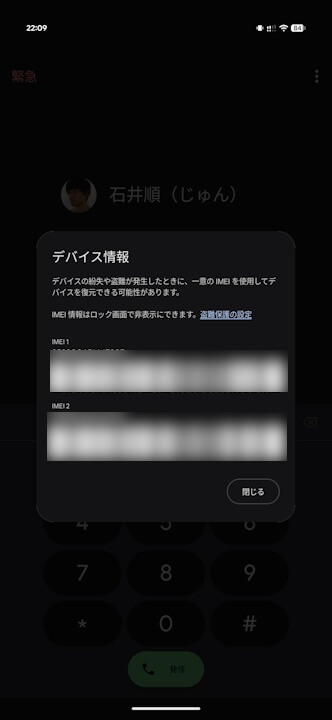
In addition, the display of the “IMEI” on the lock screen is enabled by default, but it can be hidden by turning off “Lock screen device ID” in the “Theft protection” settings.
“Google Play services” App Link
