




- The Android and iOS versions of the “Gemini Notebook” app can finally add sources from “Google Drive.”
- This feature was already available on the web version since its time as “NotebookLM.”
- Google Drive files added as sources to a “Notebook” in “Gemini Notebook” support automatic synchronization.
On Thursday, July 16, 2026, the research and writing assistant tool “Gemini Notebook,” which evolved from “NotebookLM (Google NotebookLM),” finally enabled the ability to add sources from “Google Drive” in its Android and iOS apps.
The ability to add “Google Drive” sources in “Gemini Notebook” was a feature available on the web version since the days of the old “NotebookLM.” However, for some reason, it had not been available on the Android and iOS apps.
This has finally been resolved between mid and late July 2026. Users can now add sources to the Android and iOS versions of the “Gemini Notebook” app just as they can on the web version.
 jetstream.blog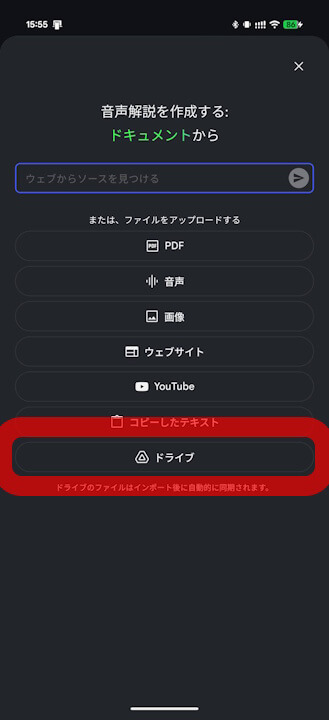
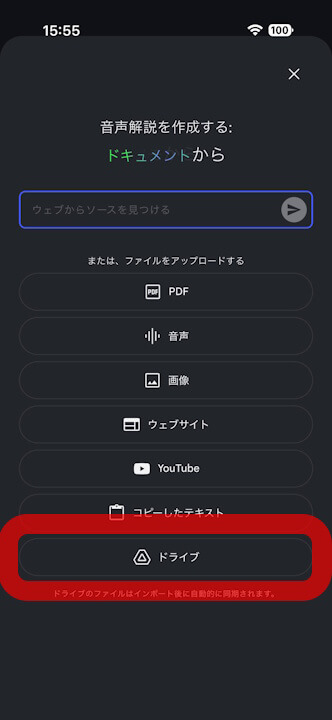
Furthermore, Google Drive files added as sources to a “Notebook” in “Gemini Notebook” support automatic synchronization, so if a Google Drive file is updated, the source in the “Notebook” will also be updated automatically.

“Gemini Notebook” App Links

