




- Around Tuesday, August 4, 2026, Google rolled out the “Google Play system update,” part of the monthly “Google System Updates” designed to enhance security and reliability, for Android devices.
- This is the fourth minor update to the July 2026 “Google Play system update” (status: July 1, 2026) that was released around Wednesday, July 8, 2026.
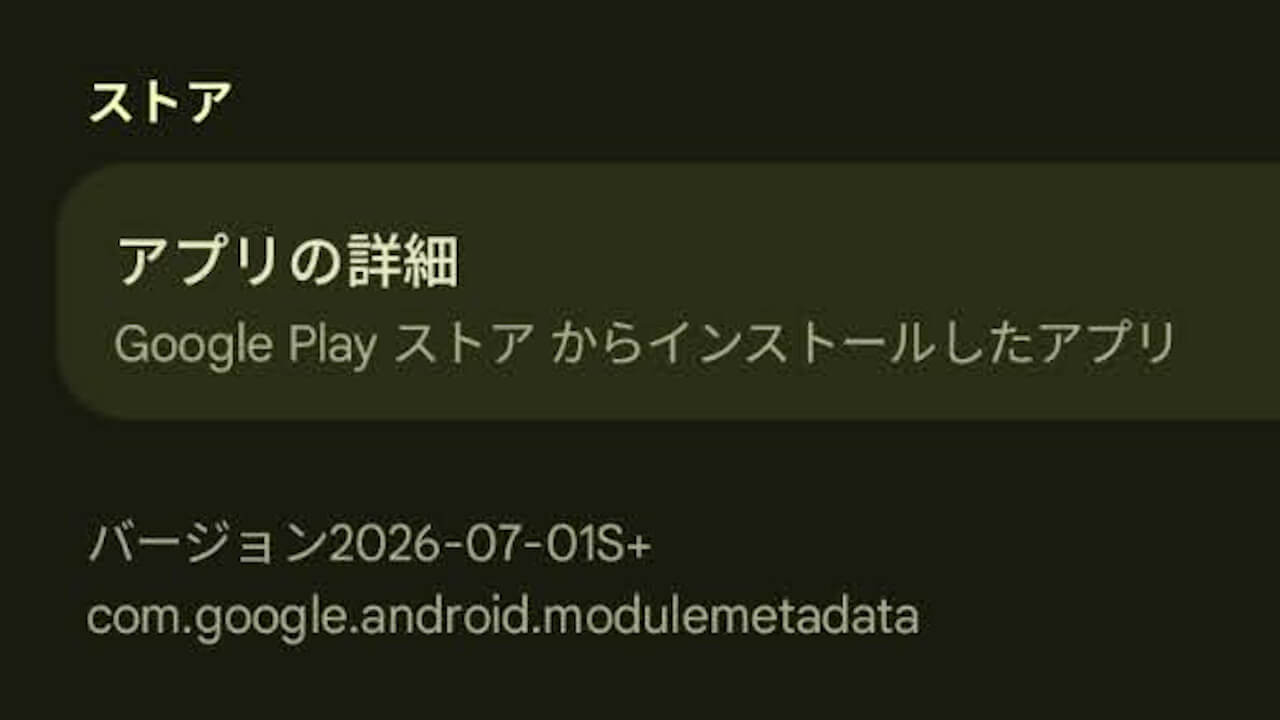
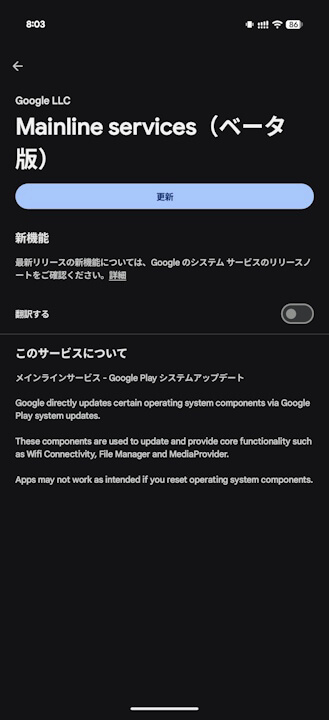
- The app version for “Mainline services (Main components)” also remains unchanged at v2026-07-01S+.
Around Tuesday, August 4, 2026, Google began rolling out the “Google Play system update” for Android devices, which is part of the monthly “Google System Updates” designed to enhance security and reliability.
This newly released “Google Play system update” is the fourth minor update to the July 2026 “Google Play system update” (status: July 1, 2026) released around Wednesday, July 8, 2026. The status remains “July 1, 2026,” and the app version for “Mainline services (Main components)”—the system service app that manages Google Play system updates—also remains unchanged from v2026-07-01S+.
This update likely includes minor bug fixes and security patch updates.

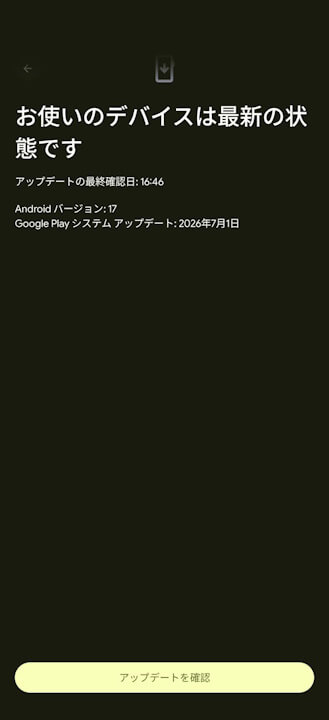
The “Google Play system update” is rolled out as part of the “Google System Updates” and, as the name suggests, is a system update related to Google Play. It primarily manages Google Play-related security, specifically delivering the security patch level updates published on the 1st of each month in the Android Security Bulletin.
For details on each update rolled out to Android devices, please refer to the following article.
How to Check for Google Play System Updates
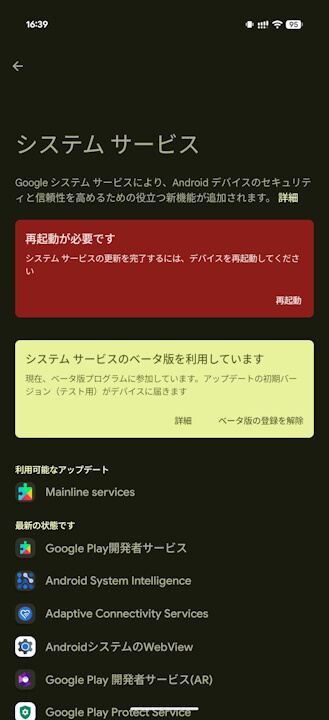
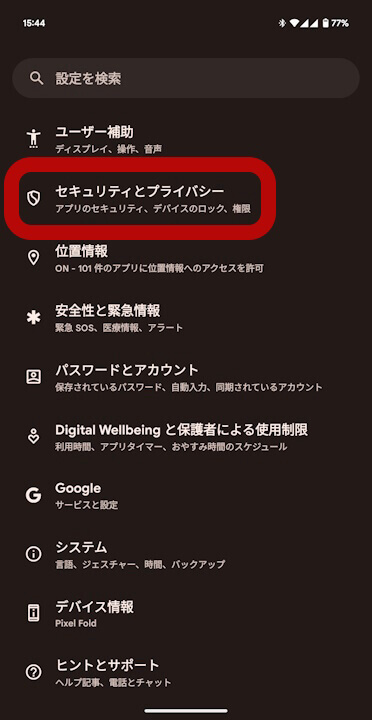
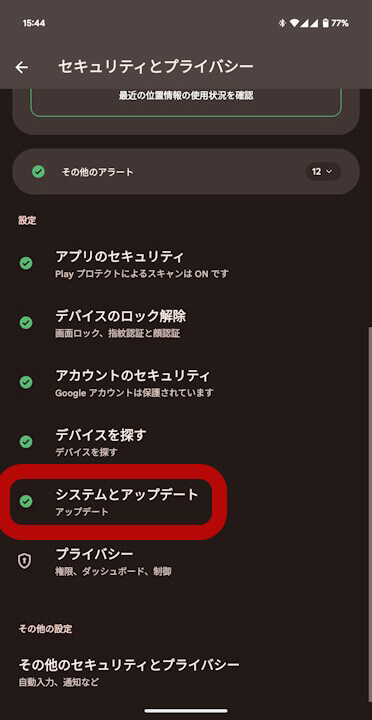
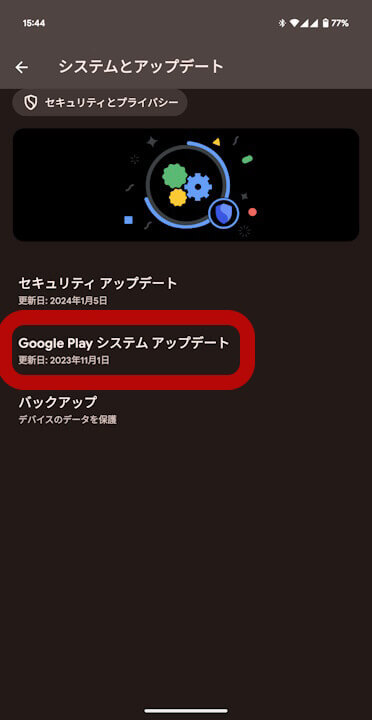
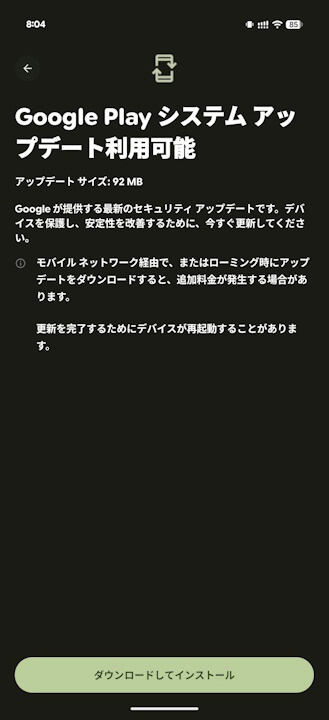
You can check for the “Google Play system update” on your Android device by going to device settings, selecting [Security & privacy] > [System & updates], and tapping [Google Play system update].
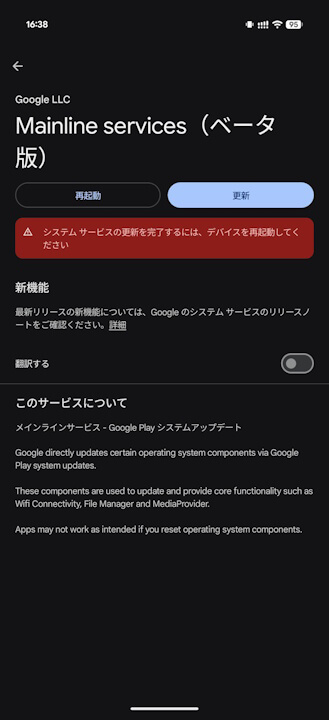
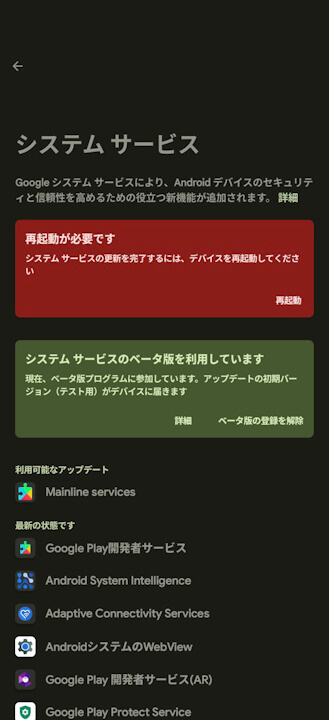
Additionally, you can check whether a Google Play system update has been rolled out by checking for updates to the “Mainline services” app, which is listed under the “System services” list of system apps required to keep the Android platform running smoothly.
Mainline Services App Link

Source: Google