





- Google announces a renewal of the “Text” tool in the “Google Photos” app for Android.
- Improved usability when inserting annotations into photos, etc.
- Expansion of font styles and font colors, etc.
On Tuesday, October 13, 2026 (local time), Google announced a renewal of the “Text” tool in the Android version of its online photo library service, “Google Photos.”
In the Android version of the “Google Photos” app, a new “Redact” tool was rolled out in late September 2026. Along with this, the “Text” tool has also been revamped to improve usability when adding annotations to photos and more. Specifically, the font styles and font colors have been expanded.
Furthermore, a newly added “A” button now allows users to fill text backgrounds or add outlines. This makes it easier to read text even on photos with complex or busy backgrounds.
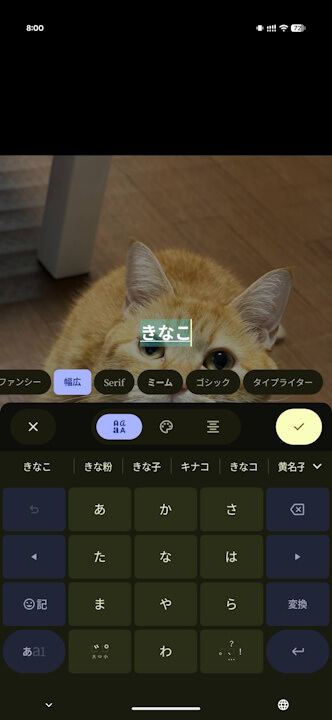
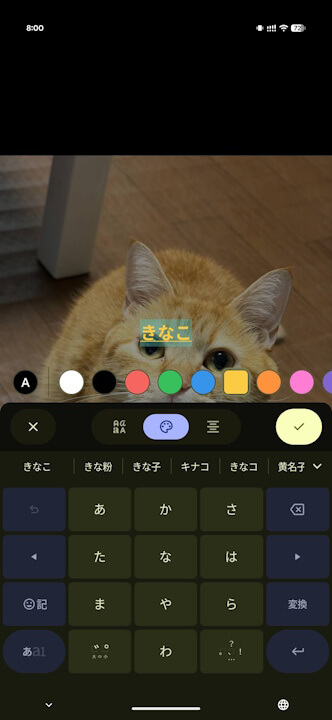
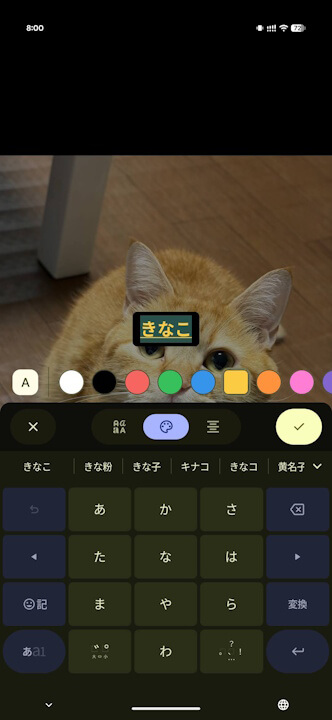
In addition, a color wheel has been introduced to the color selection, allowing users to specify their preferred colors in detail. For the “Pen,” “Highlight,” and “Redact” tools, users can now adjust line thickness using a slider.
“Google Photos” App Link

Source: Google (https://support.google.com/photos/thread/472761268/updated-markup-tool-in-google-photos-on-android)