




- From early to mid-April 2026, the “Sticker” creation feature in the Android version of the “Google Photos” app finally became available on devices such as the “Pixel 10 Pro Fold” and “Pixel Tablet.”
- We have confirmed that the “Sticker” creation feature is now accessible on the “Pixel 10 Pro Fold” and “Pixel Tablet” via the Android version of the “Google Photos” app v7.70 or later.
- Note that the “Sticker” creation feature in the Android Google Photos app generally requires devices with 4GB of RAM or more.
On February 27, 2026, Google announced the rollout of its “Custom Sticker” creation feature—previously exclusive to the iOS version—to the Android version of the “Google Photos” app.
The rollout for the Android app began between late February and early March 2026, making the feature available on Android devices that meet the basic requirement of 4GB of RAM or more. However, for reasons unknown, the feature was initially unavailable on certain devices, including the “Pixel 10 Pro Fold” and “Pixel Tablet.”
Fortunately, from early to mid-April 2026, the “Sticker” creation feature finally became available on the “Pixel 10 Pro Fold” and “Pixel Tablet.” We have confirmed that these devices can now access the feature using the Android version of the “Google Photos” app v7.70 or later.
 jetstream.blog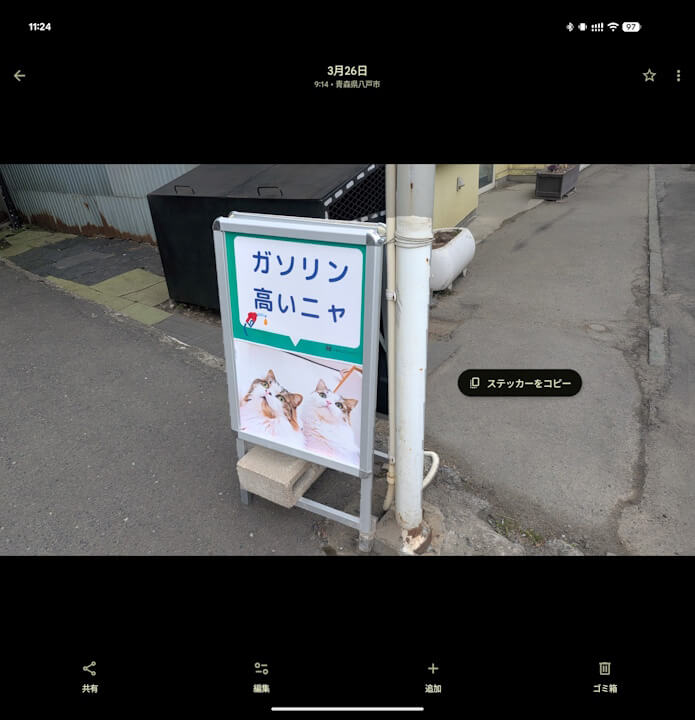
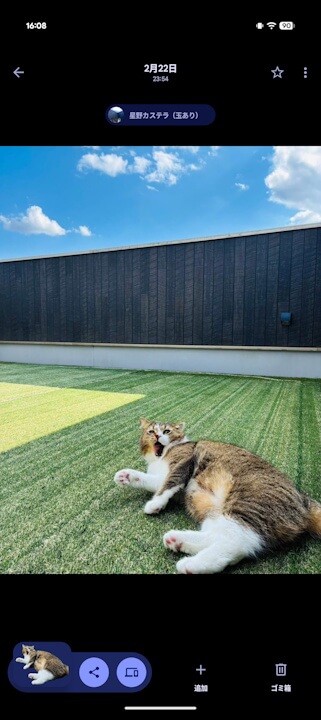
The “Sticker” creation feature in the “Google Photos” app is a convenient tool that allows you to easily cut out subjects from your photos to create stickers. It is simple to use: just open a photo in the “Google Photos” app, long-press on a subject such as a person or a pet, and tap the menu that appears for the cropped subject.
In the Android version of the “Google Photos” app, only the “Copy sticker” option appears. This means that created stickers are simply saved to your clipboard.
However, you can also share images via the “Quick Share” proximity sharing feature after selecting “Copy sticker.”
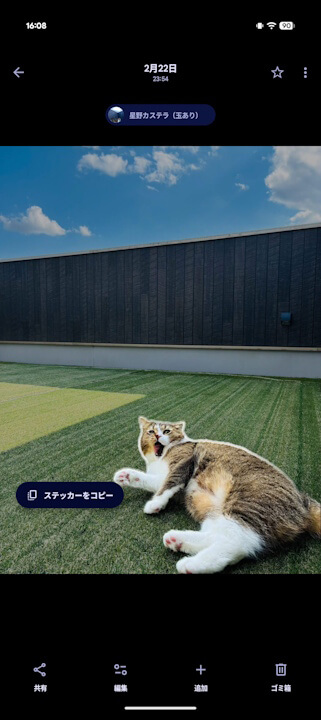
On the other hand, the “Sticker” creation feature in the iOS version of the “Google Photos” app is more advanced. While the usage method—long-pressing on a subject—is the same, the iOS version also displays the name of the subject (e.g., “☺xxx”) as classified in “Face Groups,” and a “◆Overview” option that allows you to ask questions via the Google AI “Gemini” integration feature, “Ask Photos.”
Tapping “☺xxx” will search for other photos of the same subject within “Face Groups” directly via “Ask Photos.” Selecting “◆Overview” opens the “Ask Photos” prompt input bar, enabling custom AI searches.
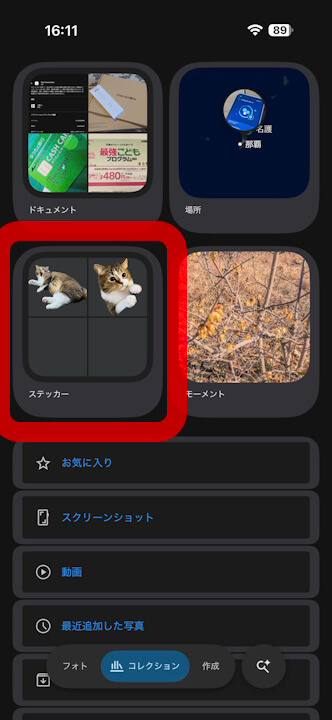
Furthermore, the iOS version saves created stickers within the “Stickers” menu under the “Collections” tab. This allows users to easily reuse stickers they have previously created.
The “Stickers” menu in the “Collections” tab has not yet been rolled out to the Android version of the “Google Photos” app.
 jetstream.blog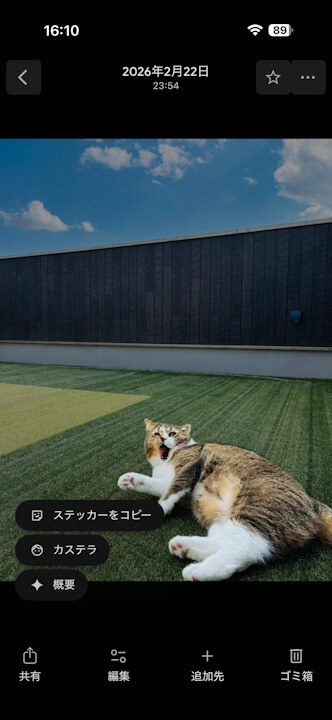
“Google Photos” App Links

