




- It appears that “Overnight backup” is finally rolling out to the Android version of the “Google Photos” app as well.
- Analysis of the app files from the Android “Google Photos” app v7.89.0.968035987 update confirmed that resource code related to “Overnight backup” has been added.
- “Overnight backup” will soon be rolling out to the Android version of the “Google Photos” app.
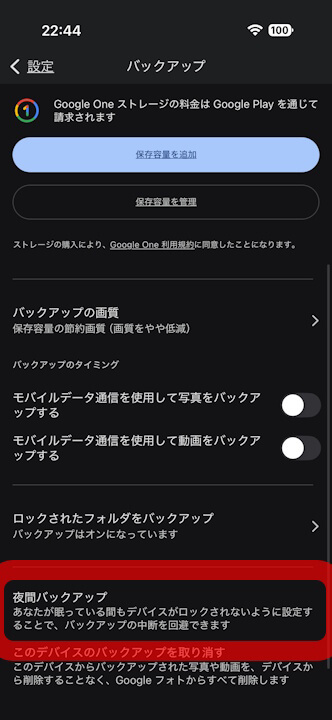
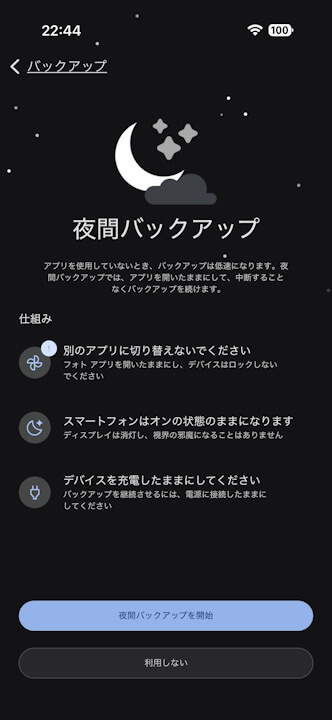
About three months ago, in early June 2026, a new backup menu called “Overnight backup,” which performs cloud backups during the night, began rolling out to the iOS version of the online photo library service “Google Photos.”
On the other hand, as of late August 2026, it had not yet rolled out to the Android version of the “Google Photos” app. However, it now appears that “Overnight backup” is finally making its way to the Android version as well.
We bring you the details in our original app file analysis feature, “App Analysis,” here on our site “Jetstream.”

「アプリ解析」
当サイトの「アプリ解析」カテゴリで公開している記事では、最新 Android アプリを逆コンパイルして独自に解析し、今後実装される可能性のある新機能や変更点などをお届けします。正式リリース前の新機能や変更となるため開発段階の未確定な情報も含まれますが、Android アプリの今後のアップデート動向をいち早くキャッチできる、ほかにはない当サイトオリジナルコンテンツです。
当サイトオリジナルの「アプリ解析」コンテンツを見逃さないよう、ぜひ Google の「優先ソース」に当サイト「Jetstream 」を登録してください。

Upon analyzing the app files from the Android “Google Photos” app v7.89.0.968035987 update released on Monday, August 24, 2026, we confirmed that resource code related to “Overnight backup” has been added. In other words, “Overnight backup” is indeed rolling out to the Android version of the “Google Photos” app.
While the rollout has not been confirmed yet, it should be arriving shortly.
<string name="photos_backup_overnight_intro_title">Overnight backup</string>
<string name="photos_backup_overnight_intro_subtitle">Backing up is slower when you're not using the app. Overnight backup keeps the app open and backing up without any interruptions.</string>
<string name="photos_backup_overnight_dimmed_message">Tap the screen at any time to see your backup status</string>
<string name="photos_backup_overnight_how_it_works_power_title">Keep your device charged</string>
<string name="photos_backup_overnight_how_it_works_sleep_title">Your phone will stay awake</string>
<string name="photos_backup_overnight_device_hot_title">Device is too hot</string>
<string name="photos_backup_overnight_start_button">Start overnight backup</string>
<string name="photos_backup_overnight_use_data_button">Use data</string>
<string name="photos_backup_overnight_complete_title">Your backup is complete</string>
<activity
android:theme="@style/Theme.Photos.Dark.NoTitle"
android:name="com.google.android.apps.photos.backup.activeupload.ActiveUploadModeActivity"
android:exported="false"
android:configChanges="smallestScreenSize|screenSize|screenLayout|orientation|navigation|keyboardHidden|keyboard"/>“Google Photos” App Links

