



- A long-awaited new feature for bikers comes to Google Maps!
- The Android Google Maps app now has a motorcycle icon setting.
- Choose from 5 variations (Vintage / Naked / Cub / Scooter / Racer), each in 8 colors.
A long-awaited new feature for bikers has been added to Google Maps!
The Android version of Google’s map service, Google Maps, has introduced a motorcycle icon setting. While both the Android and iOS versions of the app previously allowed users to change the vehicle icon during car navigation, this new feature now lets you display a motorcycle icon specifically for motorcycle navigation.
Excluding the default arrow icon, there are five variations for the motorcycle icon: Vintage, Naked, Cub, Scooter, and Racer, each available in eight different colors. However, for now, this motorcycle icon setting has only appeared on the Android version of the Google Maps app.
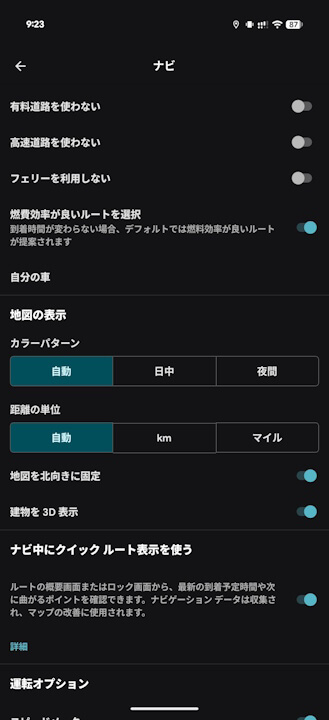
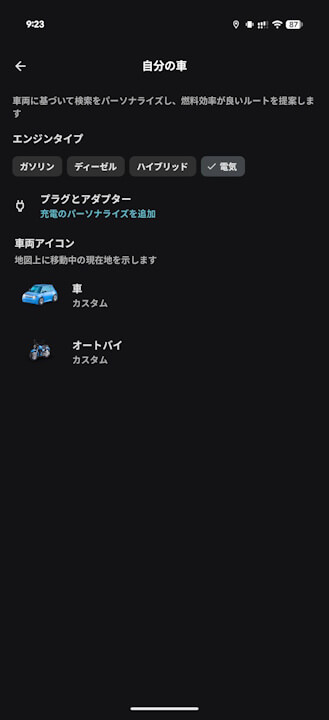
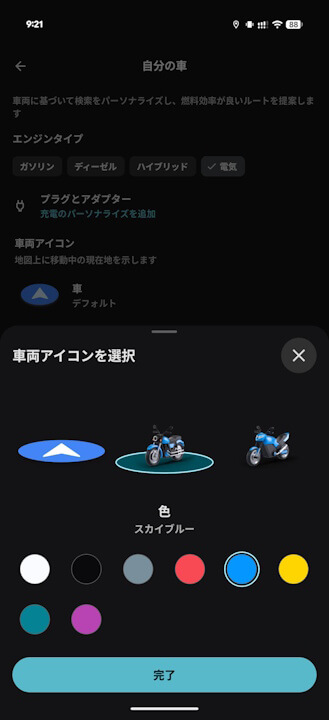
That said, since the availability of motorcycle routes in Japan is still limited or nonexistent, the opportunities to actually see the motorcycle icon you’ve set might be limited. We’d really like to see improvements in this area.


Google Maps App Links


Update
We’ve confirmed the appearance of the motorcycle icon setting in the Android Google Maps app around version v25.49.06. However, an analysis of the app’s internal code reveals that the feature has actually been implemented for some time, so it’s possible that the motorcycle icon setting has just now been enabled in Japan.
コメントを残す