




この記事のポイント
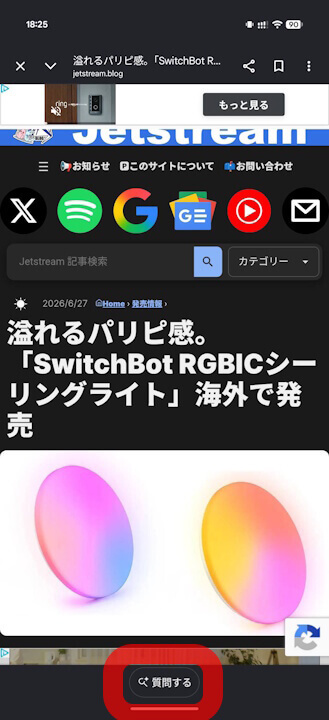
- A new “Ask” (🔍質問する) button has been added to the browser feature of the Android version of the Google app.
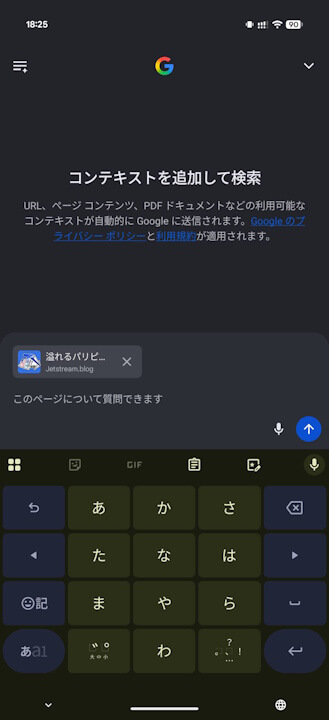
- This button allows you to directly ask questions about the page you are viewing using the AI search feature, “AI Mode.”
- By tapping the “Ask” button at the bottom of the screen, the page you are viewing is attached to “AI Mode,” allowing you to ask questions about it immediately.
A new “Ask” (🔍質問する) button has been added to the browser feature of the Android version of the Google app.
The new “Ask” button in the Android Google app’s browser allows you to directly query the AI search feature, “AI Mode,” regarding the page you are currently viewing. By tapping the “Ask” button displayed at the bottom of the screen, the current page is automatically attached to “AI Mode,” enabling you to ask questions about its content right away.
We have confirmed the presence of this “Ask” button in version v17.35.27 and later of the Android Google app. As of now, it has not been confirmed in the iOS version of the Google app.
Google App Links

