



- A new “Create label” feature is rolling out to the Android version of the Gmail app.
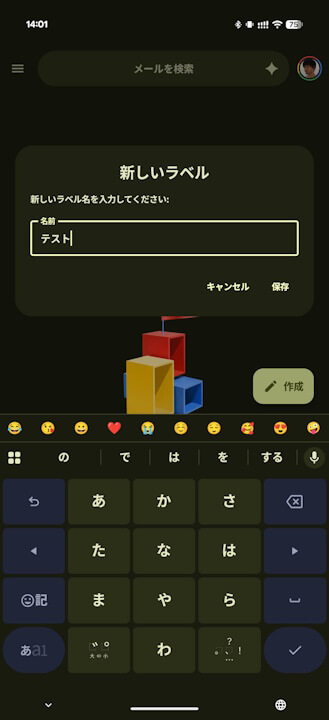
- As the name suggests, “Create label” allows users to create labels for categorizing emails.
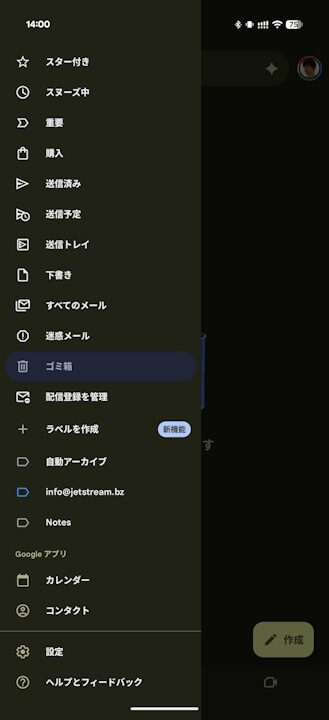
- The “Create label” option has been newly added to the sidebar of the Android Gmail app.
Around mid-February 2026, the “Create label” feature began rolling out as a new addition to the Android version of Google’s email service, “Gmail.”
The “Create label” feature for the Android Gmail app is exactly what it sounds like: a function that allows you to create “labels” for categorizing your emails. While this feature has long been available on the web version and even the iOS app, the Android version had surprisingly lacked the “Create label” functionality until now.
The sudden rollout of “Create label” on the Android Gmail app in mid-February 2026 comes as a welcome surprise.
The “Create label” option is located within the sidebar of the Android Gmail app.
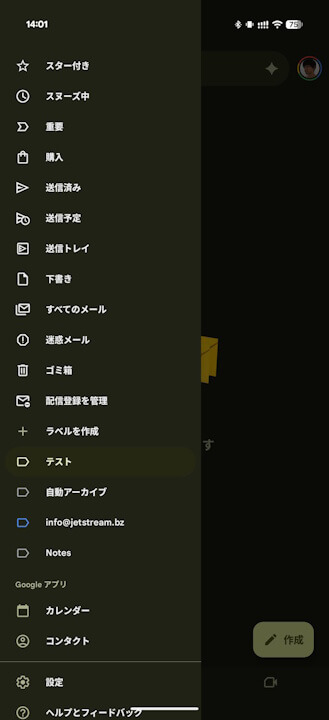
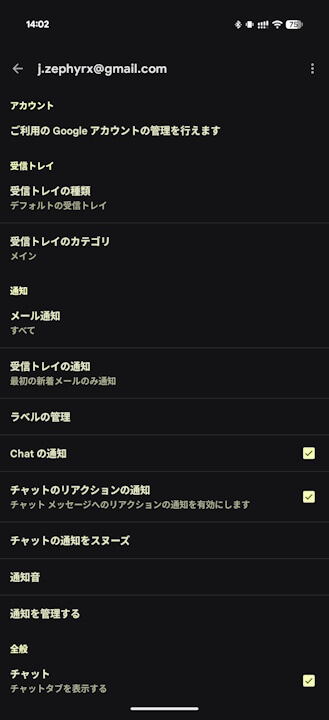
You can view or delete the labels you’ve created by going to “Manage labels” within the Android Gmail app settings.
Gmail App Link

コメントを残す