




- From mid to late August 2026, a new AI tool called “Device Help” began rolling out in the Android version of the “Gemini” app.
- An AI tool designed to assist with changing and checking Android device settings, troubleshooting, and optimization, and in some cases, directly adjusting or changing settings.
- It may be a tool that links with the Google Pixel device settings check / status check / support feature “Ask Pixel.”
From mid to late August 2026, Google has started rolling out a new AI tool called “Device Help” in the Android version of the “Gemini” app.
The new “Device Help” AI tool rolled out in the Android “Gemini” app assists users with changing and checking Android device settings, troubleshooting, and optimization, and in some cases, can even directly configure or change settings. While processing, it also connects to “Device assistance” (formerly “Utilities”) under the “Extensions” settings.
Additionally, as it currently carries a “Labs” flag, it is expected to be an experimental rollout.

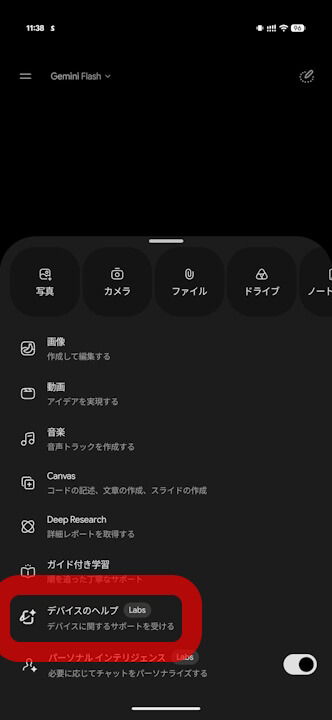
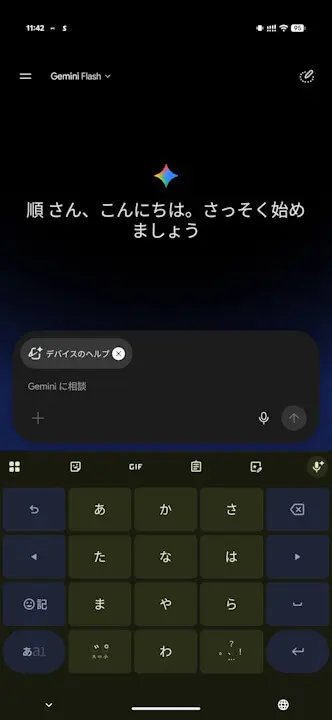
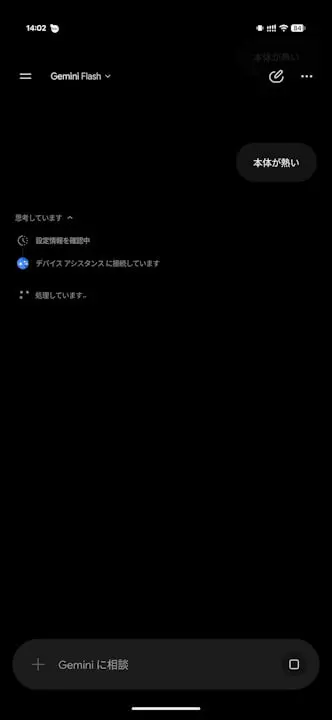
For now, “Device Help” is rolling out for Google Pixel devices. It may be a tool that integrates with the Google Pixel settings check, status check, and support feature “Ask Pixel.”

Furthermore, while the new “Device Help” AI tool in the Android “Gemini” app is currently accessible using any of the AI models (“3.5 Flash-Lite,” “3.7 Flash,” and “3.1 Pro”), it appears to be actually optimized for the “Flash” model. There are also emerging signs that it may be updated in the future to automatically switch to the “Flash” model whenever the “Device Help” tool is used.
<string name="assistant_robin_da_disclaimer_capability_used_title">Device assistance was used</string>
<string name="assistant_robin_da_disclaimer_capability_used_body">The device assistance connected app was used for this response. You can disconnect it anytime in your settings.</string>
<string name="assistant_robin_da_model_switch_disclaimer_body">Device Help is optimized for Flash. Switched automatically.</string>Source:Gemini