

- The “Remembered Items” feature announced in the September 2026 “Android Drop” finally rolled out with the Android version of the “Find Hub” app v3.1.732-02 update released on Friday, September 11, 2026.
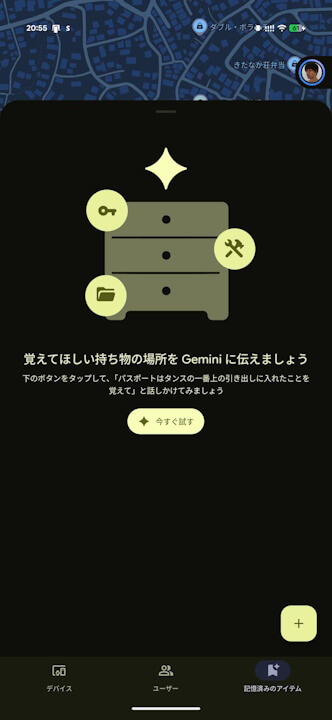
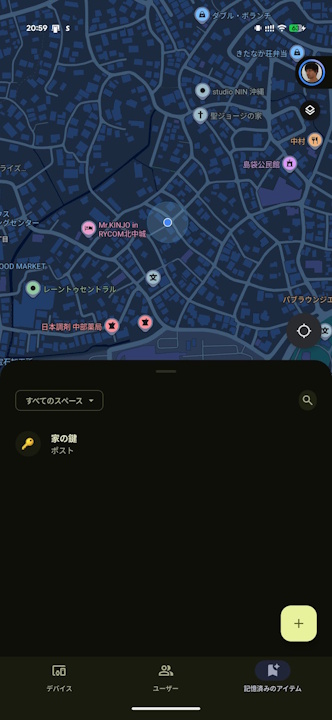
- Once “Remembered Items” rolls out, a new “Remembered Items” tab will be added to the bottom menu of the Android “Find Hub” app.
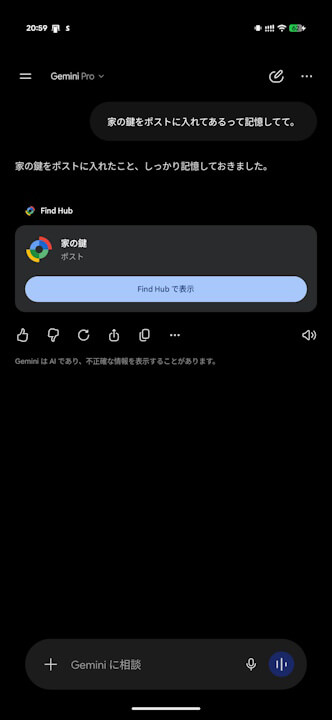
- Simply tell the “Gemini” app, “Remember that I put the house key in the mailbox,” and it will instantly save that information as a “Remembered Item” in the Android “Find Hub” app.
On Tuesday, September 1, 2026, Google announced a new feature as part of the September 2026 “Android Drop” for Android devices: “Remembered Items,” a new feature that allows the Google AI “Gemini” to remember where you placed important belongings and save that location information in the “Find Hub” app.
And now, “Remembered Items” in the “Find Hub” app has finally begun rolling out with the Android “Find Hub” app v3.1.732-02 update released on Friday, September 11, 2026. Once “Remembered Items” rolls out, a new “Remembered Items” tab will be added to the bottom menu of the Android “Find Hub” app.

 jetstream.blog
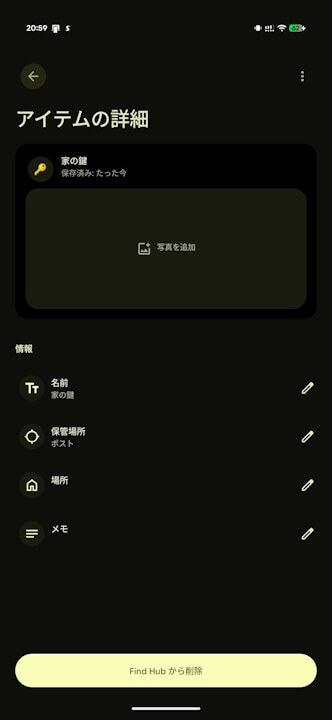
Using “Remembered Items” is simple. Just tell the “Gemini” app something like, “Remember that I put the house key in the mailbox,” and it will instantly save that content as a “Remembered Item” in the Android “Find Hub” app. For items saved as “Remembered Items,” you can attach photos and leave notes in the “Item Details” section.
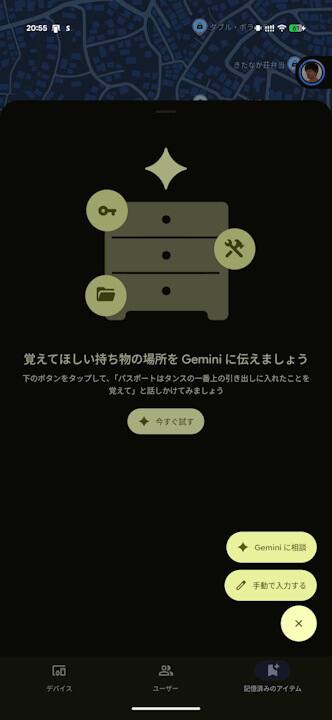
You can also save items manually without using the “Gemini” app. Please note that items saved as “Remembered Items” cannot be shared at this time.
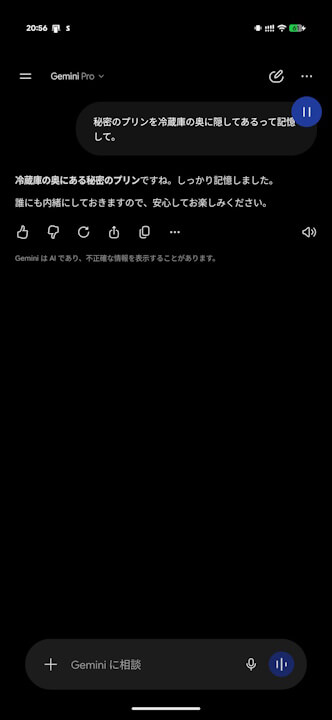
One thing to keep in mind with “Remembered Items” is that if you include words like “secret xxx” in your prompt to “Gemini,” the slightly goofy “Gemini” might mistake it for a confidential conversation with you and fail to save it as a “Remembered Item.” For “Remembered Items,” be direct and tell it something like, “Save (remember) that I put [item] in [location].
“Find Hub” App Link