

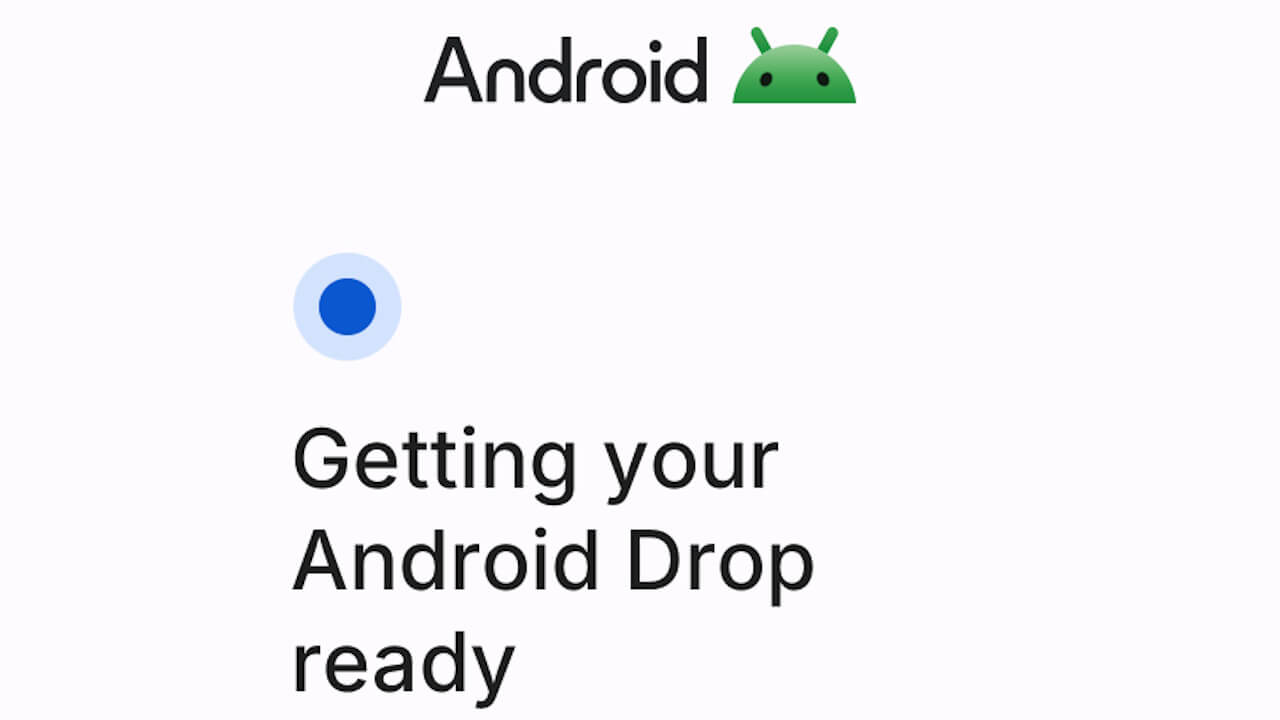
- A new “New features on Android” introductory screen UI tailored for the upcoming “Android Drop” has been revealed from the latest Android version of the “Google Play Services” app.
- Analysis of the app files from the Android “Google Play Services” app version v26.45 update confirmed the addition of resource code related to a loading screen that appears when opening the “New features on Android” introductory screen.
- The new loading screen is structured with the Android logo at the top, followed by a loading indicator and a single-line message underneath.
Google rolls out new features for Android devices quarterly as “Android Drop.”
In alignment with these “Android Drop” releases, the “New features on Android” introductory content is also rolled out within the “Google” settings on Android devices other than Google Pixel devices. This means the next “Android Drop” (“New features on Android”) is scheduled for December 2026.


Now, a new “New features on Android” introductory screen UI tailored for the upcoming “Android Drop” has been discovered in the latest Android version of the “Google Play Services” app. We bring you the details through “App Analysis,” our original app file analysis report content on “Jetstream.”
「アプリ解析」
当サイトの「アプリ解析」カテゴリで公開している記事では、最新 Android アプリを逆コンパイルして独自に解析し、今後実装される可能性のある新機能や変更点などをお届けします。正式リリース前の新機能や変更となるため開発段階の未確定な情報も含まれますが、Android アプリの今後のアップデート動向をいち早くキャッチできる、ほかにはない当サイトオリジナルコンテンツです。
当サイトオリジナルの「アプリ解析」コンテンツを見逃さないよう、ぜひ Google の「優先ソース」に当サイト「Jetstream 」を登録してください。

An analysis of the app files from the Android “Google Play Services” app version v26.45 update, distributed around Friday, November 13, 2026, confirmed the addition of resource code related to the loading screen that appears when opening the “New features on Android” introductory screen. Additionally, the UI design of the loading screen based on this resource code has also come to light.
The new loading screen features the Android logo at the top, with a loading indicator and a single-line message displayed underneath.
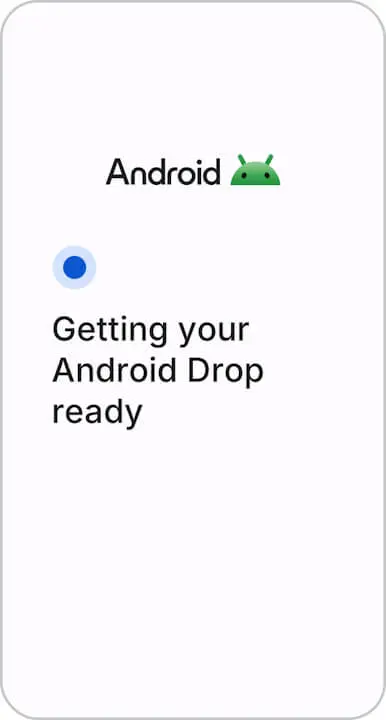
There are a total of 12 loading screen messages prepared, such as “Getting your Android Drop ready,” “Discovering what’s new for Android,” and “Your Android device just got better.” The default message is “Your Android device just got better.”
<string name="featuredrops_intro_loader_almost_ready_to_explore">Almost ready to explore</string>
<string name="featuredrops_intro_loader_almost_there">Almost there</string>
<string name="featuredrops_intro_loader_discovering_whats_new">Discovering what's new for Android</string>
<string name="featuredrops_intro_loader_finding_best_tips">Finding the best tips for your phone</string>
<string name="featuredrops_intro_loader_finding_new_features">Finding new features for your Android</string>
<string name="featuredrops_intro_loader_getting_android_drop_ready">Getting your Android Drop ready</string>
<string name="featuredrops_intro_loader_getting_new_android_features_ready">Getting your new Android features ready</string>
<string name="featuredrops_intro_loader_new_features_almost_here">Your new Android features are almost here</string>
<string name="featuredrops_intro_loader_setting_up_helpful_tips">Setting up helpful tips</string>
<string name="featuredrops_intro_loader_tailoring_for_android">Tailoring for your Android</string>
<string name="featuredrops_intro_loader_unpacking_latest_features">Unpacking your latest features</string>
<string name="featuredrops_intro_loader_your_android_device_just_got_better">Your Android device just got better</string>
<string name="uiflow_intro_loader_default_title">Your Android device just got better</string>
Previously, opening “New features on Android” from the “Google” settings would immediately display the “New features on Android” screen. Once the new loading screen is rolled out, opening “New features on Android” will display the Android logo and a message while the introductory content loads.
“Google Play Services” App Link