



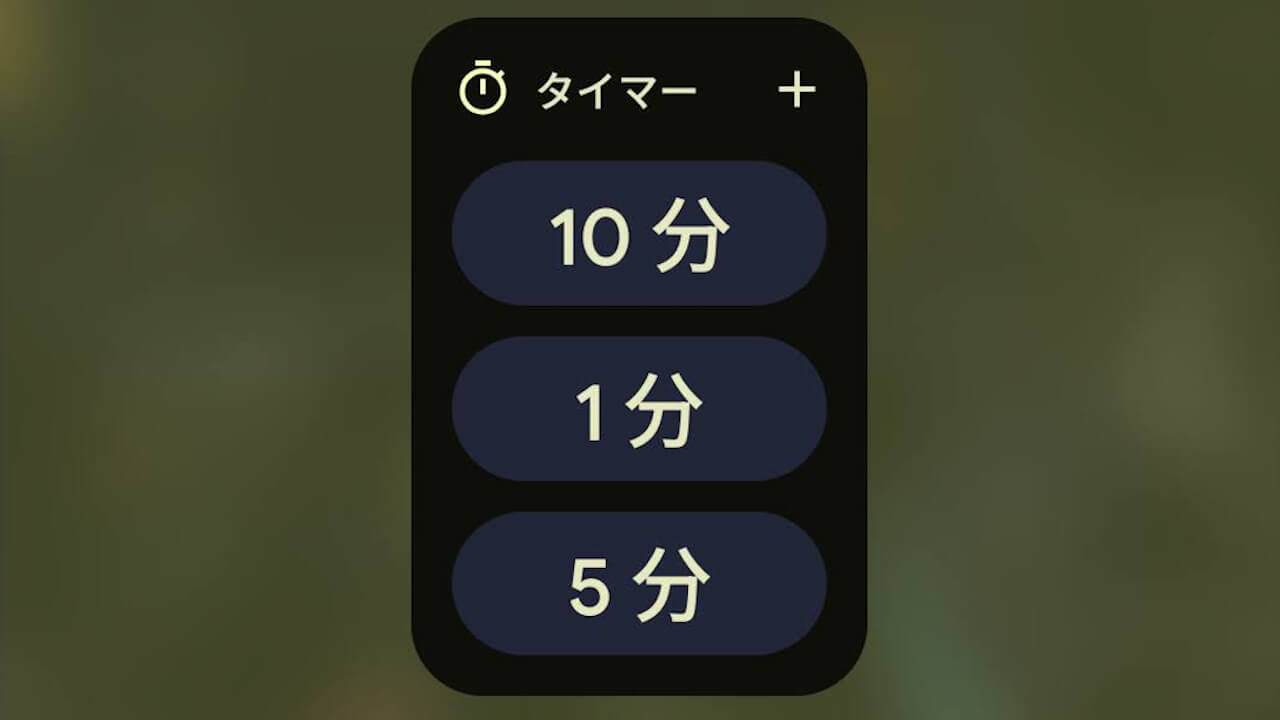

- The app version v9.0 update was released on Thursday, July 23, 2026, for the stock Android Clock app.
- A new “Timer Starter” has been added, allowing users to start a “Timer” directly from the home screen.
- The variations displayed on the “Timer Starter” widget update according to newly set “Timers.”
The app version v9.0 update began rolling out on Thursday, July 23, 2026, primarily for stock Android Clock apps such as those on Google Pixel devices.
Although nothing has been officially announced regarding the contents of this Android Clock app v9.0 update, app teardown results confirmed that a new widget called “Timer Starter”—which allows users to launch a “Timer” directly from the home screen—has been newly added. The “Timer Starter” widget is being rolled out alongside the Android Clock app v9.0 update.
In fact, the “Timer Starter” widget is something you’d expect to have existed all along. It’s a long-awaited new feature, especially for fitness enthusiasts and trainees.
<receiver android:label="@string/timer_starter_gadget" android:name="com.android.deskclock.appwidgets.timerstarter.TimerStarterAppWidgetProvider" android:enabled="@bool/enable_timer_starter_appwidget" android:exported="false">
<intent-filter>
<action android:name="android.appwidget.action.APPWIDGET_UPDATE"/>
</intent-filter>
<meta-data android:name="android.appwidget.provider" android:resource="@xml/timer_starter"/>
</receiver>
<string name="timer_starter_gadget">Timer starter</string>
<bool name="enable_timer_starter_appwidget">false</bool>

<string name="timer_starter_gadget"> </string>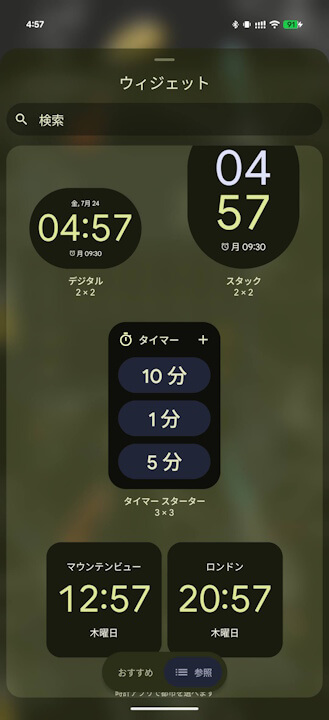
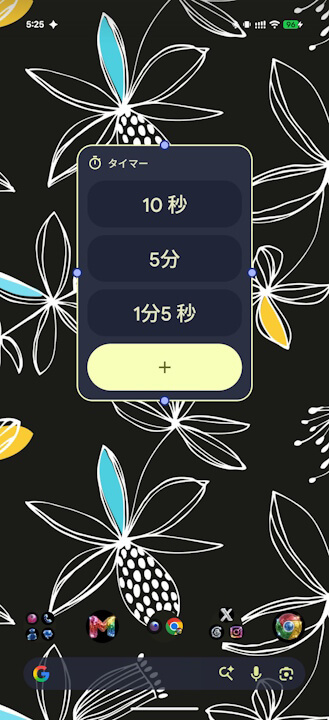
The “Timer Starter” widget newly added in the Android Clock app v9.0 update comes with default variations like “10 minutes” and “5 minutes,” but it is designed so that the displayed variations also update to match any newly set “Timer.”
Clock App Link
