



- It appears that the “Bookmark Bar” for the Android version of the “Chrome” app has finally begun a wider rollout for large-screen Android devices.
- We have confirmed that the “Bookmark Bar” started rolling out more broadly around the Android “Chrome” app v146 update, which began distribution in mid-March 2026.
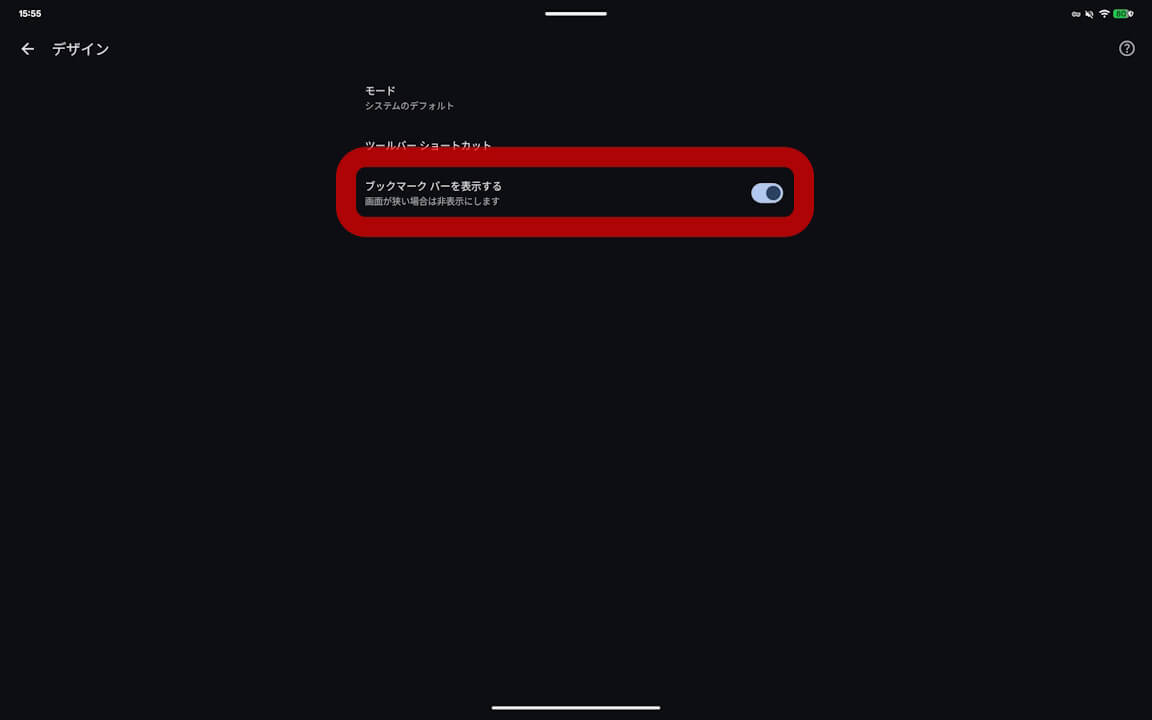
- Along with the introduction of the new “Appearance” settings, a toggle for the “Bookmark Bar”—”Show bookmarks bar”—is now available.
Back in late December 2025, we reported that a new “Appearance” setting had been added to the Android version of the Google “Chrome” browser. At that time, we also reported that a “Bookmark Bar” was being rolled out for large-screen Android devices such as the “Pixel 10 Pro Fold” and “Pixel Tablet.”
However, that initial rollout was limited to select large-screen Android devices and was not widely available. After a few months, it appears the “Bookmark Bar” has finally begun a broader release. We have confirmed that this feature started rolling out more extensively around the Android “Chrome” app v146 update, which began distribution in mid-March 2026.
 jetstream.blog
The “Bookmark Bar” in the Android “Chrome” app is being deployed for large-screen Android devices alongside the new “Appearance” settings. On these devices, when you access “Appearance” within the Android “Chrome” app settings, you will find a toggle labeled “Show bookmarks bar” to turn the feature on or off.
When the “Bookmark Bar” is enabled, it appears at the top of the browser interface when viewing web pages. Please note that this “Bookmark Bar” option will not appear in the “Appearance” settings on devices that are not considered large-screen Android devices.

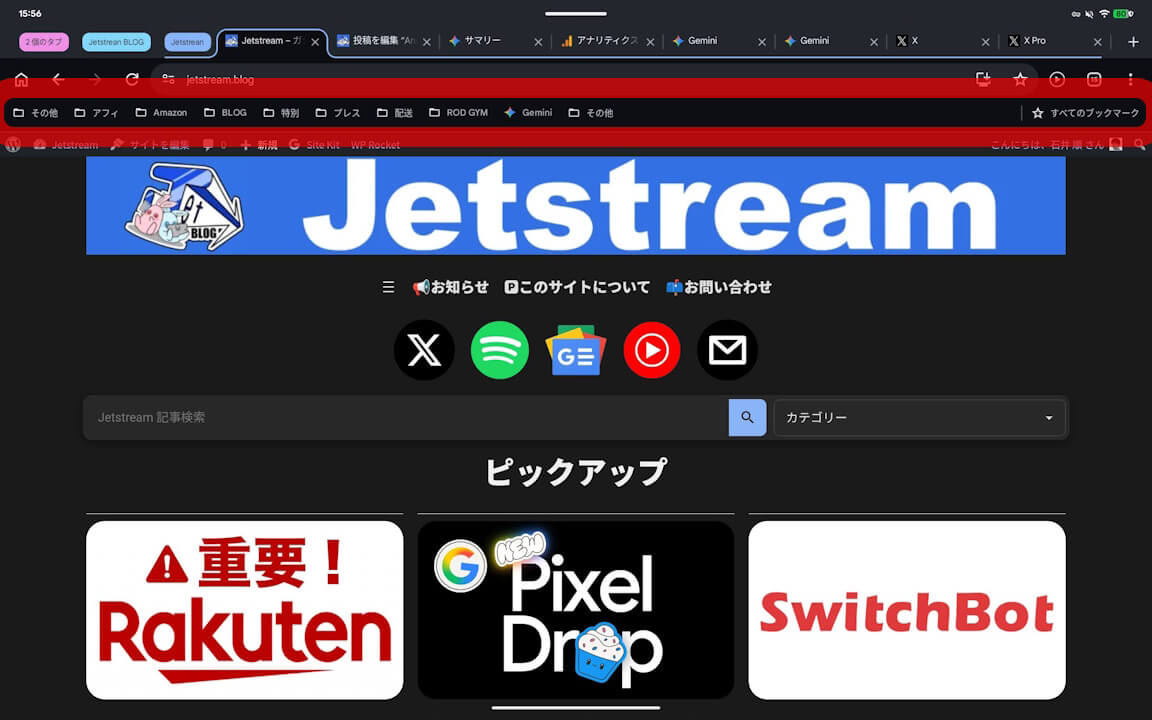
By enabling the “Bookmark Bar,” the Android version of the “Chrome” app becomes even more convenient, offering a user experience similar to the desktop version of “Chrome.”
“Chrome” App Link

コメントを残す