



- In the Android version of the Chrome app, a “Bookmark Bar” similar to the desktop version is now displayed when used on large-screen devices like the Pixel 10 Pro Fold.
- Accessing bookmarks has become even easier.
- The ON/OFF setting for the “Bookmark Bar” is available within the “Design” settings, which were introduced at the same time.
In the Android version of Google’s Chrome browser app, a “Bookmark Bar” similar to the desktop version is now displayed when using large-screen devices such as the Pixel 10 Pro Fold.
Previously, users of the Android Chrome app had to navigate to the “Bookmarks” page to access their saved URLs. Now, with the introduction of the “Bookmark Bar,” accessing your bookmarks has become much more convenient.
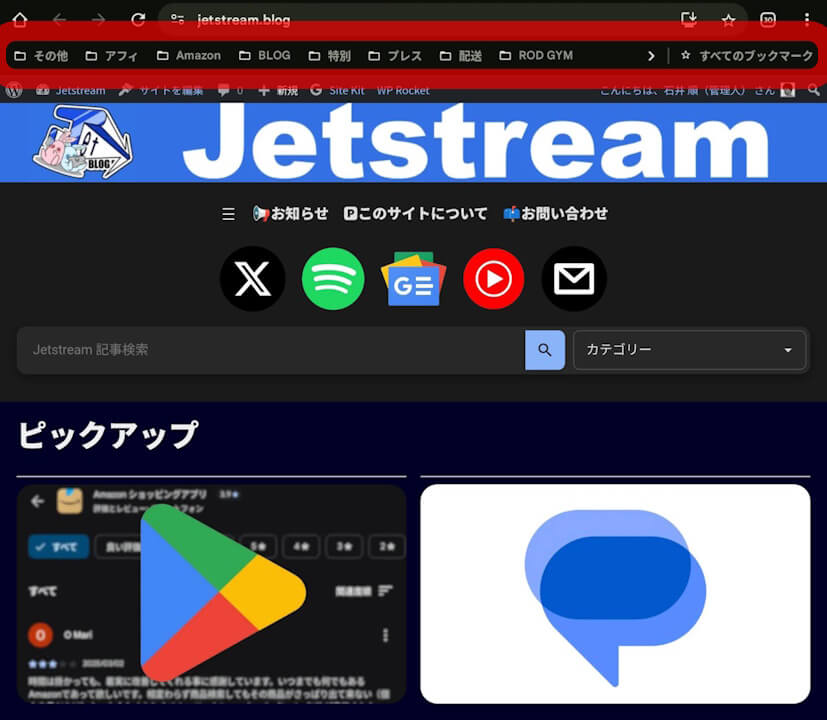
The ON/OFF toggle for the “Bookmark Bar” is located within the newly established “Design” settings introduced at the same time. However, this setting is only accessible when the device is in a large-screen display state.

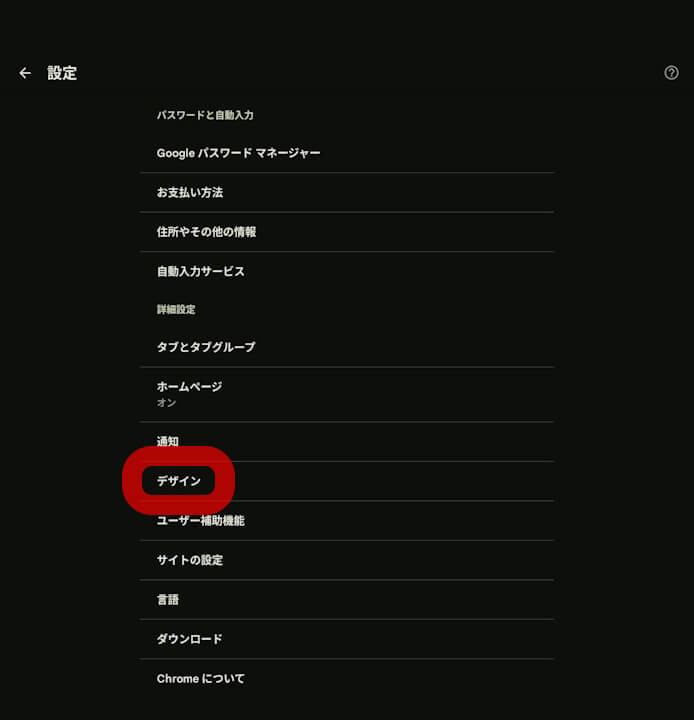
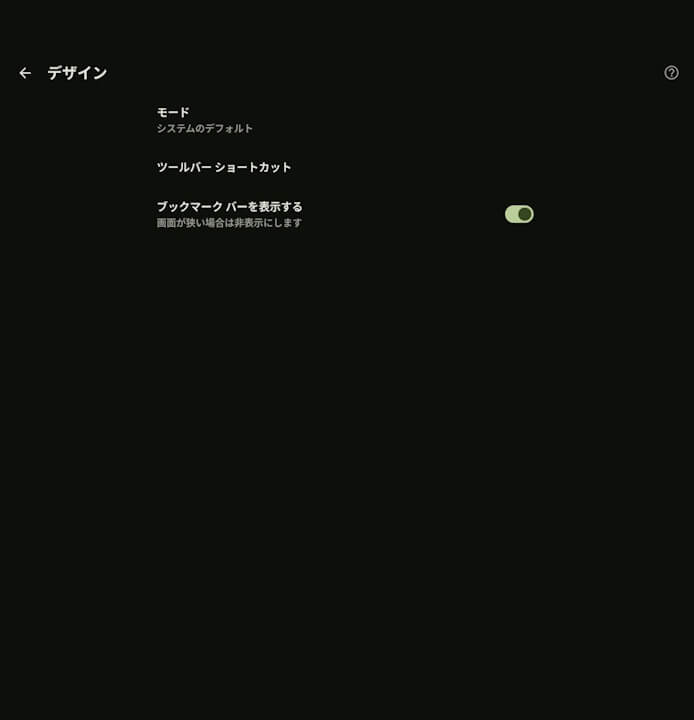
As mentioned above, the “Bookmark Bar” in the Android Chrome app is displayed on large-screen devices. It will not appear in the standard smartphone view.
Additionally, while this feature has been confirmed in app version v143.0.7499.146, the rollout is currently limited to a subset of Android devices.
“Chrome” App Link

コメントを残す