

- Announced as part of the September 2026 “Android Drop,” the motion sickness relief feature “Motion Assist” for the next-generation Android OS “Android 17” began rolling out in mid-September 2026.
- “Motion Assist” displays animated shapes at the edges of the screen that move in sync with the device’s movement, helping to reduce motion sickness when viewed.
- By turning on the “Start while in a moving vehicle” setting, the feature automatically detects when you are riding in a car, bus, train, or other vehicle and displays animated shapes at the screen edges to help mitigate motion sickness.
Announced as part of the September 2026 edition of “Android Drop” for Android devices, the motion sickness relief feature “Motion Assist” for the next-generation Android OS “Android 17” has begun rolling out in mid-September 2026.
“Motion Assist” is a feature that displays animated shapes at the edges of the screen that move in sync with the device’s movement, helping to alleviate motion sickness by watching them. Originally starting as rumors in the fall of 2025 that transitioned into in-app code implementation—with ongoing reports about its potential rollout—it was officially announced as part of the September 2026 “Android Drop” and has finally started rolling out.
While the rollout of “Motion Assist” was confirmed on certain devices running “Android 17” as of late August 2026, its official broader deployment began in September 2026 and later.


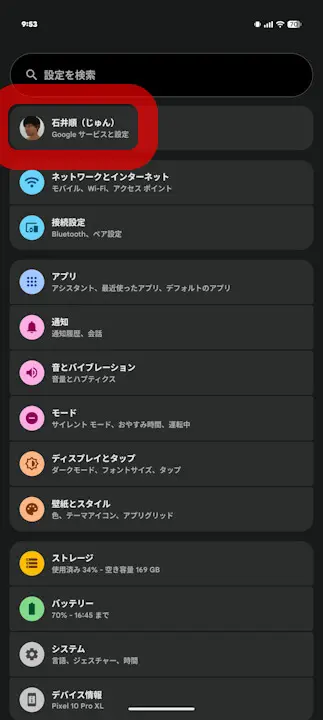
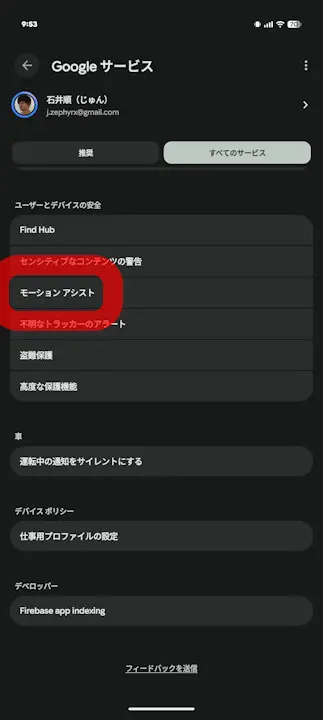
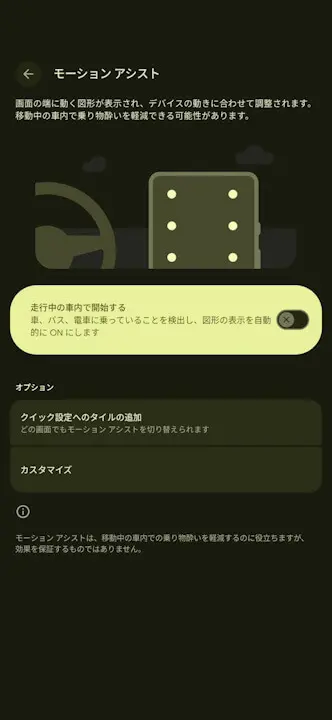
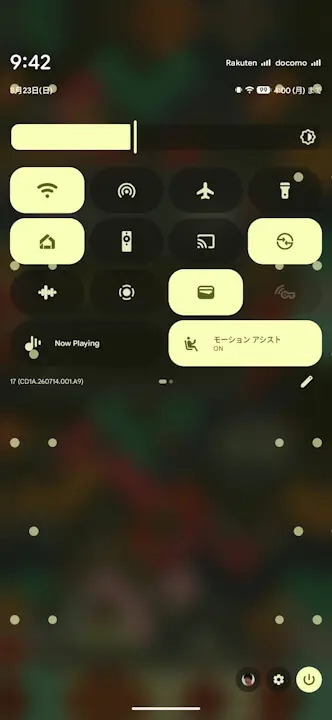
“Motion Assist” is located within “Google Services” in the Android settings. By enabling the “Start while in a moving vehicle” setting, the feature automatically detects when you are riding in a car, bus, train, or other vehicle, displaying animated shapes at the edges of the screen to help reduce motion sickness. Additionally, a “Quick Settings tile” is provided, allowing you to turn it on or off manually.
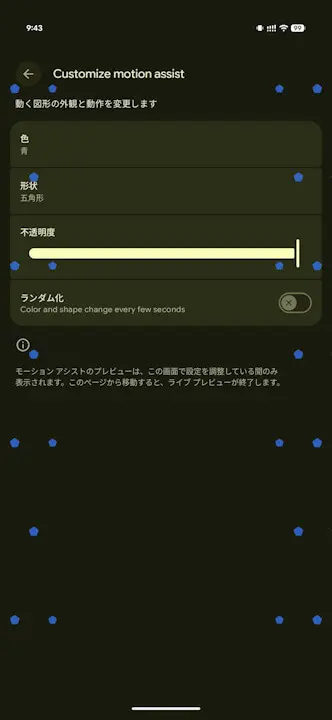
The animated shapes displayed at the edges of the screen by “Motion Assist” can be customized in terms of color, shape, and opacity, and a “Randomize” option is also available. When “Randomize” is selected, the colors and shapes of the automatically moving elements in “Motion Assist” will periodically change.
Google Play Services App Link