


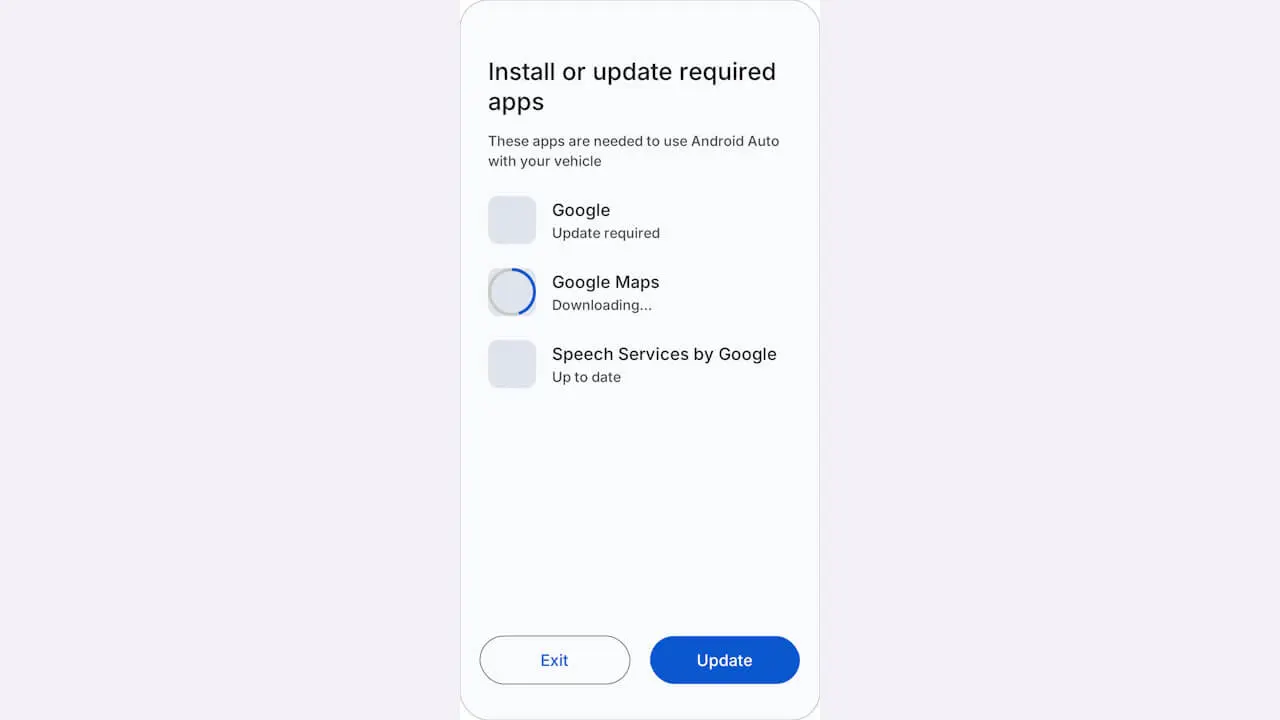
- App installation is expected to become more efficient in Android Auto.
- Analysis of the app files from the Android Auto v18.2 update for Android reveals the addition of resource codes for a new screen that allows users to batch install or update the apps required to use Android Auto directly on their Android device.
- “Install or update required apps” will be displayed on the Android device, with the apps required for Android Auto listed one by one.
App installation is set to become more efficient in Google’s car operating system, Android Auto.
We bring you the details through our original app file analysis content, “App Analysis,” here on the “Jetstream” website.
「アプリ解析」
当サイトの「アプリ解析」カテゴリで公開している記事では、最新 Android アプリを逆コンパイルして独自に解析し、今後実装される可能性のある新機能や変更点などをお届けします。正式リリース前の新機能や変更となるため開発段階の未確定な情報も含まれますが、Android アプリの今後のアップデート動向をいち早くキャッチできる、ほかにはない当サイトオリジナルコンテンツです。
当サイトオリジナルの「アプリ解析」コンテンツを見逃さないよう、ぜひ Google の「優先ソース」に当サイト「Jetstream 」を登録してください。

An analysis of the app files from the Android “Android Auto” app v18.2 update, released on Monday, November 16, 2026, confirmed that resource codes have been added for a new screen that allows users to batch install or update the apps required to use Android Auto directly on their Android device. Based on this, the corresponding UI screen has also been identified.
<string name="companion_apps_phone_title">Install or update required apps</string>
<string name="companion_apps_phone_body">These apps are needed to use Android Auto with your vehicle</string>
<string name="companion_apps_action_install">Install</string>
<string name="companion_apps_action_update">Update</string>
<string name="companion_apps_action_continue">Continue</string>
<string name="companion_app_status_missing">Install required</string>
<string name="companion_app_status_update">Update required</string>
<string name="companion_app_status_starting">Starting update…</string>
<string name="companion_app_status_in_progress">Downloading…</string>
<string name="companion_app_status_ready">Up to date</string>
<string name="companion_app_status_not_started">Update didn't start — tap to open Google Play</string>
<string name="companion_app_status_install_failed">Update failed — tap to retry in Google Play</string>
<string name="companion_app_status_connection_lost">Connection lost — tap Update to retry</string>
Android Auto works in conjunction with multiple apps, such as the Google app, Google Maps, and Speech Services by Google. Previously, even if these apps were not installed on the Android device or if the installed versions were outdated, the initial setup only displayed a generic message like “It may take a few minutes to download and update your apps.” There was no screen available to check a list of which specific apps were missing.
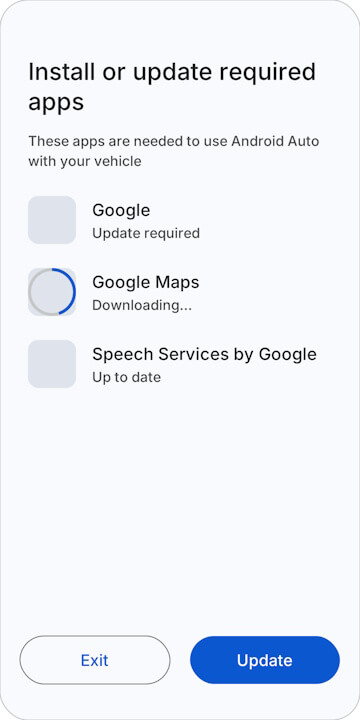
On the newly confirmed screen for batch installing and updating apps, “Install or update required apps” will be displayed on the Android device, listing the apps necessary for using Android Auto one by one. Each app will show its status—such as “Install required” indicating it is not yet installed, “Update required” indicating an update is needed, “Downloading…” during the download process, or “Up to date” when it is current. The design allows users to batch install or update all of them using the “Update” button at the bottom of the screen.
Please note that the actual rollout of this new batch app installation and update screen in Android Auto has not yet been confirmed.
Android Auto App Link